22 of 76
7.2 ASSEMBLY OF FRONT & REAR CROSSMEMBER
1. Move the front crossmember and rear crossmembers into position. Do not
assemble yet. Refer to Figure 4 to identify the front and rear crossmembers.
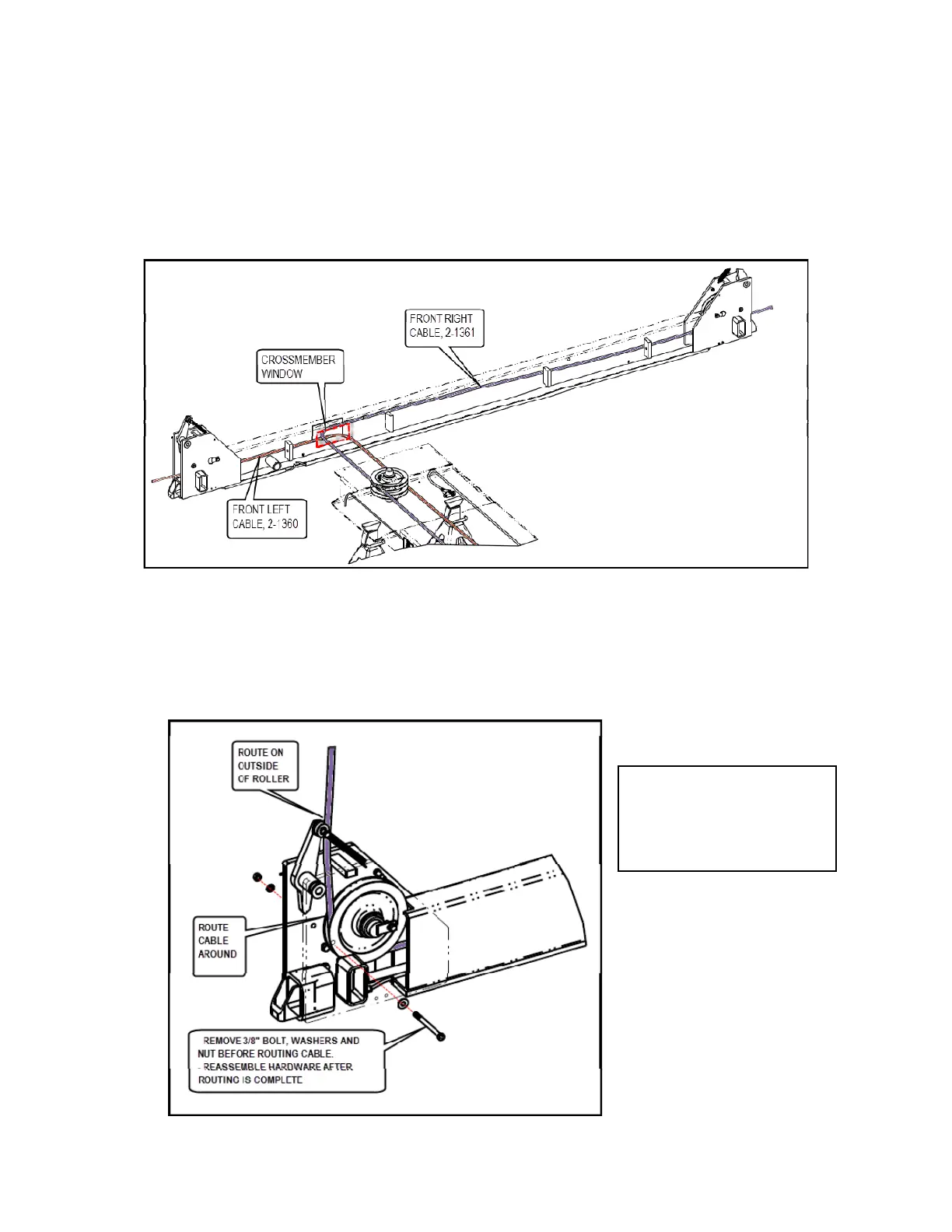
2. Starting at the front pulley stack assembly, route the front cables thru the window
in the front crossmember and out past the safety locks on each side of the
crossmember. Figure 12.
Figure 12. Front Right and Left Cable Installed in Crossmember
3. At the end of each crossmember, remove the 3/8" cable retaining bolt and
hardware.
4. Route the cable around the pulley then around the auxiliary safety pulley as
shown. Reinstall the retaining bolt and hardware. See Figure 13.
Figure 13. Front Right and Left Cable Installed in Crossmember
NOTE: Ensure
retaining bolt is
installed behind cable,
not between cable and


 To Next Page