21
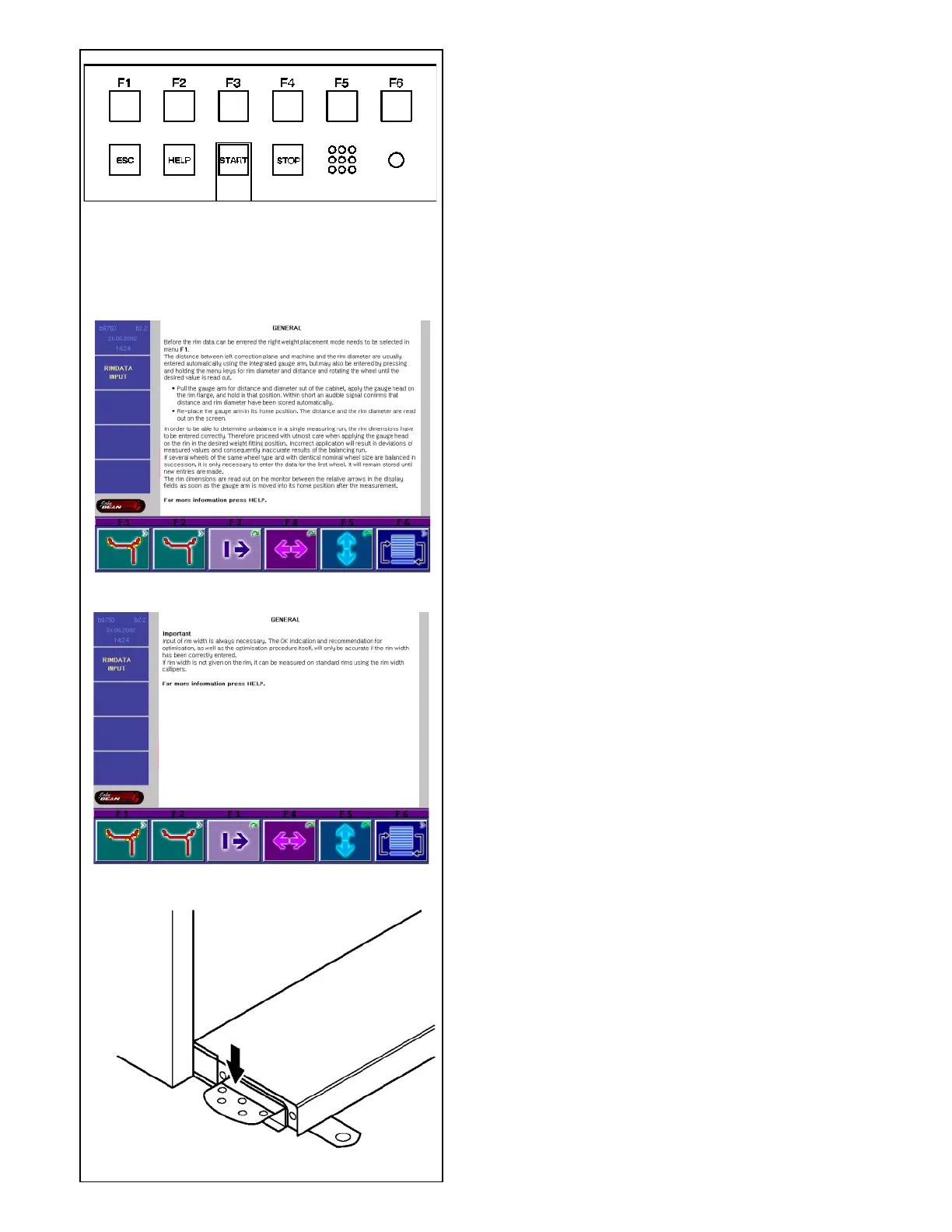
4.1.3-1
4.1.3-2
4.1.3-3
4.1.4-1
4.1.3 Help information
Help information explains the current action and, in
the case of
an error code, provides hints for remedy.
Display help information
• Press the HELP key (1 Fig. 4.1.3-1)
The first screen with help information appears, e. g. to
the
screen RIM DATA INPUT (Fig. 4.1.3-2).
• Press the HELP key once more to display the next
screen with help information.
The second screen with help information to the screen
RIM
DATA INPUT (Fig. 4.1.3-3) appears.
Note:
On pressing the HELP key in the last screen with help
information the display jumps to the first screen again.
Quit help information
• Press the ESC key (2 Fig. 4.1.3-1).
4.1.4 Main shaft lock
Fig. 4.1.4-1 Pedal of main shaft lock
The main shaft is locked when the pedal is depressed.
This facilitates tightening or untightening of the
clamping nut and retains the wheel in the correction
position for correct fitting of the balance weights.
This lock is designed only to facilitate orientation of
the wheel and must not be used for braking the main
shaft.



 To Next Page