48
5.3.2-2
5.3.3-1
5.3.2-3
5.3.2-4
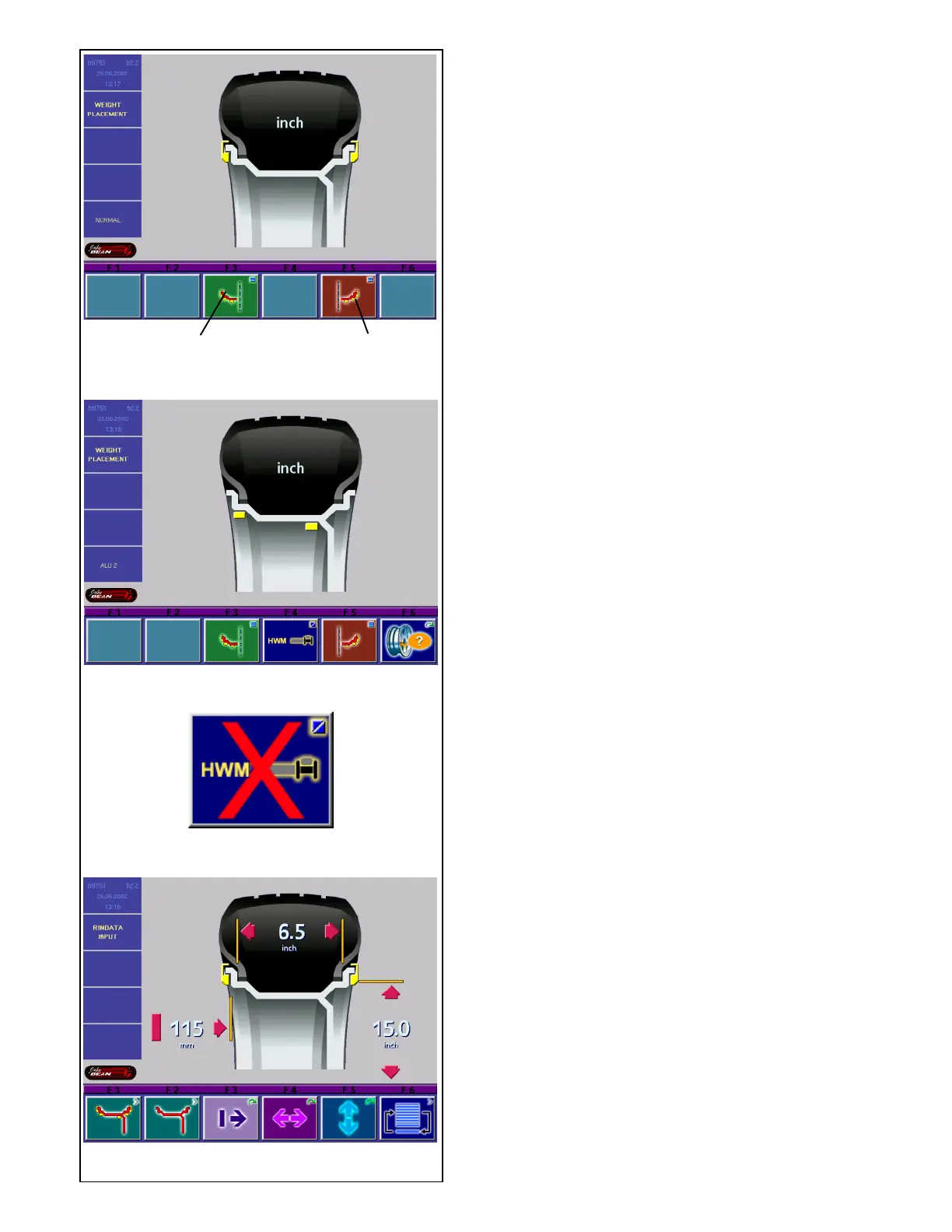
• Press the menu key F3 (1, Fig. 5.3.2-2) if necessary
several times until the weight symbol lights up at
the de-sired position on the rim.
Choose the desired weight fitting position for the right
correction plane:
• Press the menu key F5 (2, Fig. 5.3.2-2) if necessary
several times until the weight symbol lights up at
the de-sired position on the rim.
• Once the balancing mode is chosen, return to the
screen RIM DATA INPUT by pressing the ESC
key.
The chosen balancing mode is retained until another
mode is chosen, or until the machine is turned off.
With balancing modes Alu 2 and Alu 3 the correction
planes de-termined by the machine are used for
balancing. In balancing modes Alu 2S and Alu 3S the
correction planes for the adhesive weights can be
determined exactly by means of the gauge arm.
• To choose between Alu 2 and Alu 2S, or between
Alu 3 and Alu 3S, press the menu key F4 (Fig.
5.3.2-3).
Fig. 5.3.2-4: Menu key F4 after either one of the Alu S
modes was selected.
5.3.3 Input of rim dimensions for the
standard balancing mode
If several wheels of the same wheel type and with
identical nominal wheel size are balanced in
succession, it is only necessary to enter the data for
the first wheel. It will remain stored until new entries
are made.
Fig. 5.3.3-1 RIM DATA INPUT
Assignment of menu keys:
F3 Distance machine / left correction plane
F4 Rim width
F5 Rim diameter
The rim dimensions are read out on the monitor
between the relative arrows in the display fields as soon
as the gauge arms are moved into their home position
after the measurement.
IMPORTANT
INPUT OF RIM WIDTH IS ALWAYS NECESSARY.
THE OK INDICATION AND RECOMMENDATION
FOR OPTIMIZATION, AS WELL AS THE
OPTIMIZATION PROCEDURE ITSELF, WILL
ONLY BE ACCURATE IF THE RIM WIDTH HAS
BEEN CORRECTLY ENTERED.
1 2



 To Next Page