40
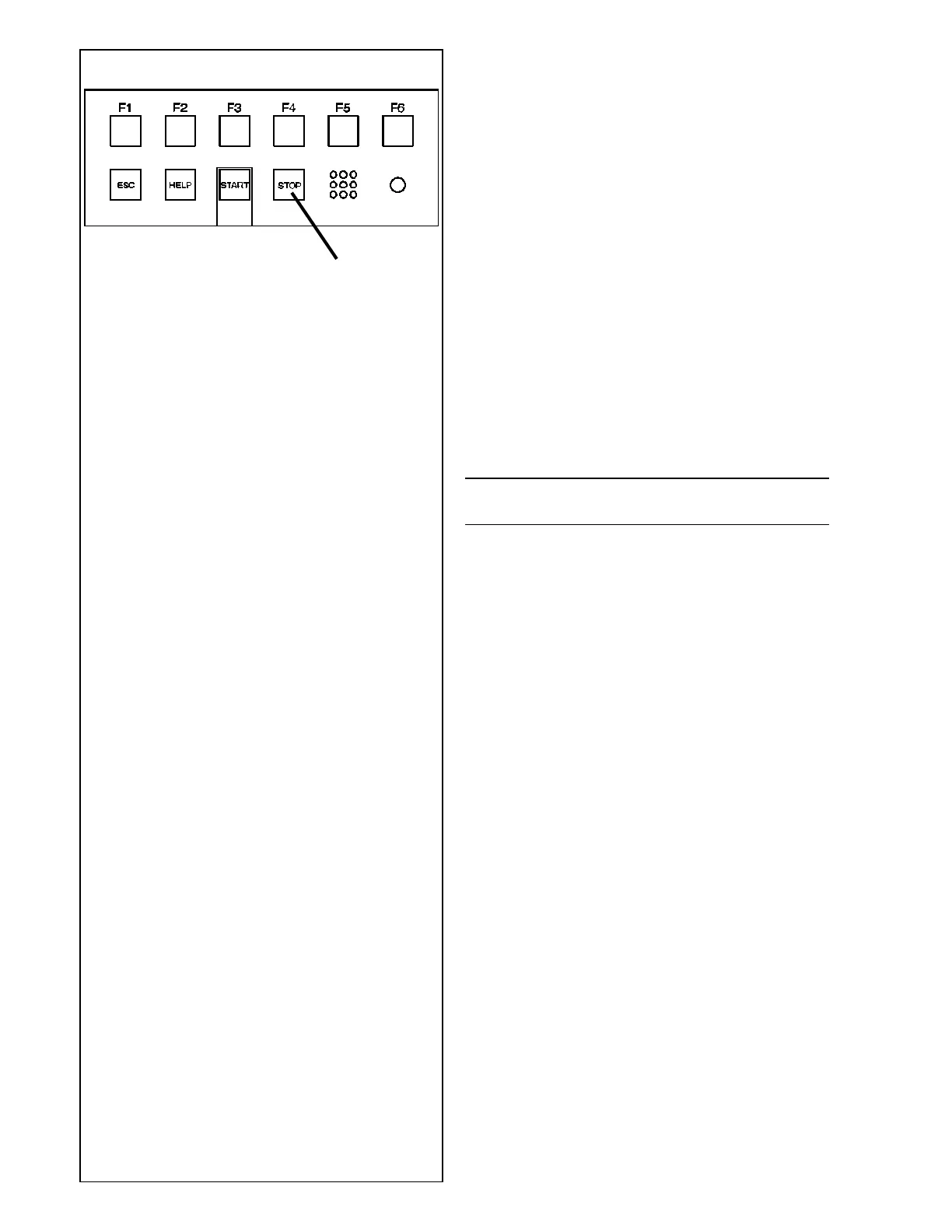
5.2.2-1
STOP
5.2.2 Emergency stop
See Figure 5.2.2-1.
To perform an emergency stop:
• Select the STOP key to apply the electronic brake.
When the emergency stop was made, due to an
unexpected action of the unit, rethink the steps that
were made:
Did the operator make an error or mistake?
Correct the input and proceed working. No special
procedure is to be followed.
Did the unit do something unexpected?
• Read the relevant chapters again.
• Prepare the unit for a restart:
switch off the unit
wait a few seconds
switch on the unit.
• Carefully repeat the commands with the manual at
hand.
• Call service immediately if the unit malfunctions
again and:
CAUTION: PREVENT ANY FURTHER USE OF THE
UNIT.
5.2.3 Shutting down
When finishing a job, complete all operations correctly:
• Remove the wheel from the unit.
• Remove the cones and quick-release hub from the
stub shaft. Check the surfaces (internal and
external) of the cones for damage. The cone is
extremely important for high quality balancing.
• Check the locking hub and end shaft threads.
• Clean all threads and surfaces with a dry, soft cloth.
• Return the cones and hub to their correct positions.
• Disconnect the electrical power supply plug from
the network socket.
• Check the power cable for damages or wear.
• Tidy up the storage compartments.
• Clean the display and input panel with a dry cloth.
• Remove old wheel weights and other material from
under the unit. The unit must rest on its three feet
only.



 To Next Page