49
5.3-2
5.3.3-1
5.3.3.1-1
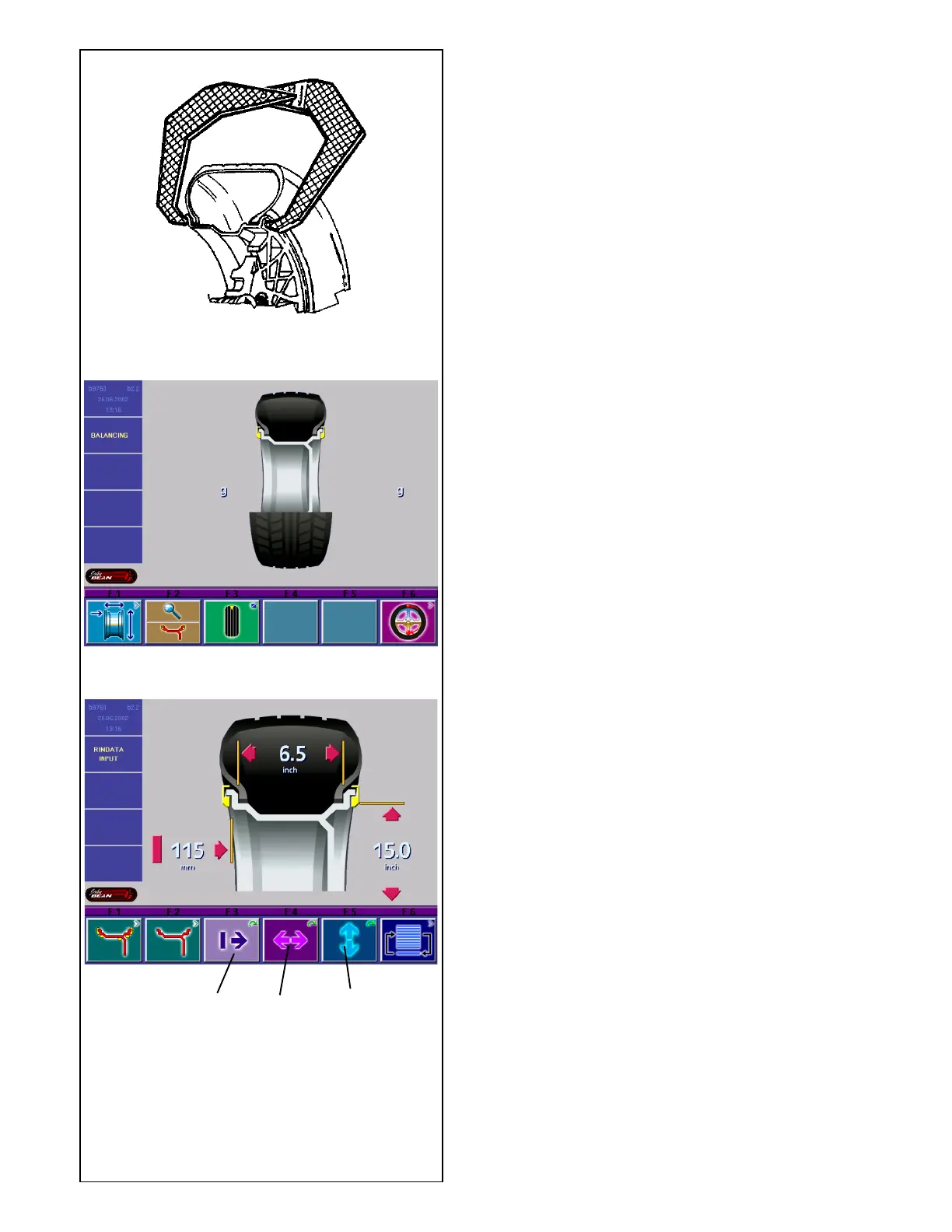
5.3.3.1 Determination and input of rim width
Manual input of rim width
If rim width is not given on the rim, it can be measured
on standard rims using the rim width calipers (Fig.
5.3.3.1-1).
• Starting from the balancing screen as in Fig. 5.3-2,
press menu key F1.
The screen RIM DATA INPUT (Fig. 5.3.3-1) comes
up.
• Press and hold the width menu key F4 (2, Fig. 5.3.3-
1) and rotate the clamped wheel at the same time.
Depending on the direction of rotation of the wheel,
the reading on the screen will decrease or increase.
• Release the menu key F4 as soon as the desired
value is read out.
5.3.3.2 Gauge head application on various wheel
types
In order to be able to determine unbalance in a single
measuring run, the rim dimensions have to be entered
correctly. There-fore proceed with utmost care and as
is shown in the Figures when applying the gauge head
on the rim in the desired weight fitting position. Incorrect
application will result in deviations of measured values
and consequently inaccurate results of the balancing
run.
Fig. 5.3.3.2-1 shows correct application (with and
without adhesive weight) of the gauge head on various
rims and for various weight fitting positions. There are
either one, or two positions where the gauge head has
to be applied, function of wheel type and balancing
mode.
3
1
2



 To Next Page