20
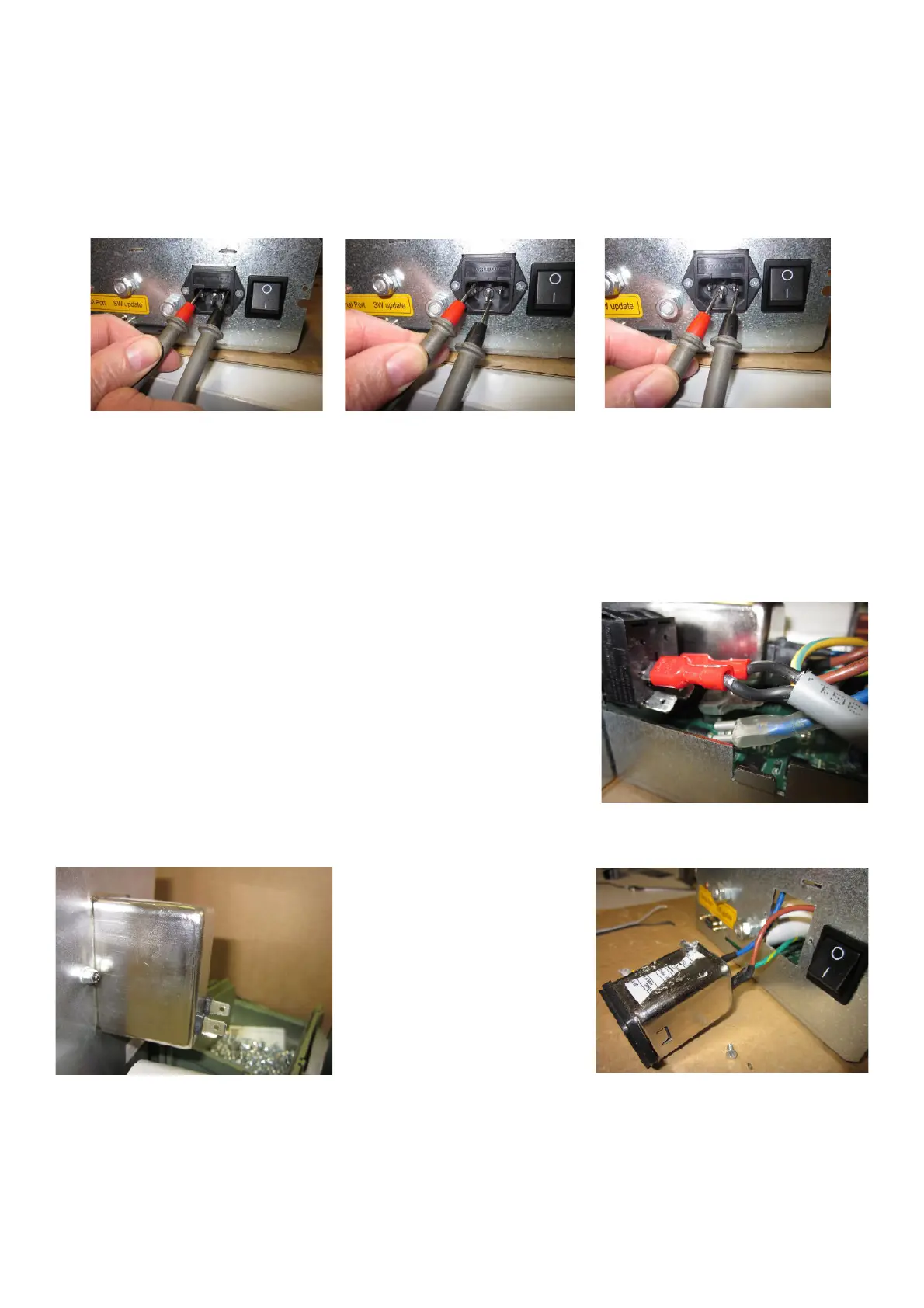
TO CHECK THE POWER ENTRY MODULE
Ø Disconnect the power supply from the machine.
Ø Remove the weight tray to access to the PEM.
Ø Disconnect the wires from PEM.
Ø Make sure that the switch is “OFF” position.
Ø Take a multimeter and select it Ohm.
Ø Position the multimeter terminals on Phase-Neutral, Phase-Ground and Neutral-Ground.
Ø If the multimeter will emits a beep in one or more positions, the module is in short circuit and must be replaced.
Ø If the multimeter will not emits any beep, the module is fi ne and the problem is caused by Integrated board.
TO REPLACE THE POWER ENTRY MODULE
Ø Turn the balancer off .
Ø Disconnect the power supply from the machine.
Ø Remove the IBP box from the machine and remove its cover to access to the module.
Ø Disconnect the Power Entry Module from the main switch or from the
Integrated board.
Ø Take a small fl at or Philip screwdriver and 5,5mm end type key to dismount the module.
Ø Take the new module and secure it to the bracket.
Ø Plug in the new module to the main switch.
Ø Plug in the machine to power supply.
Ø Turn the machine on and check if the machine works fi ne.
Ø Turn the balancer off .
Ø Mount the weight tray.



 To Next Page