19
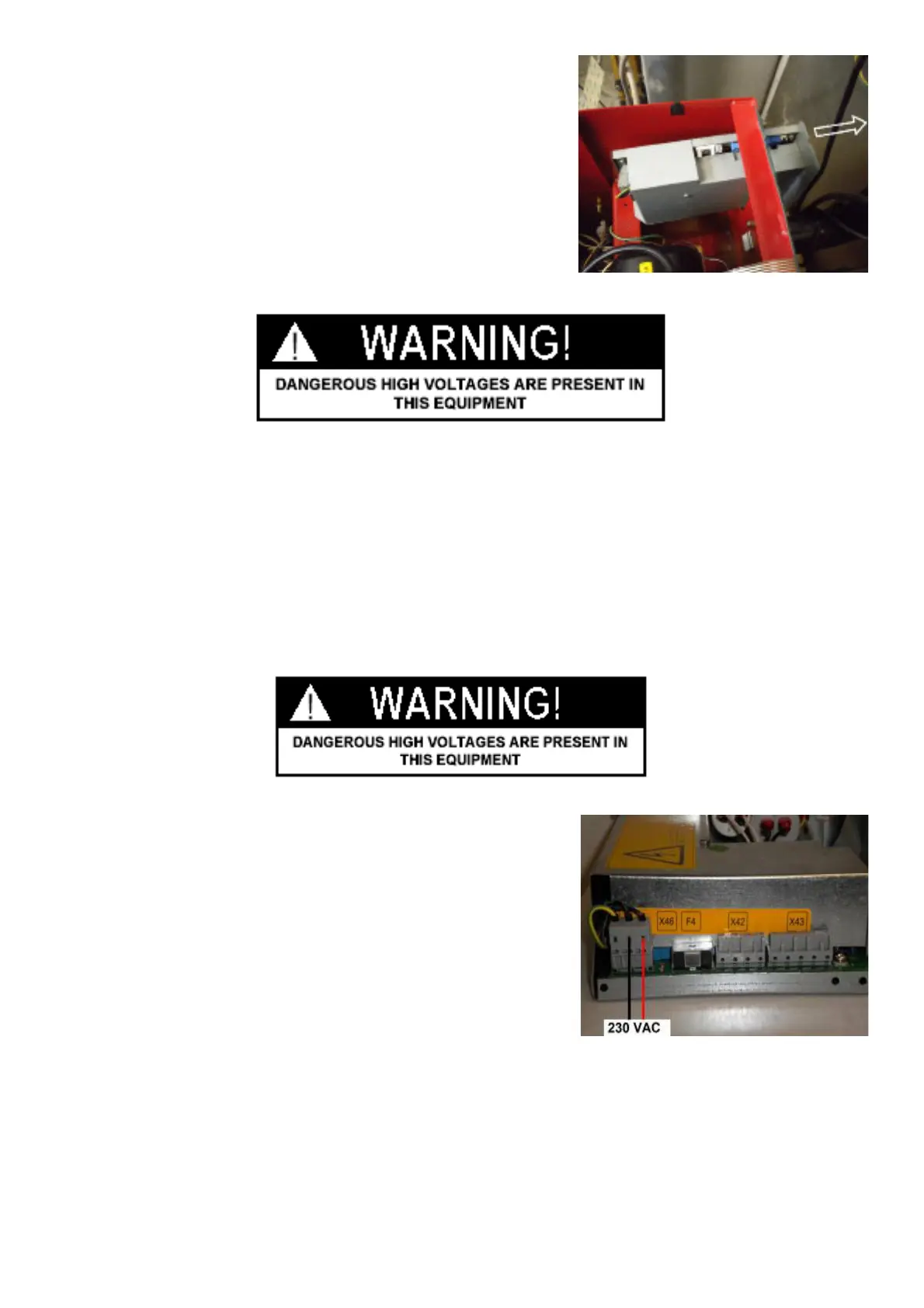
Ø Gently pull the box out from the back.
NOTE: WHEN INSTALLING THE WEIGHT TRAY, BE CAREFUL TO DO NOT CRUSH WIRES.
4.4 CHECK POWER TO IBP BOX
" : Big and Medium Phillips screwdriver.
6 : 30’
i :
Ø Remove the weight tray.
Ø Check if the wires are well fi tted to the connector.
Ø Turn the machine on.
Ø
Using a VOM check for 230VAC at the power supply board, X41 pins
2 and 3 all balancers
4.5 CHECK AND REPLACEMENT OF THE POWER ENTRY MODULE
" : Multimeter, medium " at and Phillips screwdriver, scissors.
6 : 1h
i : Defective power entry module may cause the following malfunctions:
1. Turning the machine on, the main switch of the shop shuts o# .
2. Turning the machine on the 6.3A fuses of the module blow up.
3. Turning the machine on, the machine does not show anything.
Before starting with any power entry module replacement, make sure about that the fuses are fi ne or not.



 To Next Page