36
CHAPTER 5
TROUBLE SHOOTING
5.1 INTRODUCTION
This chapter represents a kind of trouble-shooting guide, which describes the di! erent typologies of error, all system
messages available and the possible causes of malfunction.
In particular the following are described:
Ø Error Codes: an error code appears automatically on the display when an error occurs; these codes are
subdivided into H-code, E-codes and K-codes.
• H - codes: These are hints codes and they do not lock the machines.
• E - codes: These are user interface codes and the machine does not work if the code is not solved.
• K – codes: These are kernel codes.
Ø Beep codes: beeps are generated automatically if errors are found during the Power-Up procedure.
Ø Service Codes: the service codes are shown on the display as a number (which indicates the selected service
code) preceded by the “C” letter. With Service Codes the following is possible:
• Changing the settings of the unit;
• Displaying measured values;
• Adjusting the unit and modules.
Some notes about the operations of the wheel balancer:
All measured angular positions are related to the mass to balance the wheel; they are not the positions of the
imbalance mass itself.
5.2 TO UPDATE THE SOFTWARE
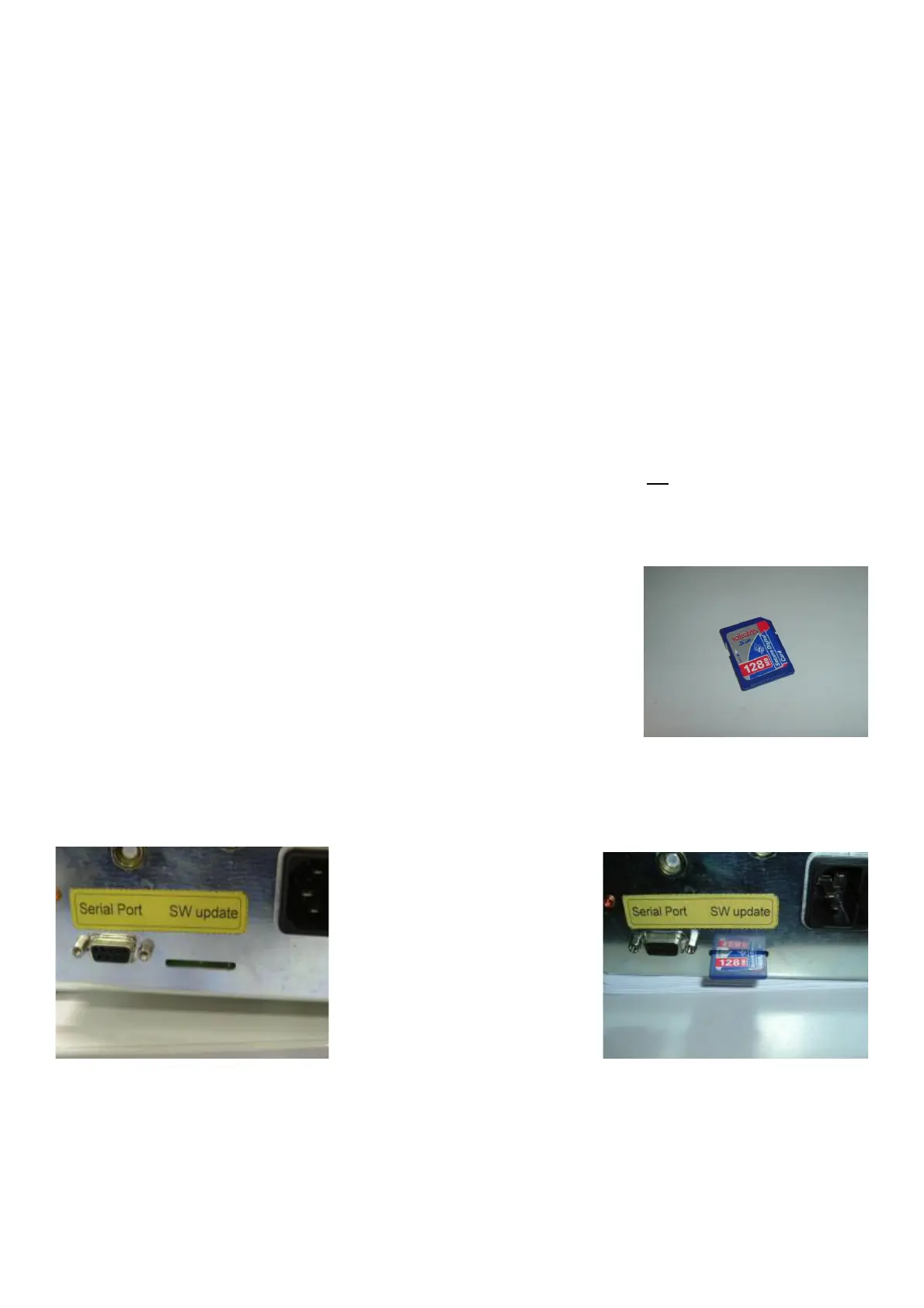
The software update must be performed by using the SD card.
Before starting with any software update make sure that software version in the
SD card is the last one or however higher compared to that one running on the
balancer.
The software update must be performed as follows:
1. Turn the machine o! .
2. Access to the Integrated Integrated Display board.
3. Make sure that all cables and connectors are properly connected to the board.
4. Insert the Memory card (MMC/SD card) in the slot, wait 10 seconds and turn the machine on: the machine will
emit three beeps to indicate that the MMC/SD card has been recognized.
5. The downloading or " ashing of the new software will now begin: Keep waiting. Once the down loading is
completed the machine will start beeping constantly and will not stop till you switch o! .
IMPORTANT! DO NOT TURN OFF THE BALANCER BEFORE THE END OF THE OPERATION BECAUSE THE
SOFTWARE UPDATE PROCESS WILL BE INTERRUPTED AND,TURNING IT ON, THE DISPLAY WILL NOT
SHOW ANYTHING.



 To Next Page