30
Do not use alcohol glass cleaner, degreaser or any other
aggressive liquids: This kind of substances are too aggressive
for the polygonal ring.
NOTE: BE CAREFUL NOT TO LET FOREIGN DEBRIS FALL INSIDE
THE TUBE.
IMPORTANT! THE NEW AND THE OLD OPTOENCODER ARE NOT
INTECHANGEABLE EACH OYHER
Ø Install the new optoencoder card with its protection by tightening the screw to a torque between 1 and 2Nm - 0.7
and 1.4lbsft.
Ø Connect Connector X6 onto the Optoencoder.
Ø Mount the weight tray.
Ø Perform service code C85.
4.15 CHECK AND REPLACEMENT OF THE MOTOR
" : Medium and big Phillips screwdriver, 5 and 6mm allen keys, 10 and 13mm wrenches, scissors.
6 : 1.5h
i : Defective motor may cause the following malfunctions:
1. The balancer is noisy.
2. The balancer shows E22.
3. The balancer shows E23
4. The balancer shows E24
5. The balancer shows E25
6. The balancer shows E26
TO CHECK THE MOTOR
Ø Check for system messages with service code C28.
Ø Check the power input with C55
Ø Turn o! the balancer.
Ø Remove the weight tray.
Ø Check all connectors and cables for damage.
Ø Disconnect the power supply
Ø Disconnect motor wiring harness from the PCB.
Ø Remove the belt from the pulley.
Ø Plug the motor directly to power supply and turn it on to verify if it works.
TO REPLACE THE MOTOR
Ø Unplug the motor
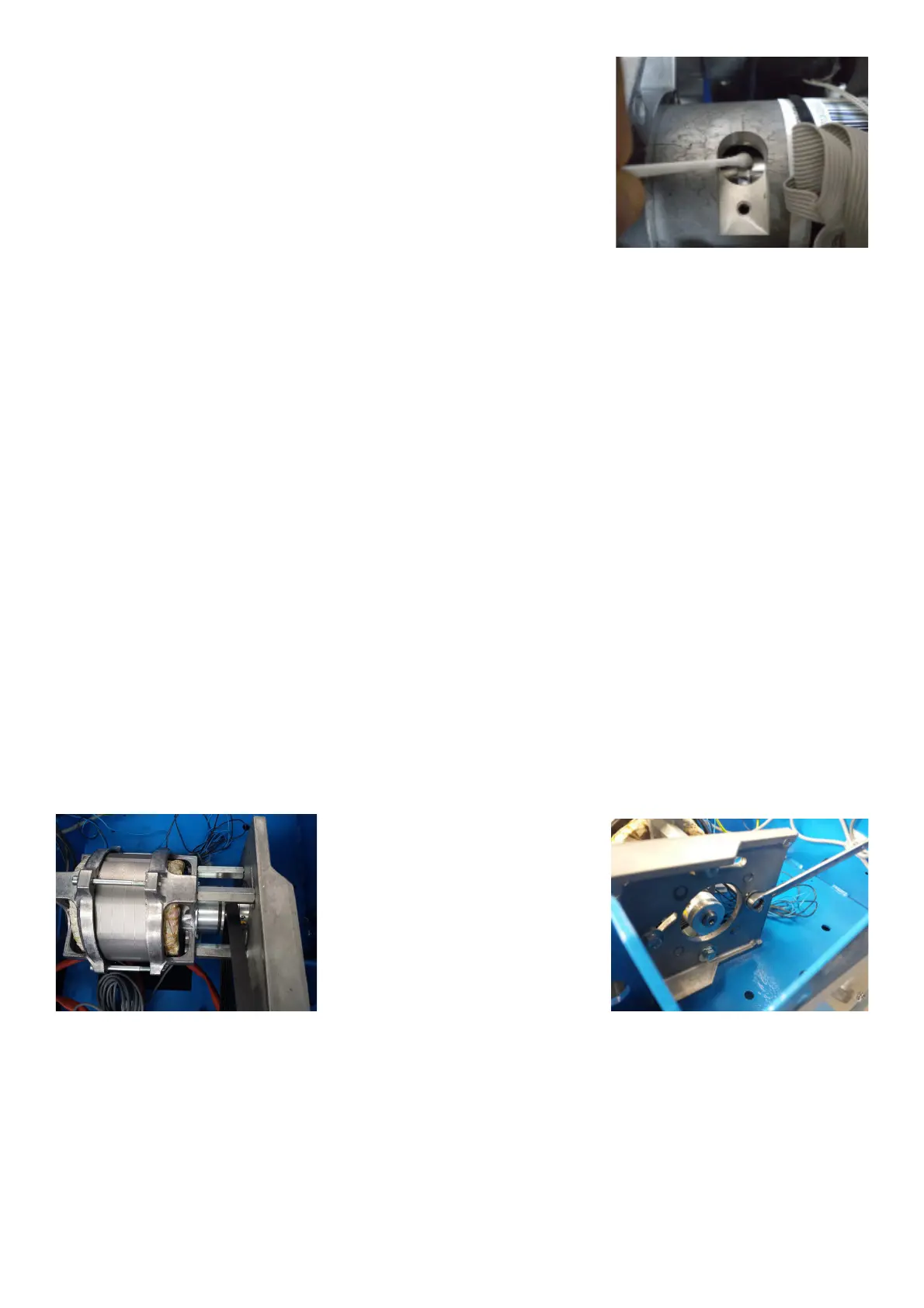
Ø Remove the bolts securing the motor to the vibratory system.
Ø Remove the setscrew securing the motor pulley to the motor.
Ø Remove the pulley from the motor.
Ø Reverse procedure for installation.
Ø Using a pry bar, pry against the motor spacers to tighten belt.
Ø Mount the weight tray
Ø Turn on the balancer.
Ø Check if the balancer works " ne.



 To Next Page