23
Ø Turn on the balancer and check if it works fi ne.
Ø Turn off the balancer.
Ø Mount the weight tray.
Ø Turn on the balancer and check again if it is still working fi ne.
4.9 CHECK OF THE 5VDC POWER SUPPLY VOLTAGE
" : Multimeter, Medium fl at and Phillips screwdriver, scissors.
6 : 30’
i : Incorrect power supply may cause the following malfunctions:
1. After turning the machine on, the machine shows error C10810
2. After turning the machine on, the machine shows error C10811
3. Turning the machine on, the machine does not show anything.
TO CHECK THE POWER SUPPLY
Power up the unit and access the “Service Menu”.
Ø Enter the “C-110” mode.
Ø Make sure that the voltage shown by the display is 5.24VDC ± .2
Ø In case the screen or the display do not show anything, remove the weight tray.
Ø Remove the IBP box cover.
Ø Disconnect the connector X14 of the IBP box.
Ø Turn on the balancer.
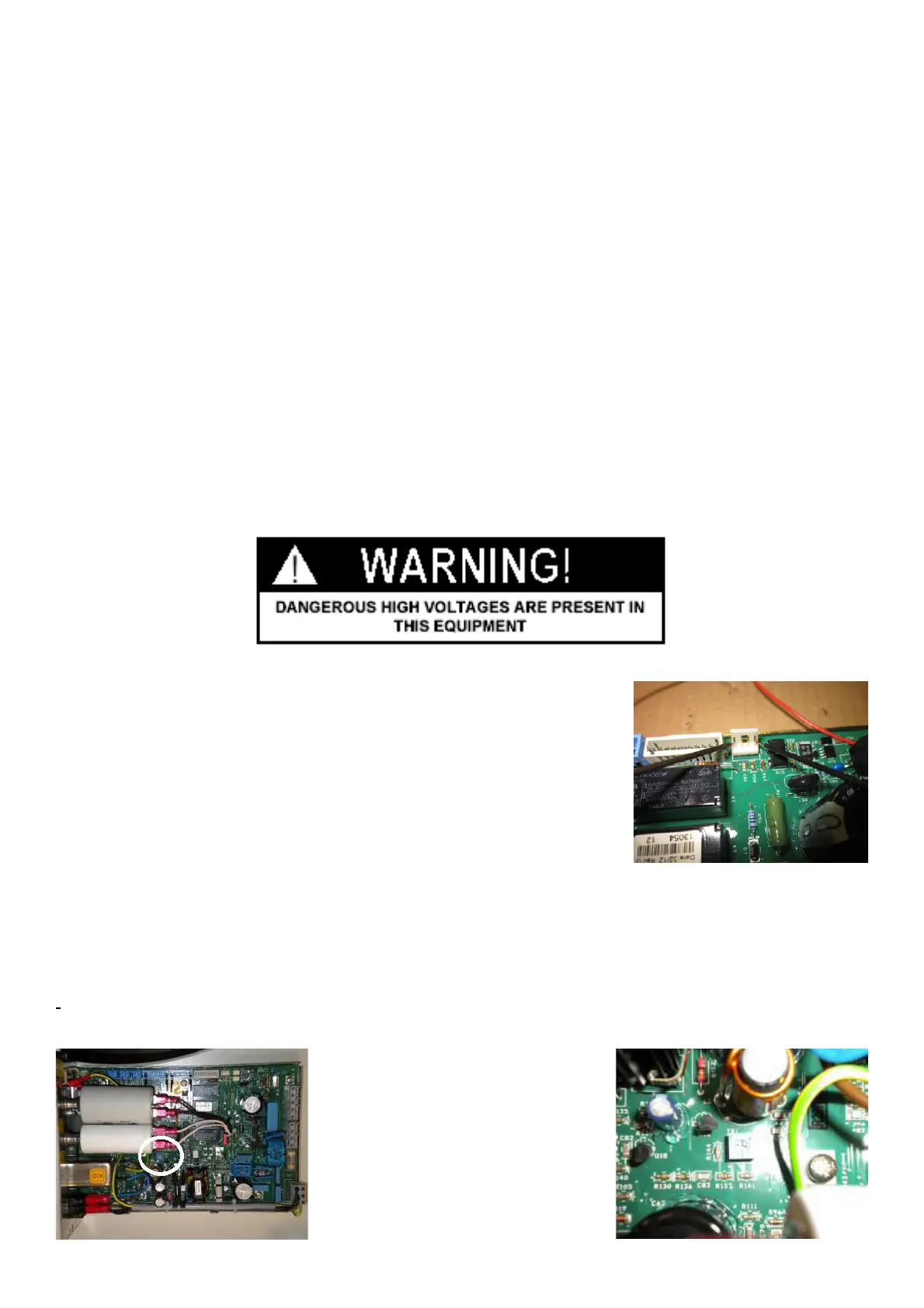
Ø Place the multimeter terminals on the two external terminals on the connector
X14 of the IBP box
TO ADJUST THE VOLTAGE
Ø Turn the balancer on.
Ø Using a tweaker tool, rotate the trimmer to adjust the voltage up to +5.24VDC on screen or multimeter display .
IMPORTANT! The trimmer is very sensitive and therefore it must be rotated slowly to avoid dangerous
jumping of power supply.



 To Next Page