OPTIONAL PARTS
5-20
TC-15001-rev.3
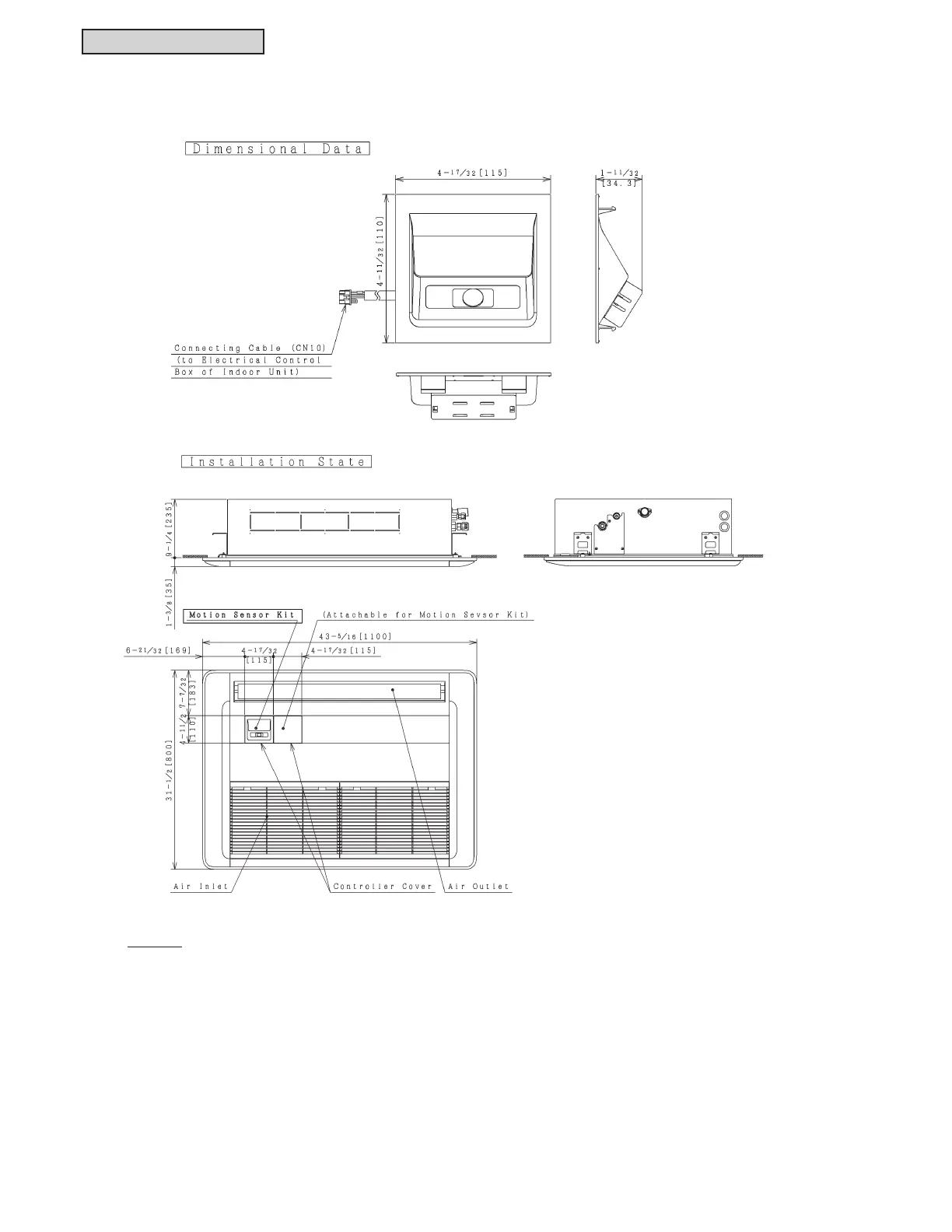
5.5.2 Motion Sensor Kit: SOR-NES
NOTES:
1. Remove the controller cover and attach the motion sensor kit to the cover. It can be attached to both sides
of the controller cover.
2. Connect the wiring for the motion sensor kit to the connector CN10 on the indoor unit PCB in the electrical
control box. Do not run the connecting cable for the motion sensor kit and the power source cable
(208/230V) in parallel. This could cause electromagnetic interference (EMI) resulting in a malfunction of
the motion sensor kit.
3. Refer to the “Installation Manual for Motion Sensor Kit” for installation and setting details.
Unit: inch [mm]



 To Next Page
 Loading...