All Copyright and rights are the property of Johnston Sweepers Ltd
MA3:9
V Range 501 l 651 l 801 Maintenance Manual
Johnston Sweepers Limited
Chapter - Electrical System
Page Issue A
Step Four: Operating System (OS) Update
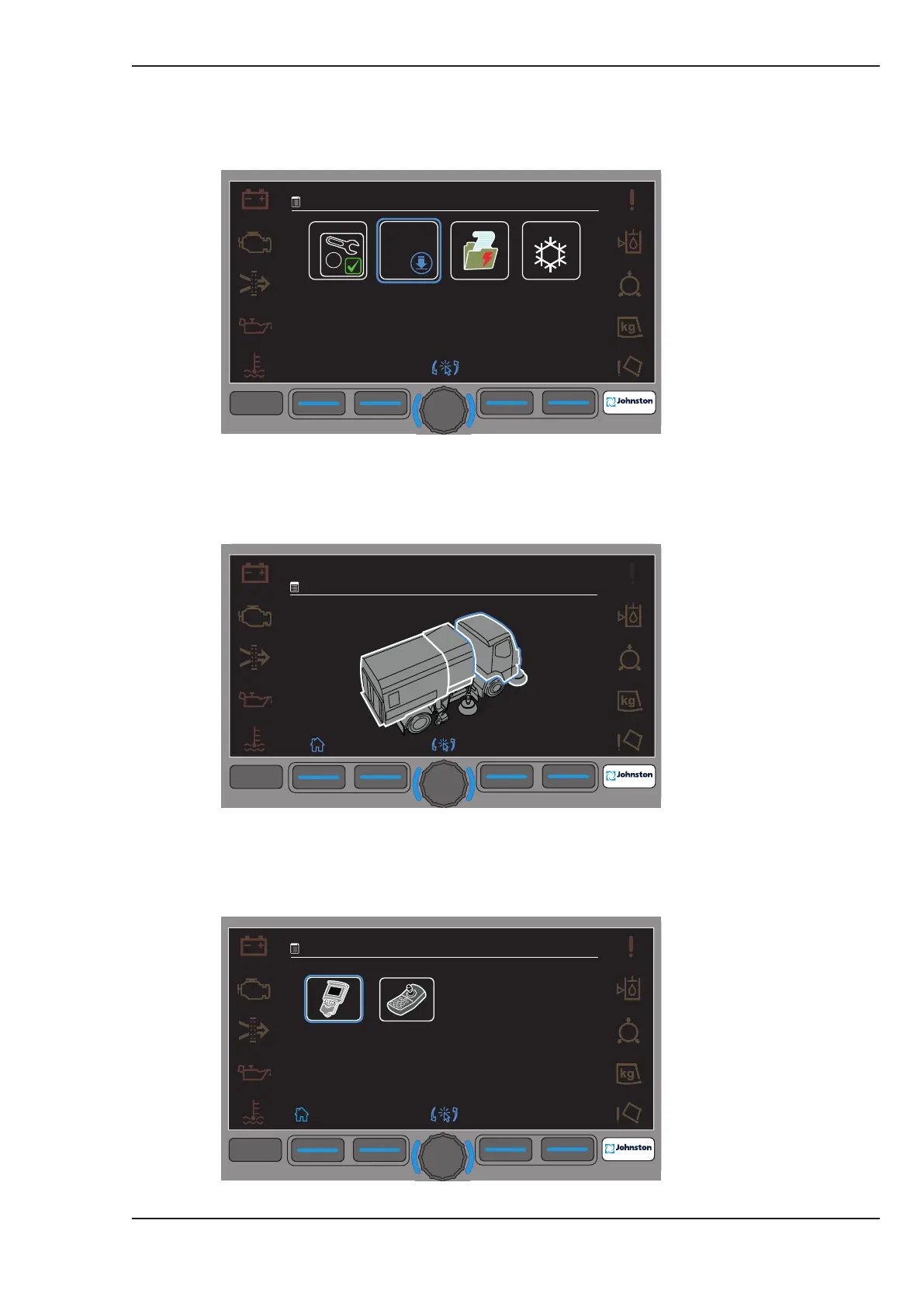
4.1. Go to Menu 4.11 – Service, and select option 2, OS Downloads.
Figure Five: Menu 4.11 Service
4.2. Move the blue halo and select (for example) the machine cab area.
Figure Six: Menu 4.11.2 Cab Area Selection
4.2. Move the blue halo and select the Centre Console cab Node.
Figure Seven: Menu 4.11.2.1 Select Centre Console Node.
F1 F2 F3
F4
F4
09:45
20:01:2016
4.11
2.
3.
4.
1.
O/S
1st
F1
F2
F3
F4
F4
09:45
20.01.2016
4.11.2
F1 F2 F3
F4
F4
09:45
20.01.2016
4.11.2.1



 To Next Page