All Copyright and rights are the property of Johnston Sweepers Ltd
MA3:13
V Range 501 l 651 l 801 Maintenance Manual
Johnston Sweepers Limited
Chapter - Electrical System
Page Issue A
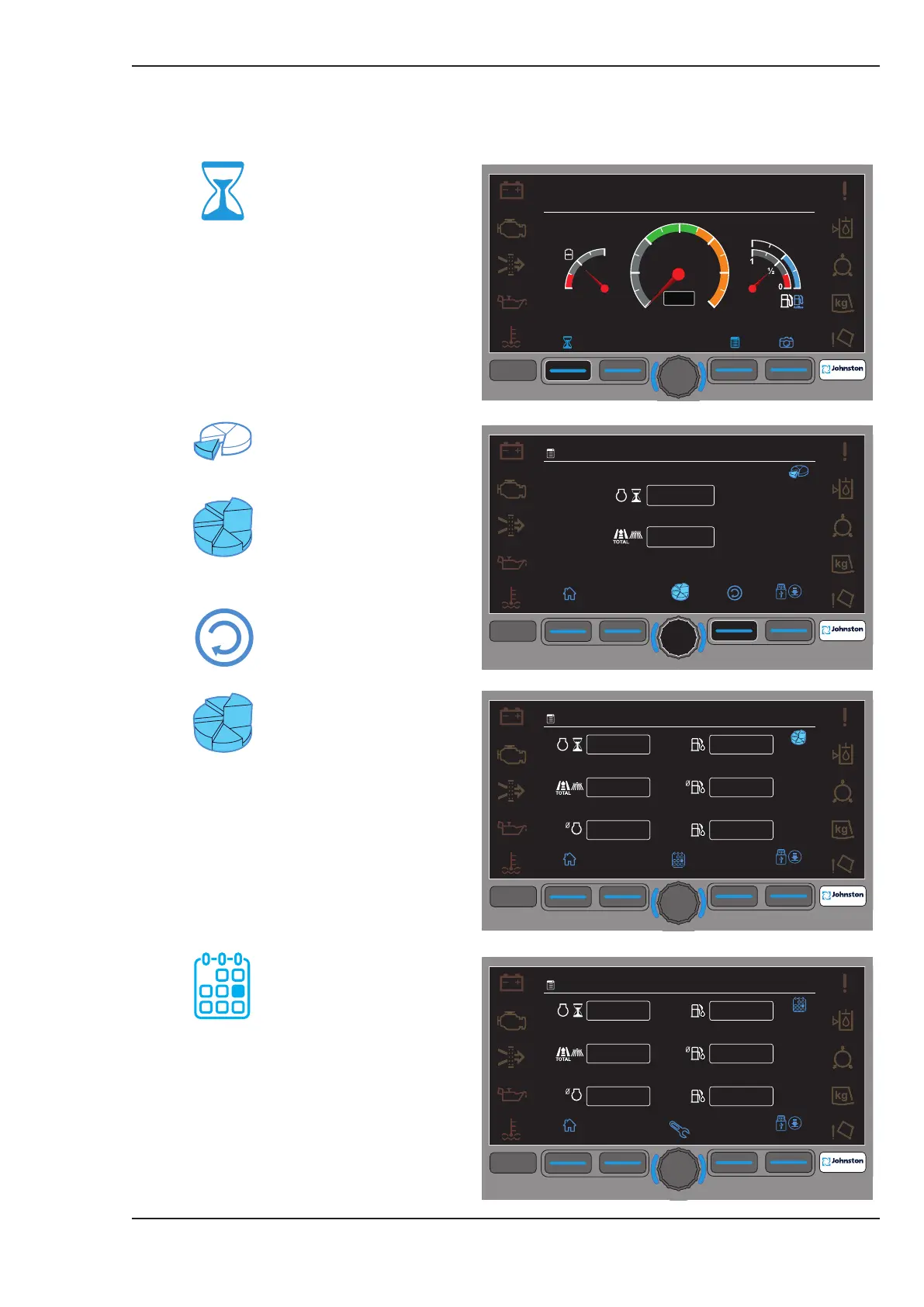
Logged data values can be viewed from the JVM (Johnston Visual Module) display. Press F1 (Hour
Glass icon) from the base screen. See following illustrations for more details;
F1 - Vehicle Logging
F1
F2
F3
F4
F4
1.1
km
h
0
0
09:45
20.01.2016
1.1 Part Totals
The icon top right shows
the current screen
The icon bottom centre
shows the next page. (E.G
Grand Totals) Press the
encoder to select the next
page.
F3 - Reset - Will reset the
part totals back to zero.
1.2 Grand Totals
F1
F2
F3
F4
F4
1.2
RPM
h
km
n/min
0
0
0
0
0
0
l
l/h
l
09:45
20.01.2016
F1
F2
F3
F4
F4
1.3
RPM
h
km
n/min
0
0
0
0
0
0
l
l/h
l
09:45
20.01.2016
1.3 Daily Totals
F1
F2
F3
F4
F4
8
10
12
14
16
18
20
n/min
0
1
½
1
0
0
1
½
09:45
20.01.2016



 To Next Page