DP321 User's Manual
- 16 -
2.2.6 Other Functions of the Panel
Turn on the printer while holding some buttons, and then the printer will enter the special mode.
Key Function
ONLINE + POWER
Change factory setting, on online mode press
LOAD/EJECT to access to setting mode.
LOAD/EJECT + POWER Chinese self-test mode
LF/FF+ POWER Print pin test for quality mode
TEAR + POWER English self-test mode
TEAR+ LF/FF + POWER Hex dump print mode
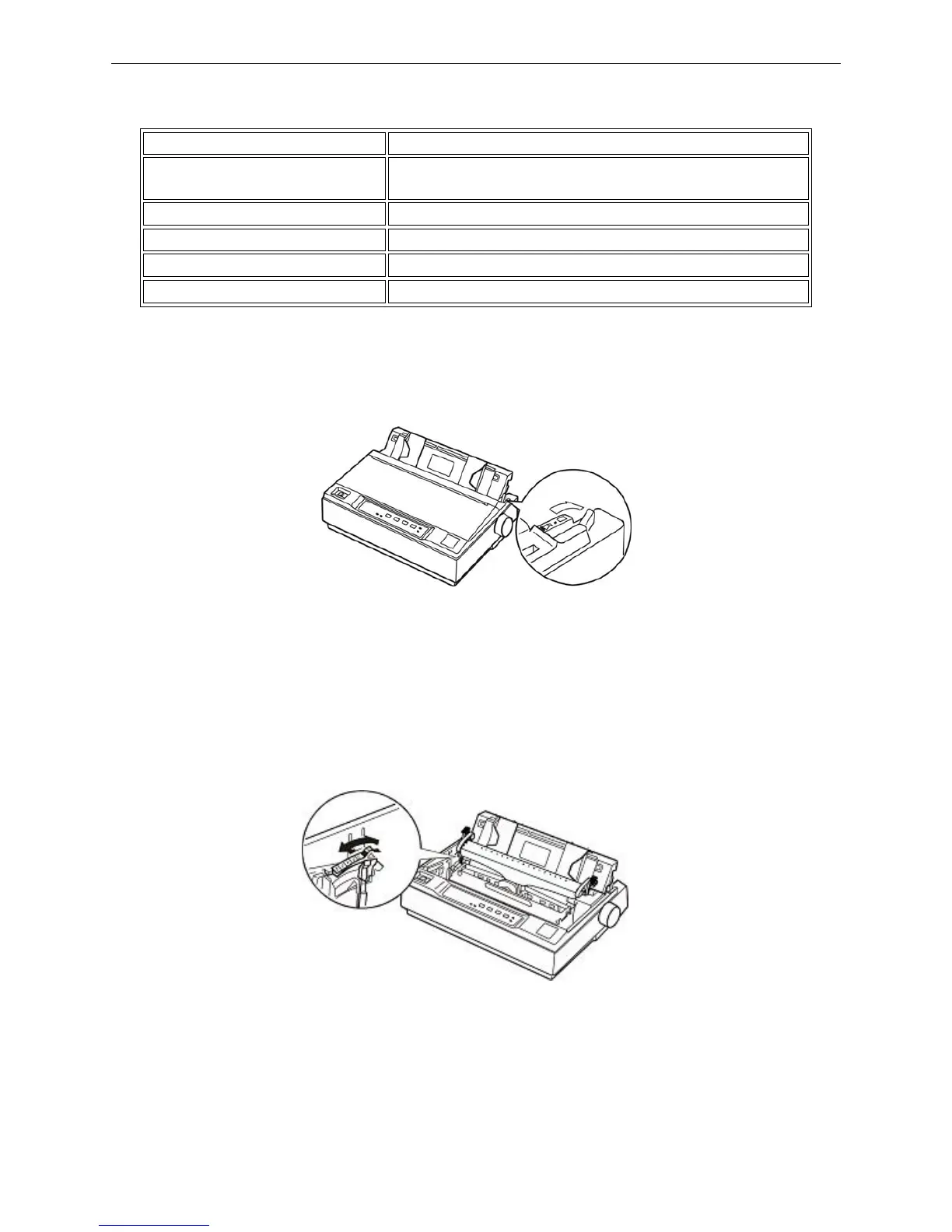
2.3 Paper Select Lever
Set paper select lever toward the cut-sheet or tractor paper position to select cut-sheet mode or tractor
paper mode.
2.4 Paper Feed Knob
The paper feed knob is used to feed paper or eject paper manually.
2.5 Adjusting the Gap Adjust Lever
The gap adjust lever lets you specify the correct setting for your printing material. It is factory-set for
standard office paper. Here’s how to change the setting for special papers:
Use the table below to select the appropriate paper thickness.
Figure 2-2 Paper-select lever
Figure 2-3 Gap adjust lever



 To Next Page