DP321 User's Manual
- 28 -
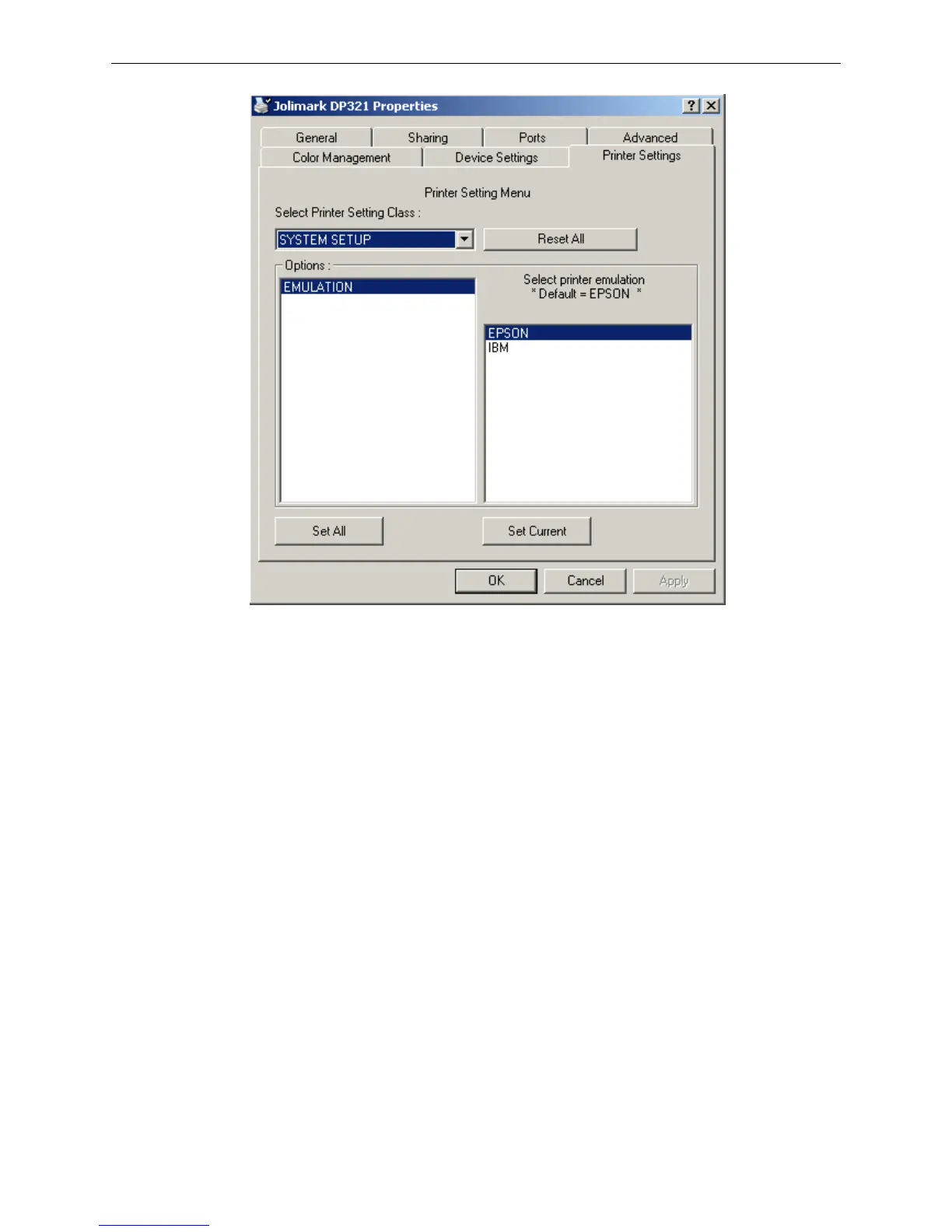
5. The setting way is corresponding with that of printer menu system. In the “Printer Settings” layout,
select the first class menu in the combobox of “Select Printer Setting Class”, select the second
menu in the “Configuration” and set the item in the current parameters list.
6. Click the button “Reset All” to reset all the parameters to be the driver’s default, but not change the
printer’s settings.
7. When setting the parameters: you can click “Set Item” to save the current settings after setting each
item, or you can also click “Set All Items” after setting all parameters. After clicking “Set All Item” or
“Set Item”, the parameter’s instruction will be sent to the printer.
8. The printer’s parameter settings are changed at once after receiving the instruction and the printer
does not need to restart.
9. After finishing settings, click “OK”, exit the “Properties” window.
3.3 Explaining Menu Terms
1. EMULATION
Select EPSON ESC/P-K2 or IBM 2391 emulation.
2. LANGUAGE
Choose the language set menu, menu content according to setting of the language style to print.
3. CHAR. MODE
Select the ASCII or Chinese character mode.
4. FONT



 To Next Page