DP321 User's Manual
- 35 -
Chapter 5 Printer Maintentance
5.1 Printer Cleaning
Periodical cleaning and cleaning tool
Periodical cleaning: every 6 months or 300 working hours
Cleaning tool: Dry cloth (Use soft cloth while cleaning metal parts)
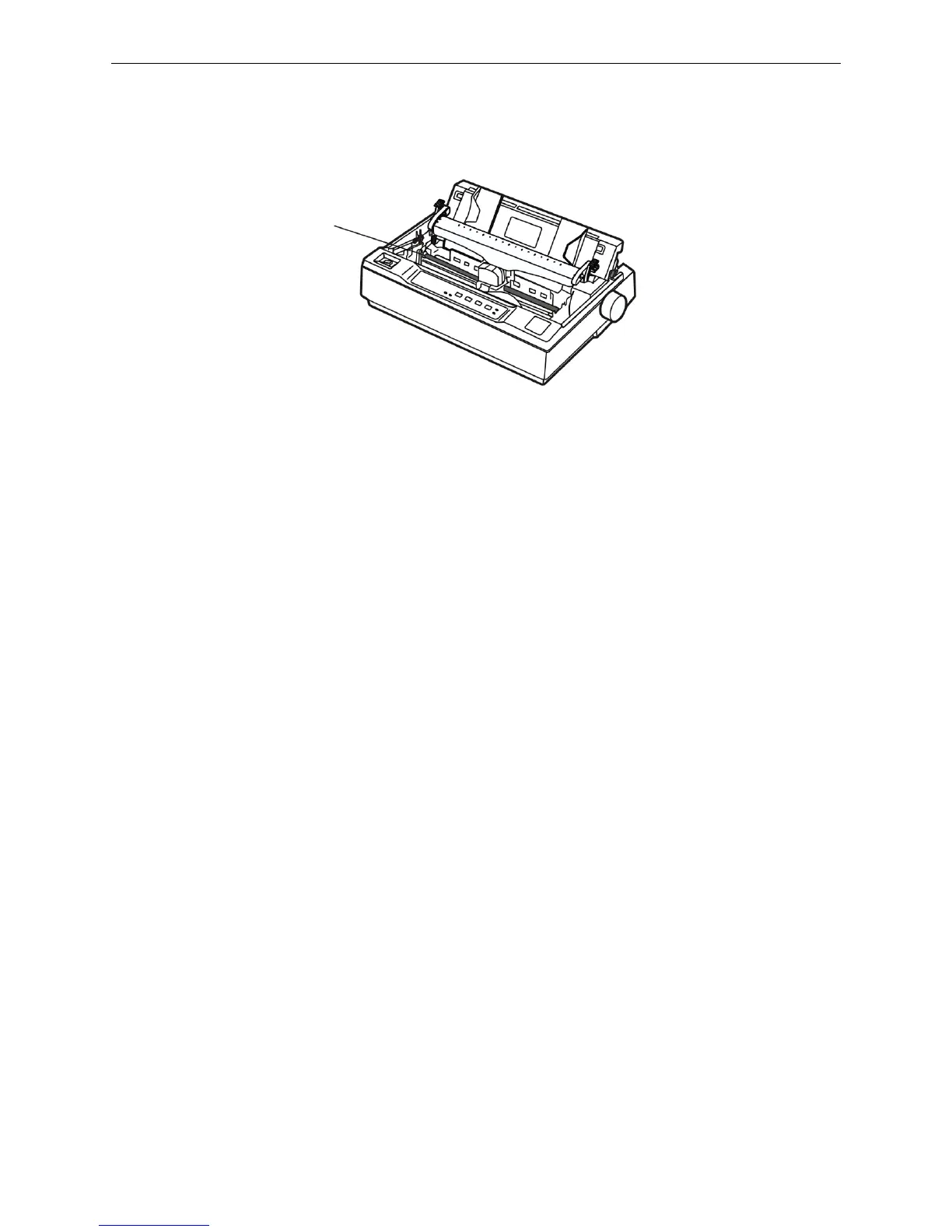
Cleaning carriage shaft
There is a layer of oil covered on the carriage shaft which guarantees the carriage runs smoothly. But the
oil is easy to absorb dust, please clean the dust with soft cloth first, and then add proper lube (NYE180
lube of NYE Company is recommended), move print head back and forth to make lube scattered.
Cleaning the form feed path
Wipe off wastepaper, clean dirt and dust.
Note: 1. Turn off printer and pull out the power cord before cleaning.
2. Being used under dust circumstance, the carriage shaft may stack much dust and affect
the print quality.
3. If you have just finished using the printer, let the print head cool for a few minutes before
you touch it.
4. Please use a soft cloth for cleaning, do not use combustible solvent.
Figure 5-1 Printer cleaning
Carriage shaft



 To Next Page