DP321 User's Manual
- 2 -
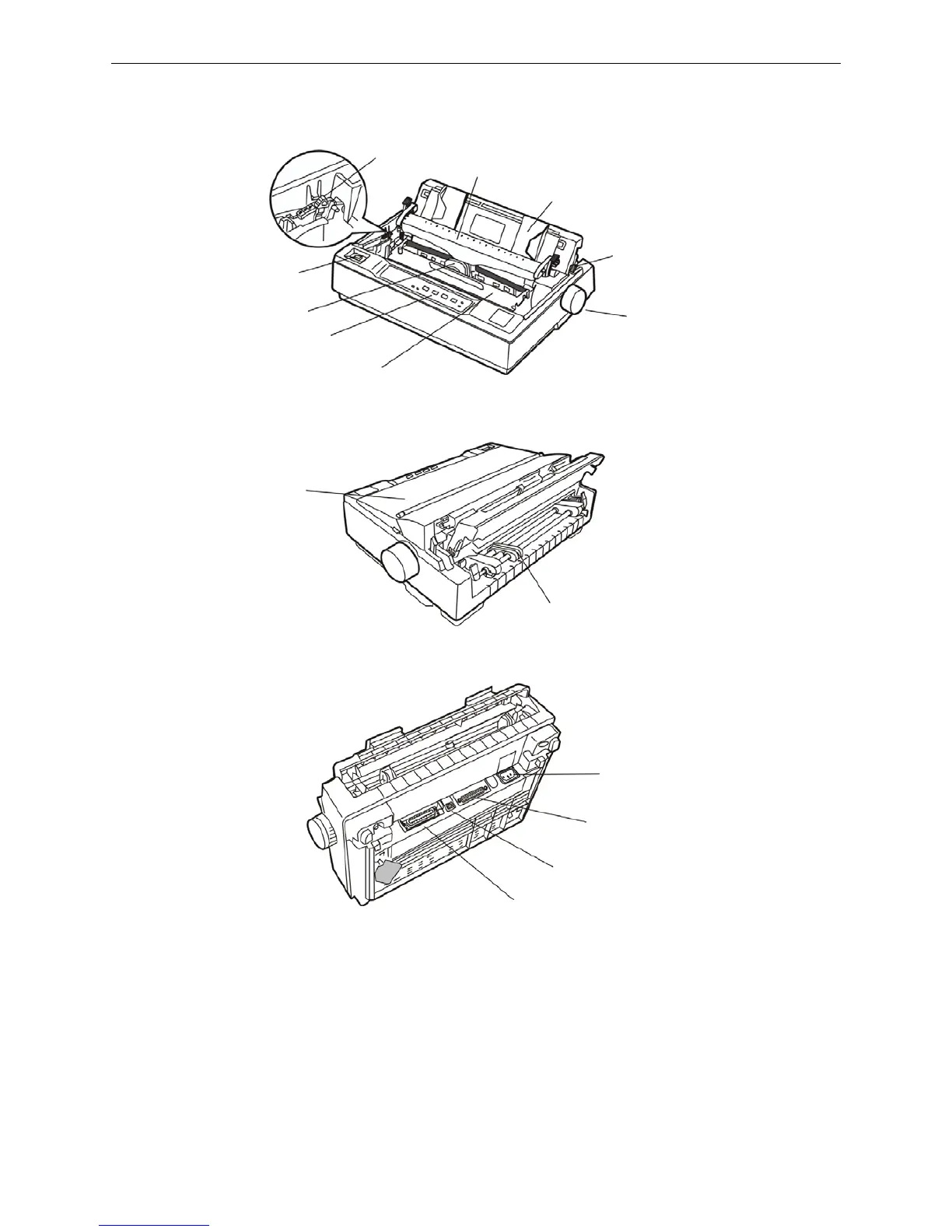
1.3 Main Parts of the Printer
Figure1-3, Figure1-4 and Figure 1-5 shown are main parts of DP321.
Note: According to specific interface standards.
1.4 Choosing a Place for the Printer
When selecting a place to set up your printer, choose a convenient location that provides the
following:
1. A flat, stable surface.
2. Adequate room around the printer to allow easy operation and maintenance. Make sure it’s close
enough to the computer for the printer cable to reach, and be sure you can easily unplug the power
cord.
Paper feed knob
Power switch
Ribbon cartridge
Print head
Paper guide
Paper select lever
Control panel
Gap adjust lever
Tear part
Figure 1-3 Main parts of printer (front view)
Tractor
Printer cover
Figure1-4 Main parts of printer (side view)
Power supply inlet
Serial interface
USB interface
Parallel interface
Figure 1-5 Main parts of printer (back view)



 To Next Page