DP321 User's Manual
- 4 -
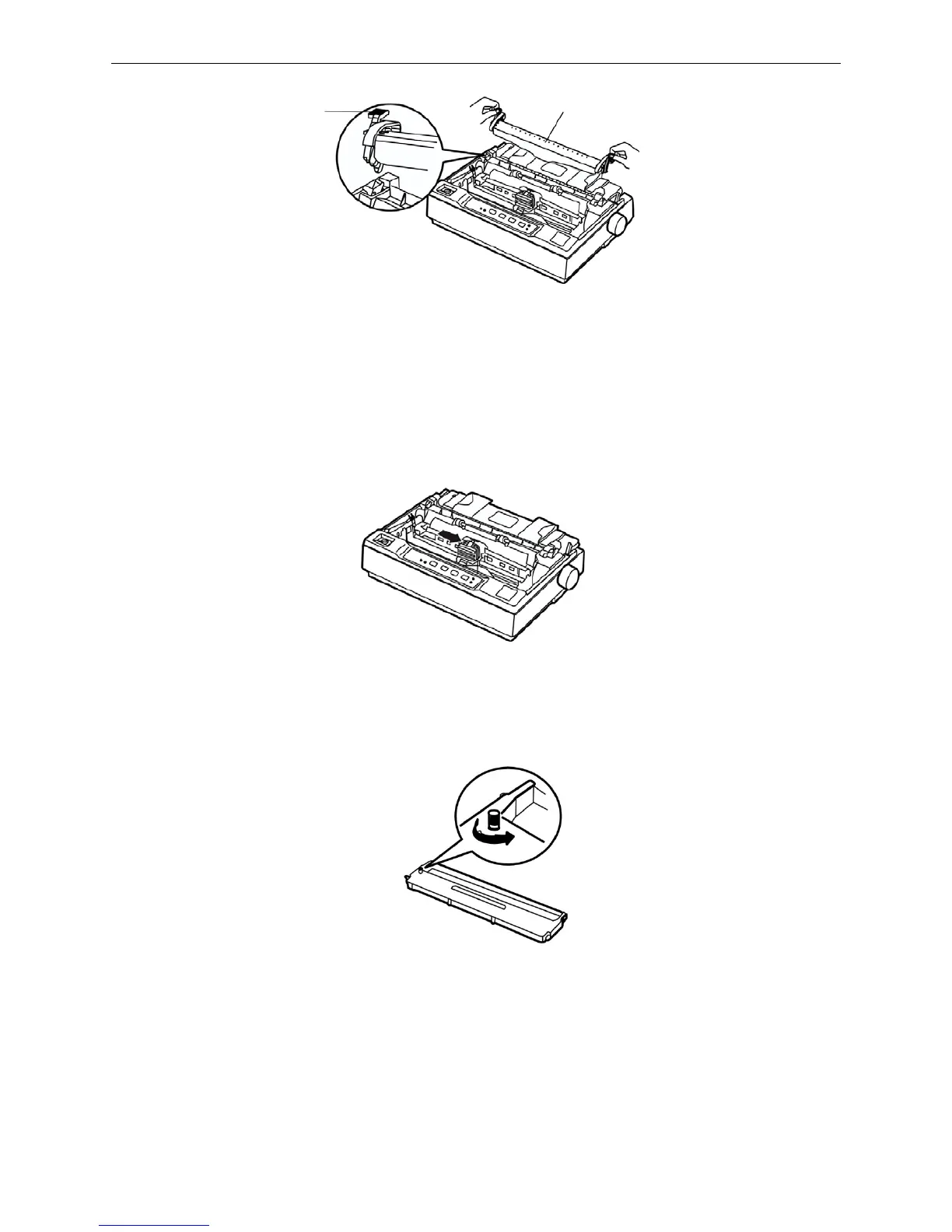
4. Pull the gap adjust lever to the highest position.
5. Slide the printhead to the middle of the printer.
Warning: Never move the printhead while the printer is turned on; this can damage the
printer. Also, if you have just used the printer, let the print head cool for a few
minutes before you touch it.
6. Take out the ribbon, take the surface with a knob facing yourselft, and turn the ribbon-tighten knob
in the direction of the arrow to tighten the ribbon, so it is easier to install.
7. Insert the ribbon cartridge into the printer as the following figure shown; then press both sides of
the cartridge down firmly to fit the plastic hooks into the printer slots.
Locked piece
Tear part
Figure 1-8 Dismantle the tear part
Figure 1-9 Slide the print head to the middle of the printer
Figure 1-10 Tighten the ribbon



 To Next Page