12
5.2 Operation Interface Instruction
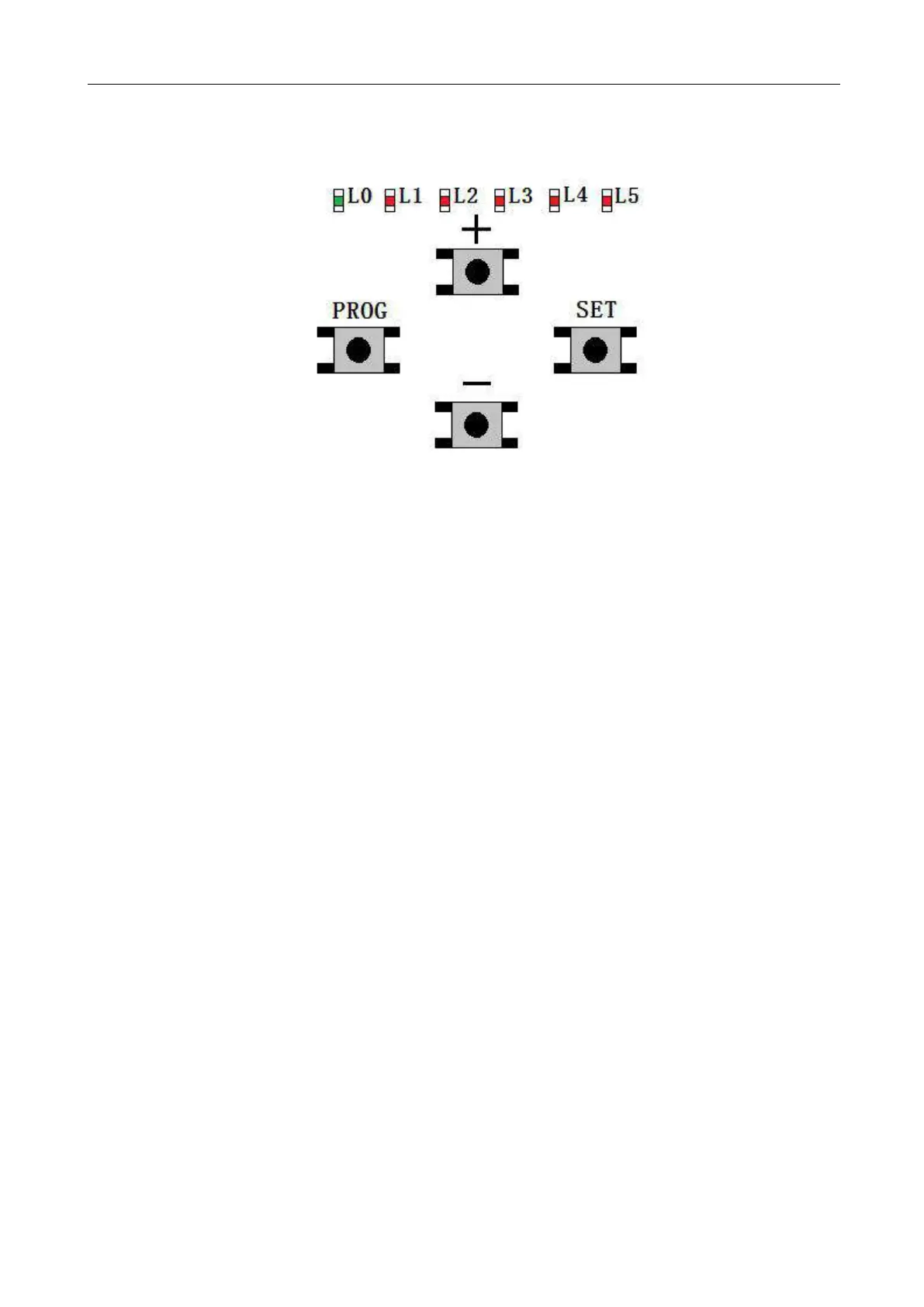
Figure 13
Indicator Lights:
L0 (Green): Indicating the control board working status and menu status.
L1-L5 (Red): Indicating the settings, parameters, errors and battery level.
Setup Buttons
PROG: Enter into or exit the setting menu.
- and +: Function select and parameter adjust.
SET: Enter into the selection, save the setting.
Note:
Press the setting button for a short while (within 1 sec.) or long press the button (over 3 sec.) will be
for different functions.
5.3 Travel Limit Position Setting
Precondition:
1. Before setting the limit position, please make sure that the gate is fully opened.
2. Please install the magnet on the middle of the gate, which should not be moved or removed
thereafter.



 To Next Page