31
setting. (Table 3 Start-up Delay Time)
6. Press “SET” button once to save and automatically exit. Indicator lights L1-L5 will be on for 1
sec.
B. Operation Graphic Illustration
SET
LED
LED
PROG
LED
SET
LED
PROG
LED
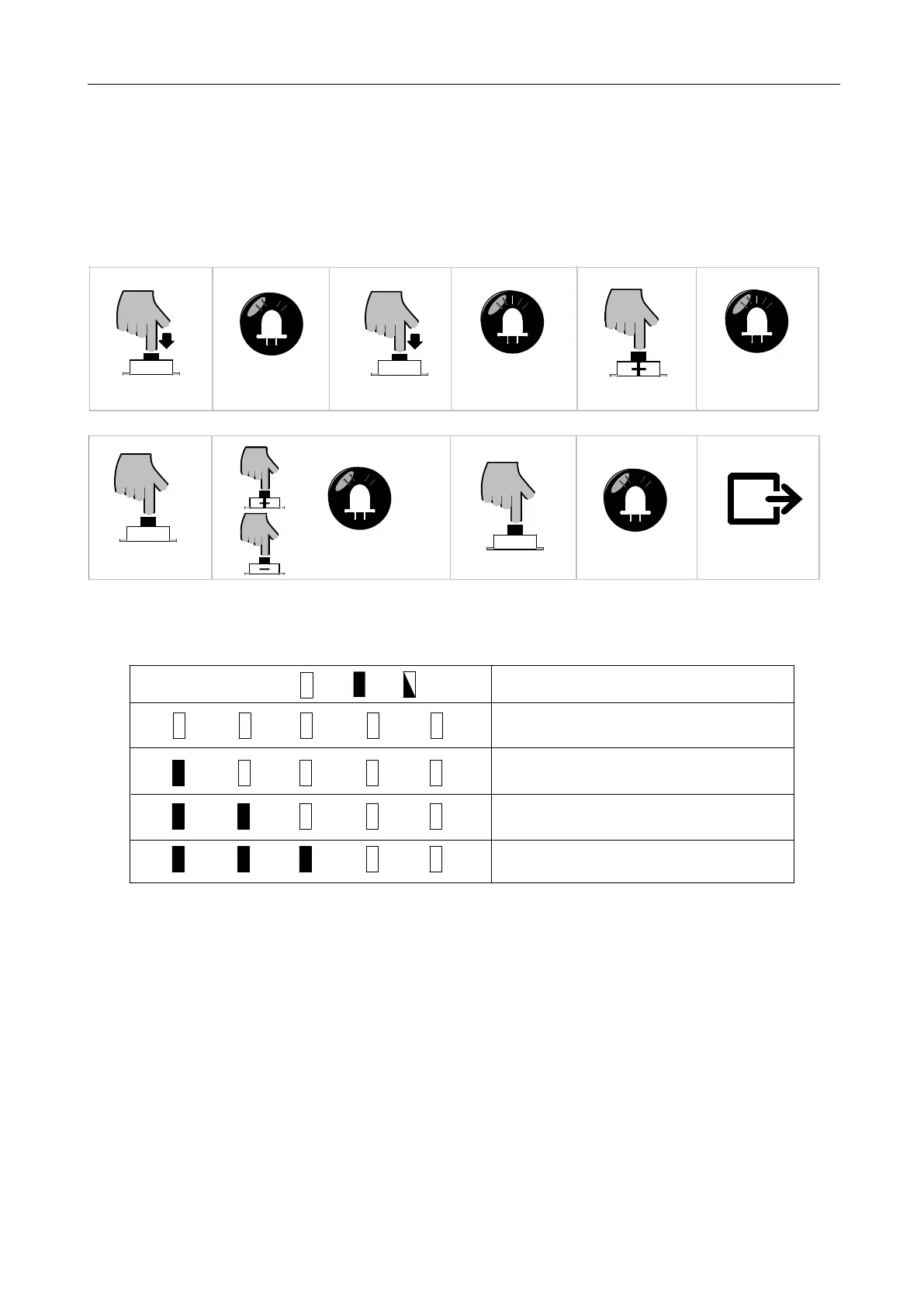
Press "PROG" button for 3 sec
Press “PROG” button again
L0 will flicker twice, L1 will be on
Press "SET" button once
Press “+” or “—” button to adjust the
parameters, LE D will show the
corresponding value
L1-L5 will be on for one sec
Save and exit automatically
Press “+” button twice
L3 will be on
L0 flicker once, L1 will be on
Press "SET" button once
for 3 sec
Figure 32
L1
L2
L3
L4 L5
Cancel start-up delay function
Delay for 0.5 sec
Delay for 1 sec
Delay for 1.5 sec
L1
L2
L3
L4 L5
L1
L2
L3
L4 L5
L1
L2
L3
L4 L5
Indicator light status:
Off
On
Flicker
Status Instruction
Table 3 Start-up Delay Time
5.7 Manual Control Mode
In order to make sure that the first installation of this product is in good condition, users can test the
opening/closing operation under manual control mode. If there is any abnormities, please exit the
manual control mode and re-adjust the gate and gate opener.
A. Operation Instruction:
1. Press and hold “SET” button for 3 sec. Indicator light L3 will flicker.



 To Next Page