18
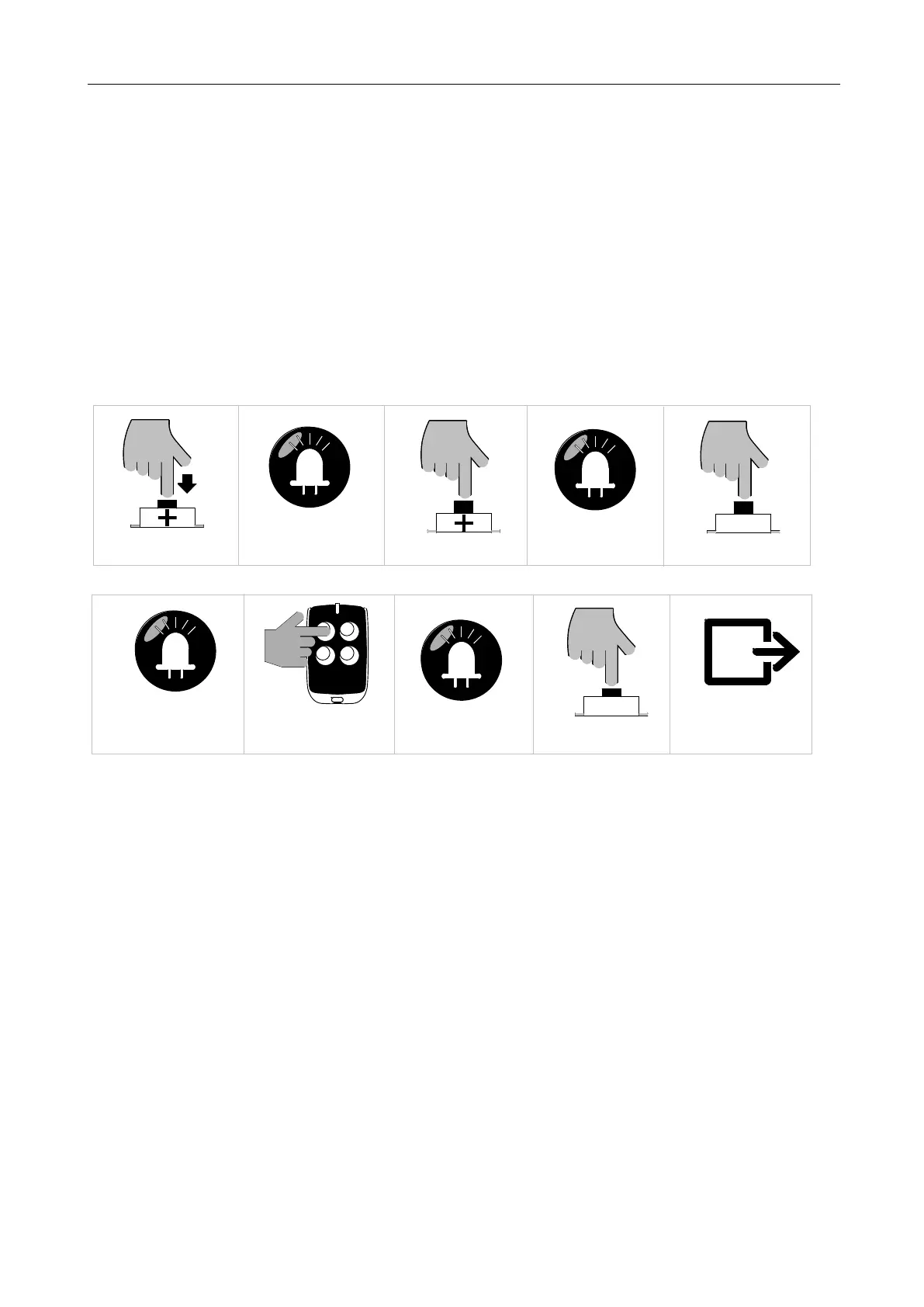
3. Press “SET” button once to enter into three button learning mode. Indicator lights L3 and L5
will flicker alternately. (If an alarm lamp is connected, it’ll flash at the same time)
4. Press the button which is to be learned on the remote control. Indicator lights L1-L5 will be on
for one sec. (If an alarm lamp is connected, it’ll be on for one sec.) Learning is complete thereafter.
5. The control board will stay in learning mode after remote control learning successfully, the
learning of the remain remote controls can be done by repeating the 4
th
step; Press “PROG” button
to exit the learning mode.
B. Operation Graphic Illustration
Press "+" button for 3 sec
SET
Press "SET" button once
LED
L1 will be on
LED
L3 and L5 will flicker alternately
Press "+" button once
LED
L2 will be on
Press the button which is to be
learned on the remote control
LED
L1-L5 will be on for 1 sec
Press "PROG" button
PROG
Save and automatically exit
Figure 19
Note:
If there is no operation during the remote control learning process, system will automatically save all
the paired remote controls and exit after 20 seconds.
5.4.3 Pedestrian Mode Function on Remote Control (L3)
Pedestrian mode function on remote control: Press the pedestrian mode button on the remote
control when the gate is closed, it will open for 1 meter then stop which is for pedestrian traffic.
When the pedestrian mode is active (by default), the forth button on the remote control will be used
for it; When the pedestrian mode is disabled, the forth button on the remote control can be used as
normal button.
A. Operation Instruction:



 To Next Page