27
L1
L2
L3
L4 L5
Cancel Auto-close function
L1
L2
L3
L4 L5
L1
L2
L3
L4 L5
L1
L2
L3
L4 L5
L1
L2
L3
L4 L5
L1
L2
L3
L4 L5
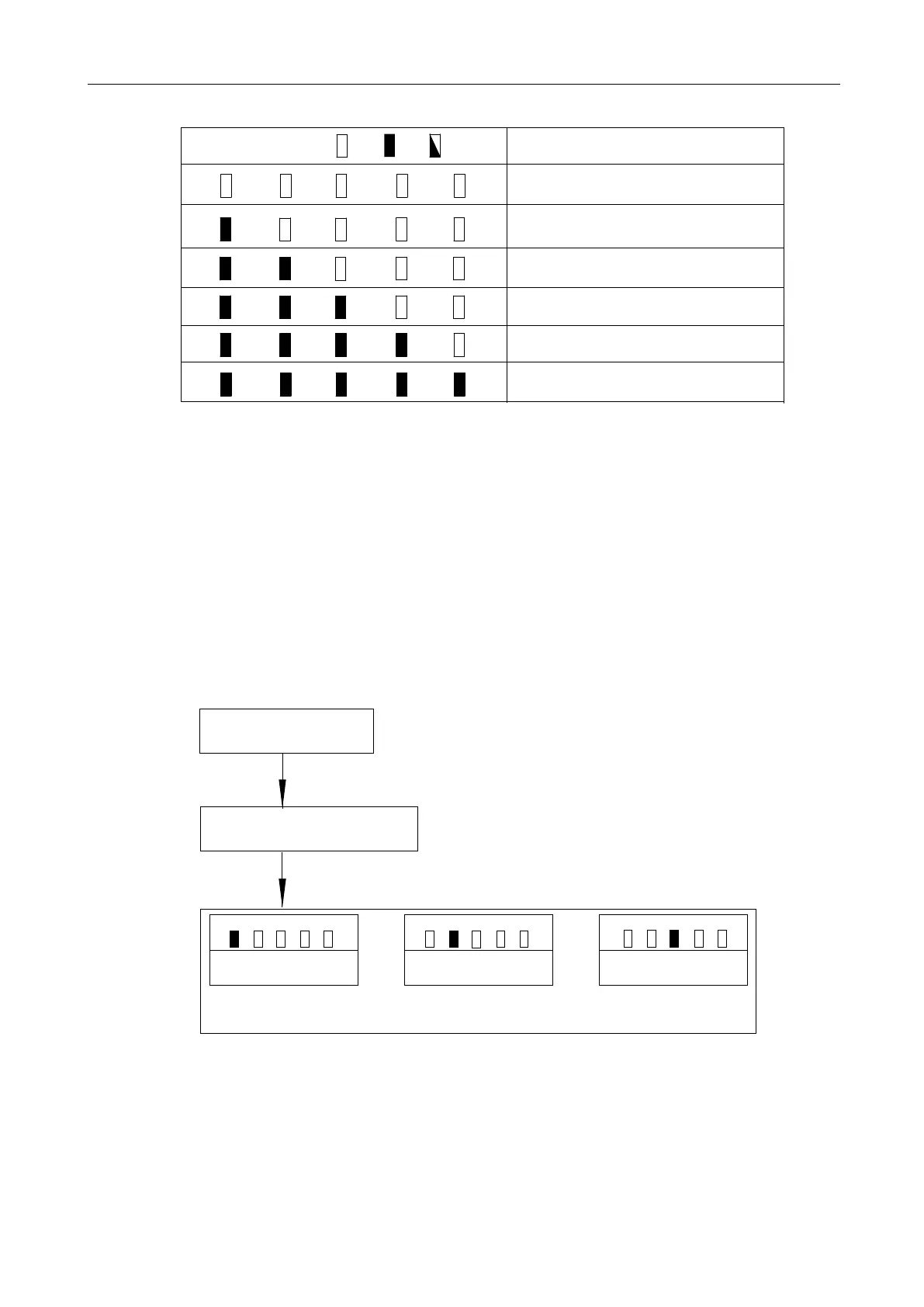
Indicator light status:
Off
On
Flicker
Status Instruction
Auto-close after 10 sec.
Auto-close after 20 sec.
Auto-close after 30 sec.
Auto-close after 40 sec.
Auto-close after 50 sec.
Table 2 Auto-Close Time
5.6 Advanced Menu Setting
1. Press “PROG” button for 3 Sec. under the control board standby mode, indicator light L0 will
flicker once, and then enter into basic menu setting. Press “PROG” button again for 3 sec. indicator
light L0 will flicker twice, and then enter into the advanced menu setting.
2. Different functions can be selected through “+” “-” buttons.
3. Press “SET” button to enter into the corresponding selection to set the parameters.
Working Mode Setting
L1
L2
L3
L4
L5
Acceleration Setting
L1
L2
L3
L4
L5
Start-up Delay Setting
L1
L2
L3
L4
L5
Standby Mode
Press and hold “PROG” button for 3 sec,
Advanced Menu Setting
Basic Menu Setting
Press “PROG” button again for 3 sec,
indicator light L0 will flicker once
indicator light L0 will flicker twice
Figure 29



 To Next Page