21
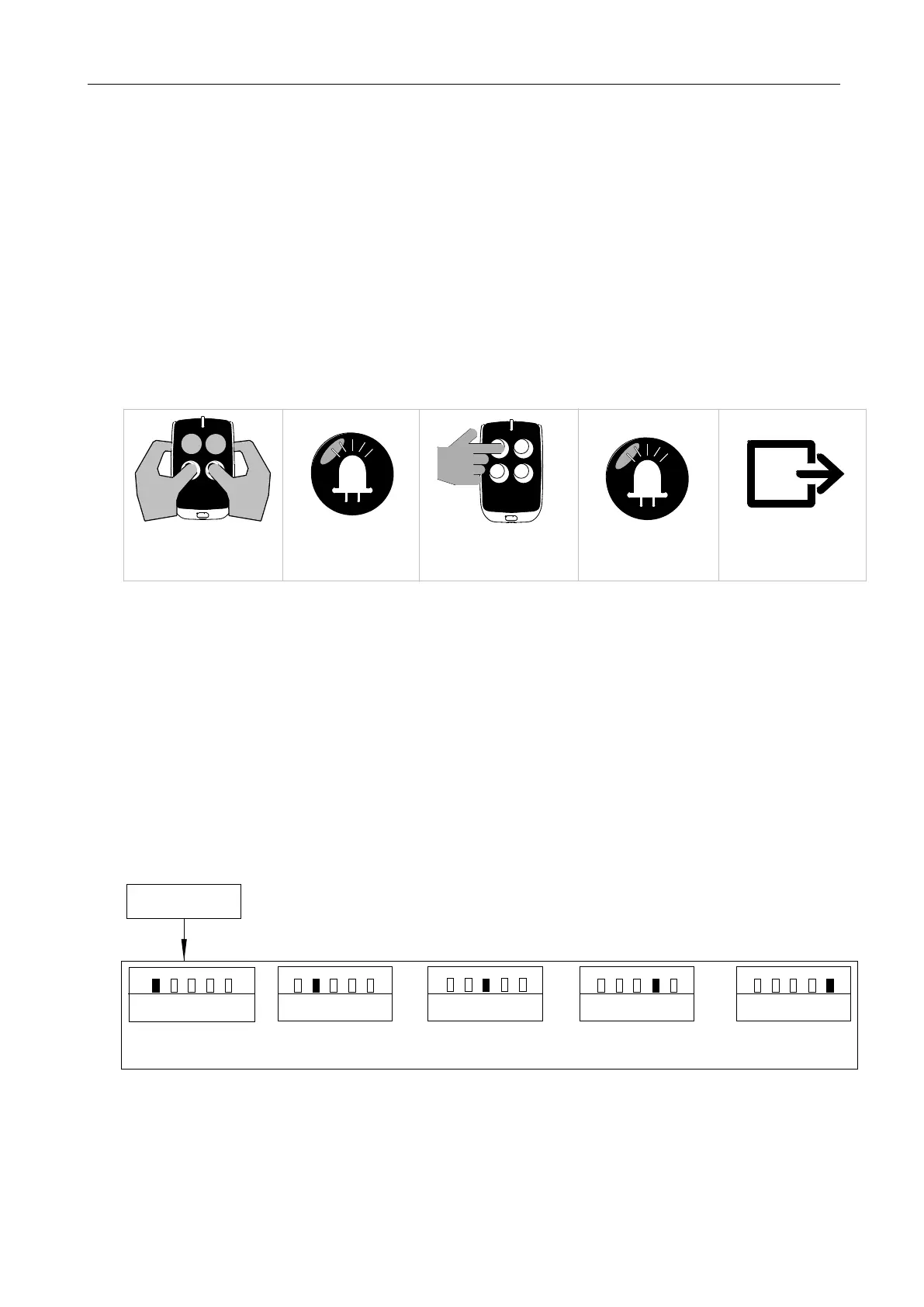
1. Simultaneously press and hold the third and fourth buttons of the paired remote control for 3
sec. The alarm lamp will flash, which indicates that the learning function of the control
board is on working.
2. Press the button to be learned on the remote control under the above status. The alarm
lamp will be on for one sec. Remote control learning is complete.
3. The system will automatically exit the learning mode after waiting for 20 seconds.
B. Operation Graphic Illustration:
The alarm lamp will flash
Simultaneously press the above
two buttons for 3 sec
Press the button which is to be
learned on the remote control
The alarm lamp will be on
Automatically exit after 20 sec.
for 1 sec
Lamp
Lamp
Figure 22
5.5Basic Menu Setting
Operation Instruction:
1. Press and hold “PROG” button for 3 sec. under the control board standby mode, the indicator
light L0 will flicker once, and then enter into basic menu setting.
2. Different functions can be selected through “+” “-” buttons.
3. Press “SET” button to enter into the corresponding selection to set the parameters.
Running Speed Setting
L1
L2
L3
L4
L5
Slow Stop Speed Setting
L1
L2
L3
L4
L5
Auto-reverse When Meeting
L1
L2
L3 L4 L5
Slow Stop Distance Setting
L1
L2
L3
L4
L5
Standby Mode
Press and hold “+” button for 3 sec.
Basic Menu Setting
Auto-close Function Setting
L1
L2
L3
L4
L5
AObstacles Setting
Figure 23



 To Next Page