– 19 –
Ⅲ
. OPERATION
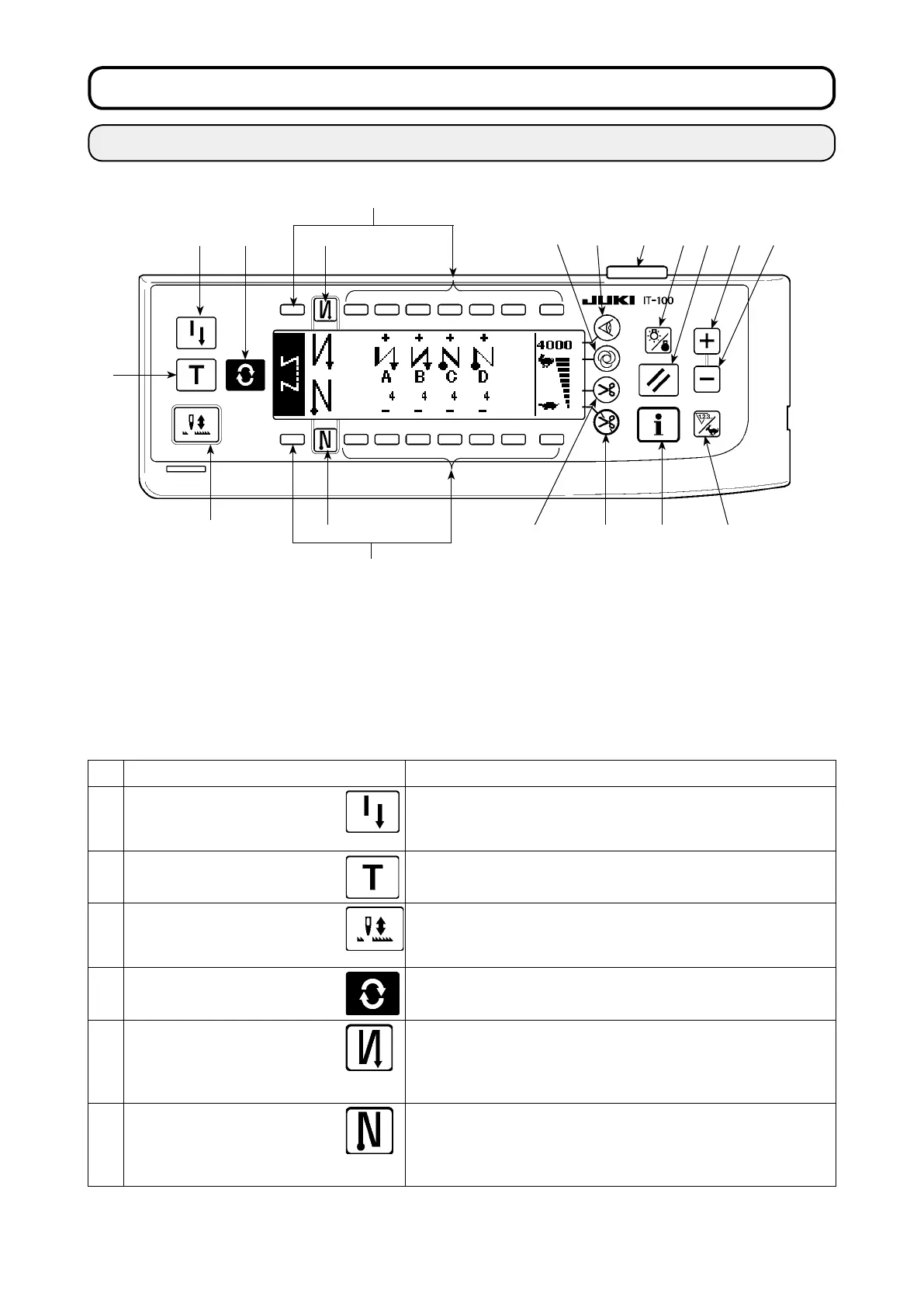
1. CONFIGURATION OF THE OPERATION PANEL
Switch Description
❶
Re-sewing switch
This switch is used to continue sewing from the step on the way
after replacing bobbin thread when bobbin thread has run out
during program stitching step.
❷
Teaching switch
This is the switch to set the setting of the number of stitches with
the value of number of stitches which has been actually sewn.
❸
Needle up/down compensat-
ing switch
This is the switch to perform needle up/down compensating stitching.
(Needle up/down compensating stitching and one stitch compensating
stitching can be changed over with function setting No. 22.)
❹
Screen changeover
switch
This is the switch to change over the screen.
❺
With/without reverse feed
stitch at sewing start switch
This is the switch to turn ON/OFF automatic reverse feed stitch at
sewing start.
* This switch cannot be used with the sewing machine which is
not provided with automatic reverse feed stitching device.
❻
With/without reverse feed
stitch at sewing end switch
This is the switch to turn ON/OFF automatic reverse feed stitch at
sewing end.
* This switch cannot be used with the sewing machine which is
not provided with automatic reverse feed stitching device.
❶
Re-sewing switch
❷
Teaching switch
❸
Needle up/down compensating
switch
❹
Screen changeover switch
❺
With/without reverse feed stitch at
sewing start switch
❻
With/without reverse feed stitch at
sewing end switch
❼
Material edge sensor switch
❽
One-shot automatic sewing
switch
❾
With/without automatic thread trim-
mer switch
Thread trimming prohibiting
switch
Backlight switch
Reset switch
Information switch
+ switch
-
switch
Counter/speed changeover switch
General-purpose switch
Power display lamp
❶ ❹ ❺
❼
❽
❾
❻
❷
❸











 To Next Page