– 80 –
External interface means the section to connect the operation panel and the system which is different from
the operation panel.
For the use and details, refer to the Engineer's Manual.
1) Media slot
Media slot is installed in the face cover located on the left side of operation panel.
2) Ethernet port
An Ethernet connector is provided inside the right side face cover of the operation panel.
3) RS-232C port
RS-232C connector is installed in the rubber cap located on the back side of operation panel.
4) General input port (Production support switch connecting connector)
General input connector, CN105 is installed in the cord outlet cover located on the back side of operation
panel.
Ⅴ
. EXTERNAL INTERFACE
Ⅵ
. ERROR
1. ERROR DISPLAY
There are two different kinds of errors, those output from the operation panel and those from
the SC-920 (control box). Both kinds of errors are notied by the error screen and the buzzer.
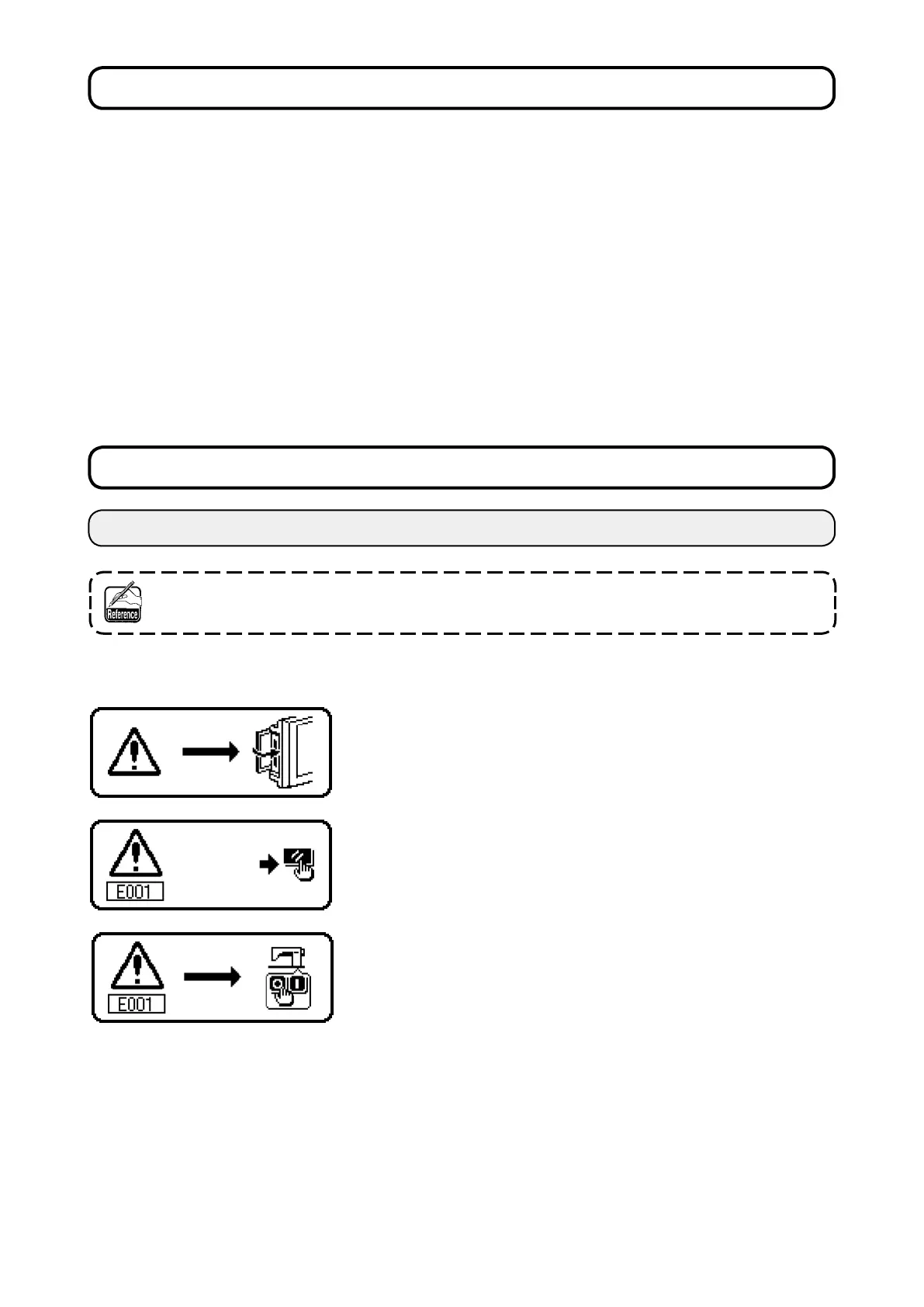
Three different kinds of screens of the panel display screen appear due to the difference of the procedures.
1) Error screen disappears when the operator removes the cause.
Example) Cover of the slot of media is open. Close the cover.
3) Remove the cause of error after turning OFF the power.
2) Press the reset switch, and remove the cause of error after eras-
ing the error screen.











 To Next Page