– 69 –
1
(2) Working measurement function
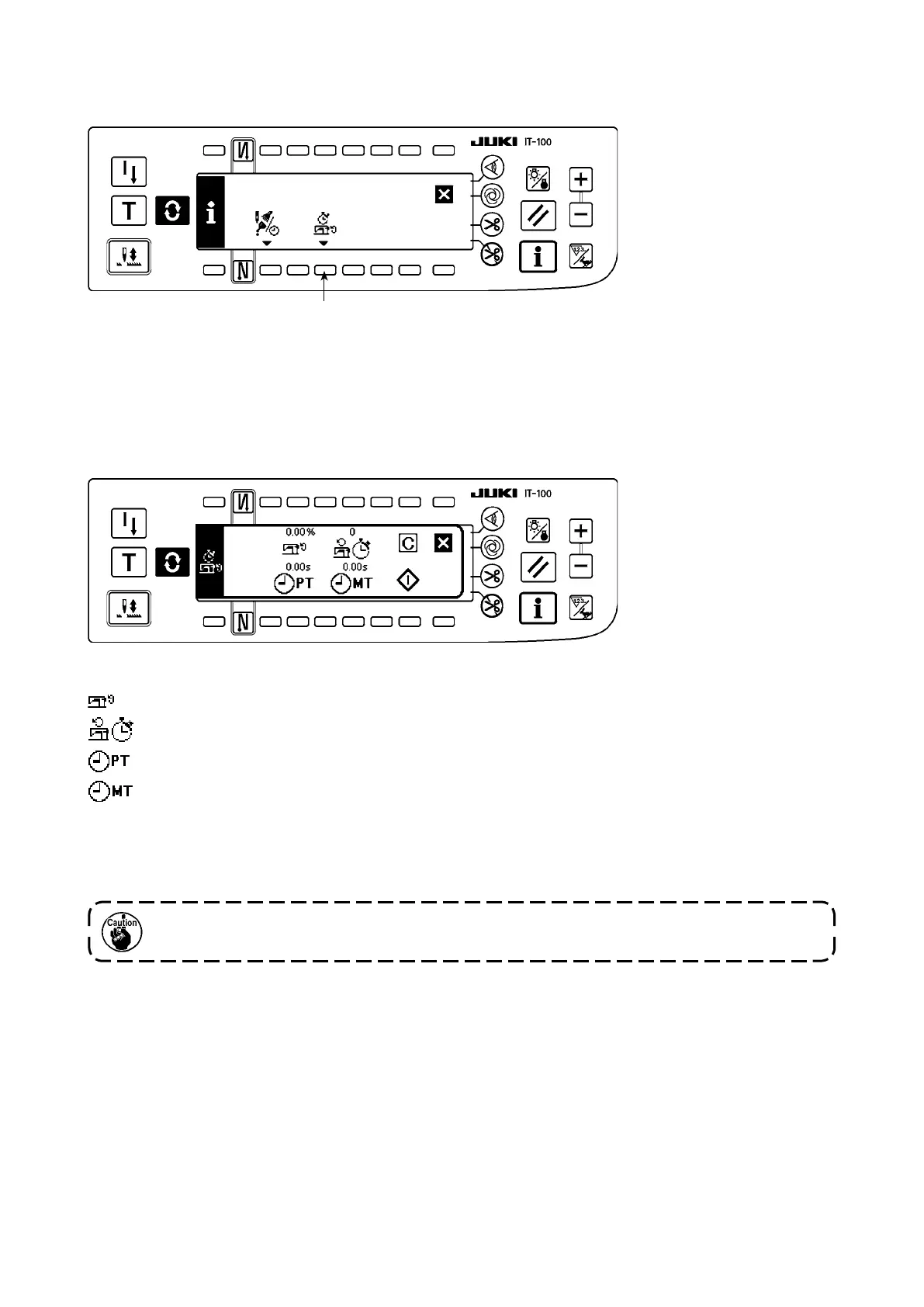
1) Press switch
1
to change over the screen to the working measurement function screen.
■
Working measurement function screen
[Explanation of the respective items]
Working factor ..................................Unit : %
Working mean speed .......................Unit : sti/min
Pitch time .........................................Unit : Second
Machine time ...................................Unit : Second
2) Press
3
to start the working measurement.
3) To stop the measurement, press
3
again.
4) The result of measurement can be cleared with
2
.
When “Clear” is not executed, the measurement from the last time can be continued.
Working factor, working mean speed, pitch time and machine time can be measured on this screen.
■
Sewing management function screen



 To Next Page