1
2
3
4
5
6
7
8
9
!0
!1
!2
!3
!4
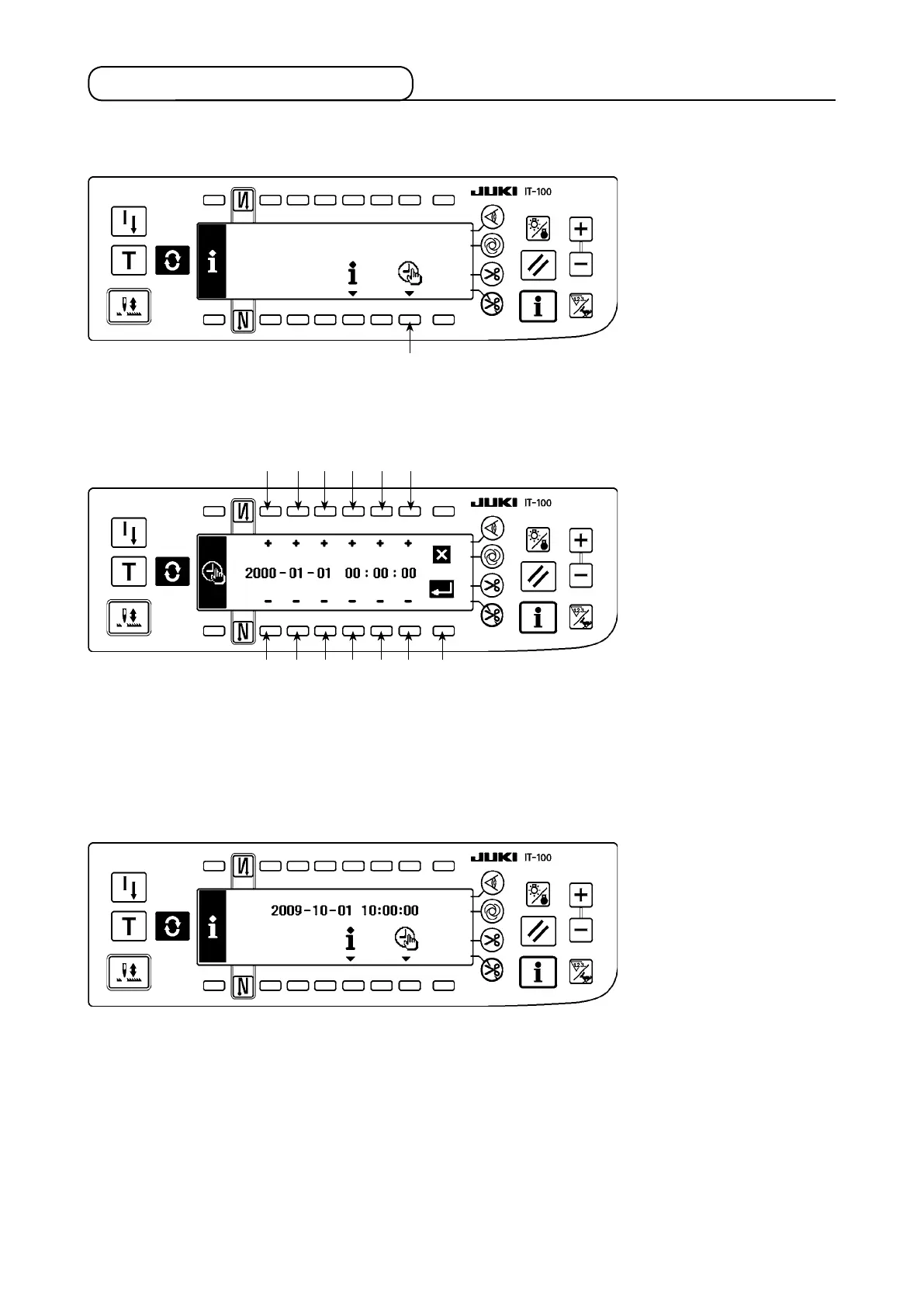
1-2. Setting the date and time
1) Press switch
1
to change over the screen to the date and time setting screen.
■
Information screen
2) Press switches
2
and
3
,
4
and
5
, and
6
and
7
to increment/decrement the date.
3) Press switches
8
and
9
,
!0
and
!1
, and
!2
and
!3
to increment/decrement the time.
4) Once you have set the date and time, press switch
!4
. The screen is changed over to the information
screen.
■
Information screen
5) The set date and time are displayed on the information screen and the clock starts to operate. (When
you have set the date and time to "2009-10-01 10:00:00" and press switch
!4
, the screen display will be
as shown in the above gure.)
■
Date and time setting screen











 To Next Page