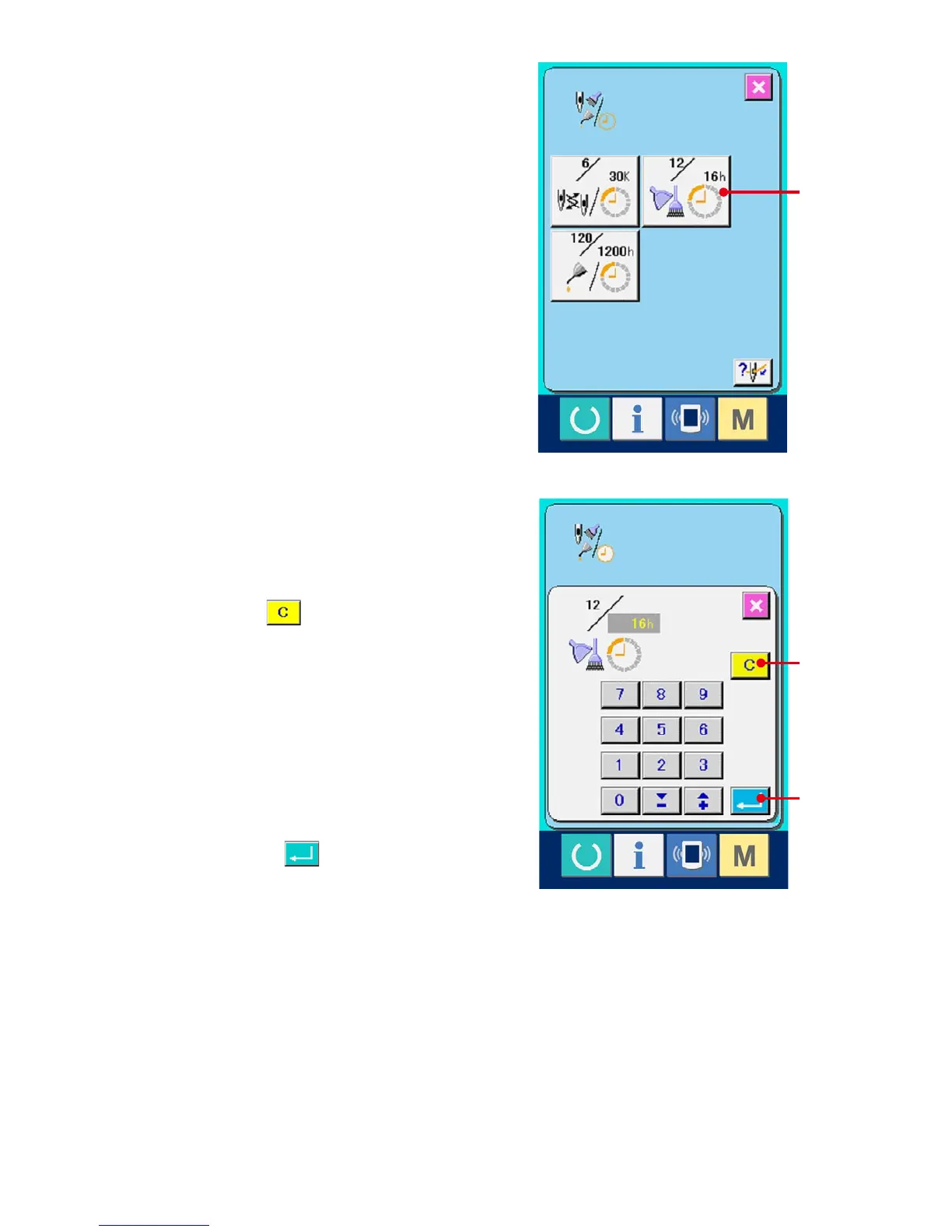
The same information as that in the normal
maintenance and inspection information screen
is displayed in the maintenance and inspection
information screen.
When button (C) of the item you desire to change
the inspection time is pressed, the inspection time
input screen is displayed.
3
Input the inspection time.
Input the inspection time.
When the inspection time is set to "0", the
warning function stops.
When clear button (D) is pressed, the value
returns to the initial value.
The initial values of the inspection time of
respective items are as follows.
• Needle replacement : 0 (1,000 stitches)
• Cleaning time : 0 (hour)
• Oil replacement time : 200 (hour)
When ENTER button (E) is pressed, the
inputted value is determined.
C
D
E



 To Next Page