– 77 –
26. CHANGING MEMORY SWITCH DATA
26-1 Changing procedure of memory switch data
1
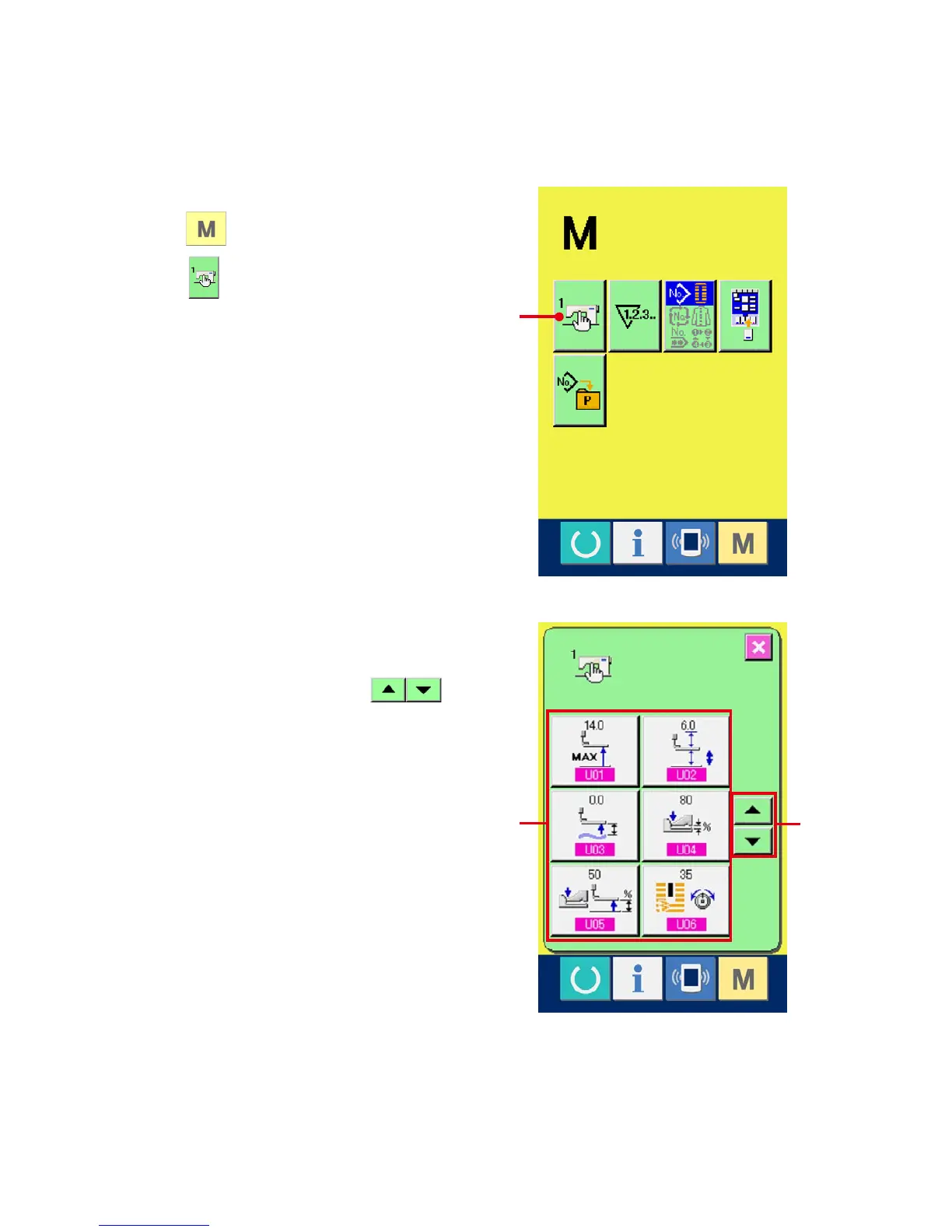
Display the memory switch data list screen.
When switch is pressed, memory switch
button (A) is displayed on the screen. When
this button is pressed, the memory switch data
list screen is displayed.
2
Select the memory switch button you desire
to change.
Press UP/DOWN SCROOL button (B)
and select the data item button (C) you desire to
change.
A
C
B



 To Next Page