12. USING COUNTER
12-1 Setting procedure of the counter
1
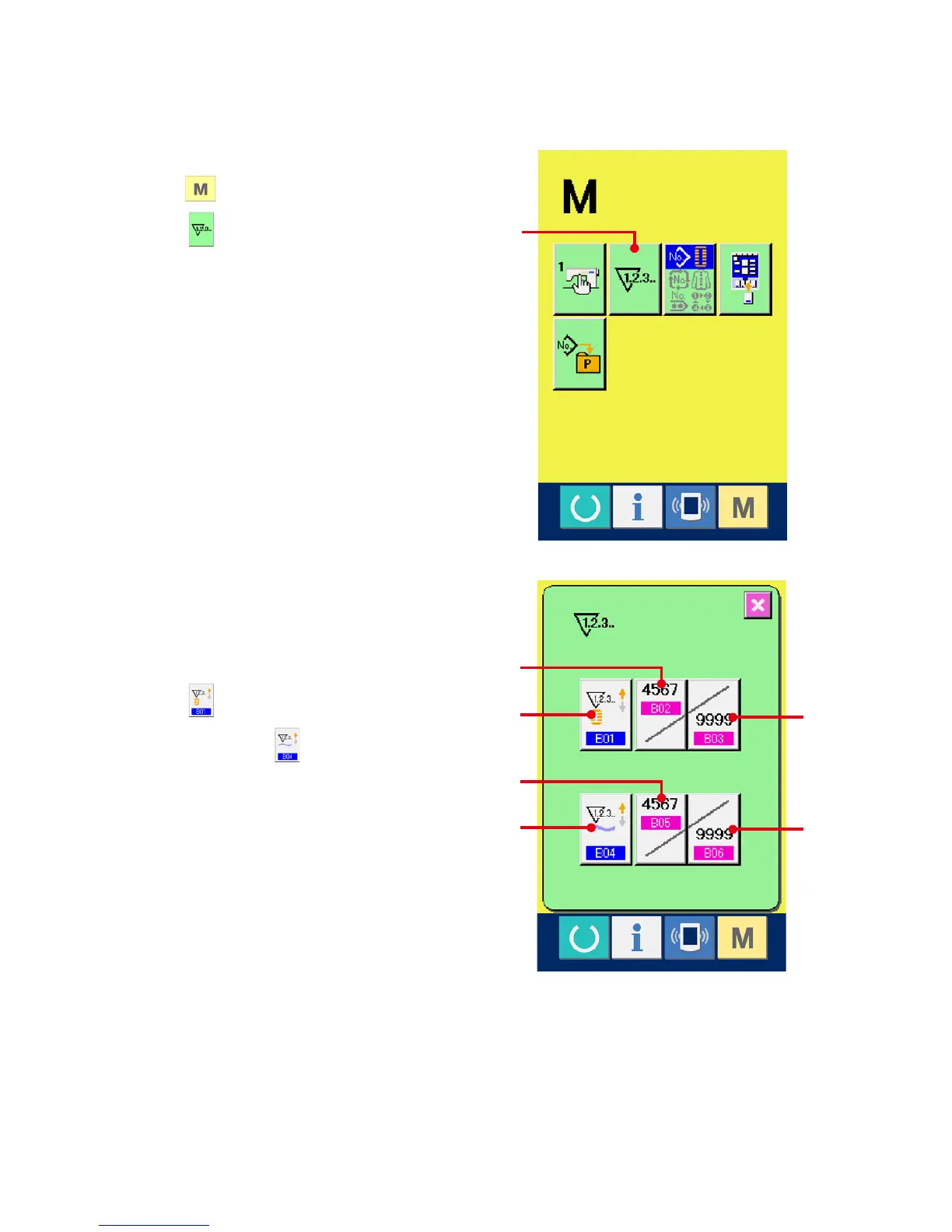
Display the counter setting screen.
Press switch and the COUNTER SETTING
button (A) is displayed on the screen. When
this button is pressed, the counter setting screen
is displayed.
2
Selection of kinds of counters
This sewing machine has two kinds of counters,i.
e., sewing counter and No. of pcs. counter.
Press SEWING COUNTER KIND SELECTION
button (B) or NO. OF PCS. KIND
SELECTION button (C) to display the counter
kind selection screen. The kinds of the respective
counters can be set separately.
A
D
E
F
G
C
B



 To Next Page