– 51 –
17. COPYING SEWING PATTERN
The sewing data of the pattern No. which has been
already registered can be copied to the pattern No.
which has not been registered. Overwriting copy
of the pattern is prohibited. When you desire to
overwrite, perform it after erasing the pattern once.
→
Refer to
6. PERFORMING PATTERN NO.
SELECTION, p.20
.
1
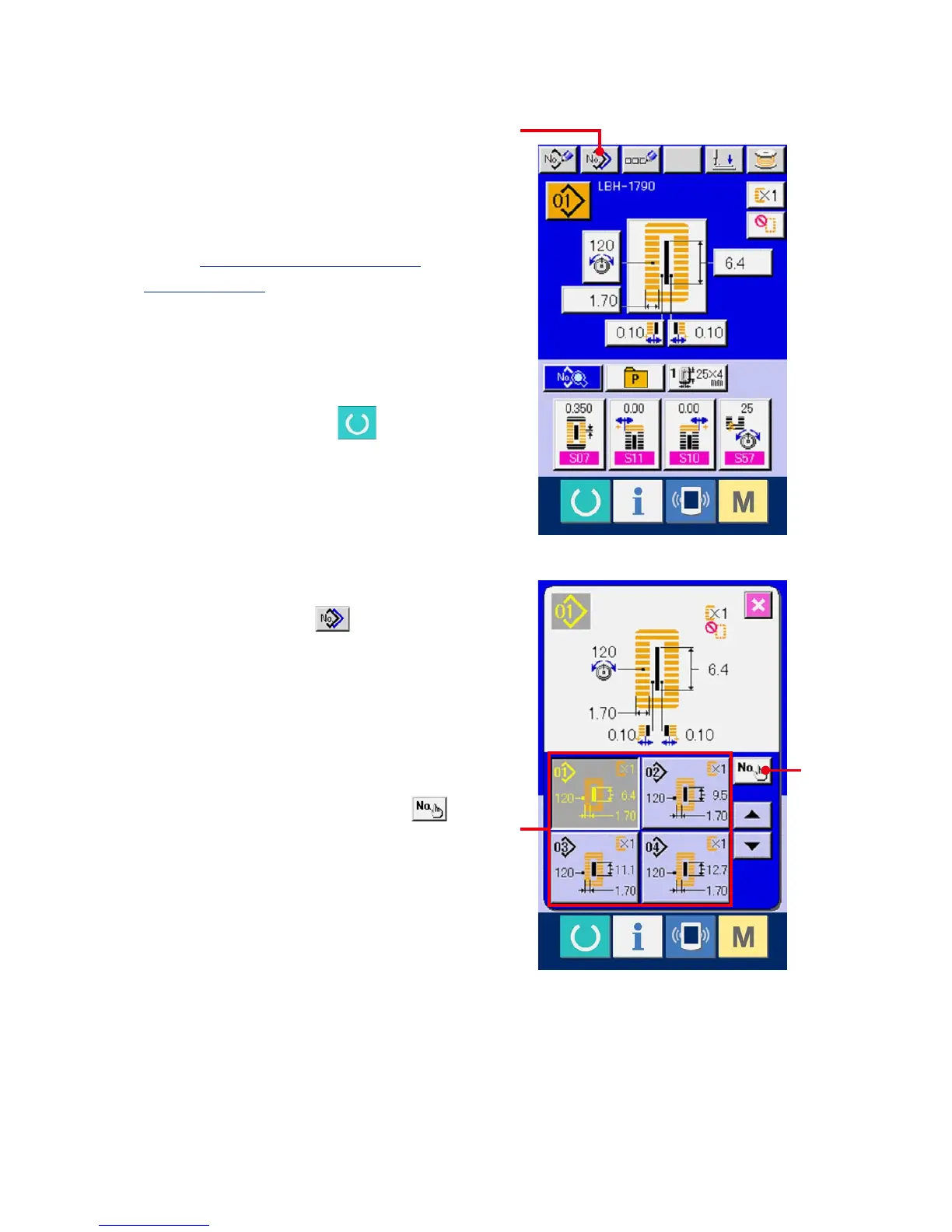
Display the data input screen.
Only in case of the data input screen (blue),
copying is possible. In case of the sewing screen
(green), press READY switch and display
the data input screen (blue).
2
Call the pattern copy screen.
When pattern copy button (A) is pressed,
the pattern copy (copy source selection) screen is
displayed.
3
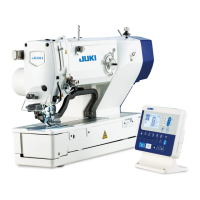
Select the pattern No. of copy source.
Select the pattern No. of copy source from the list
of pattern buttons (B).
Then press copy destination input button
(C) and the copy destination input screen is
displayed.
B
C
A



 To Next Page