4
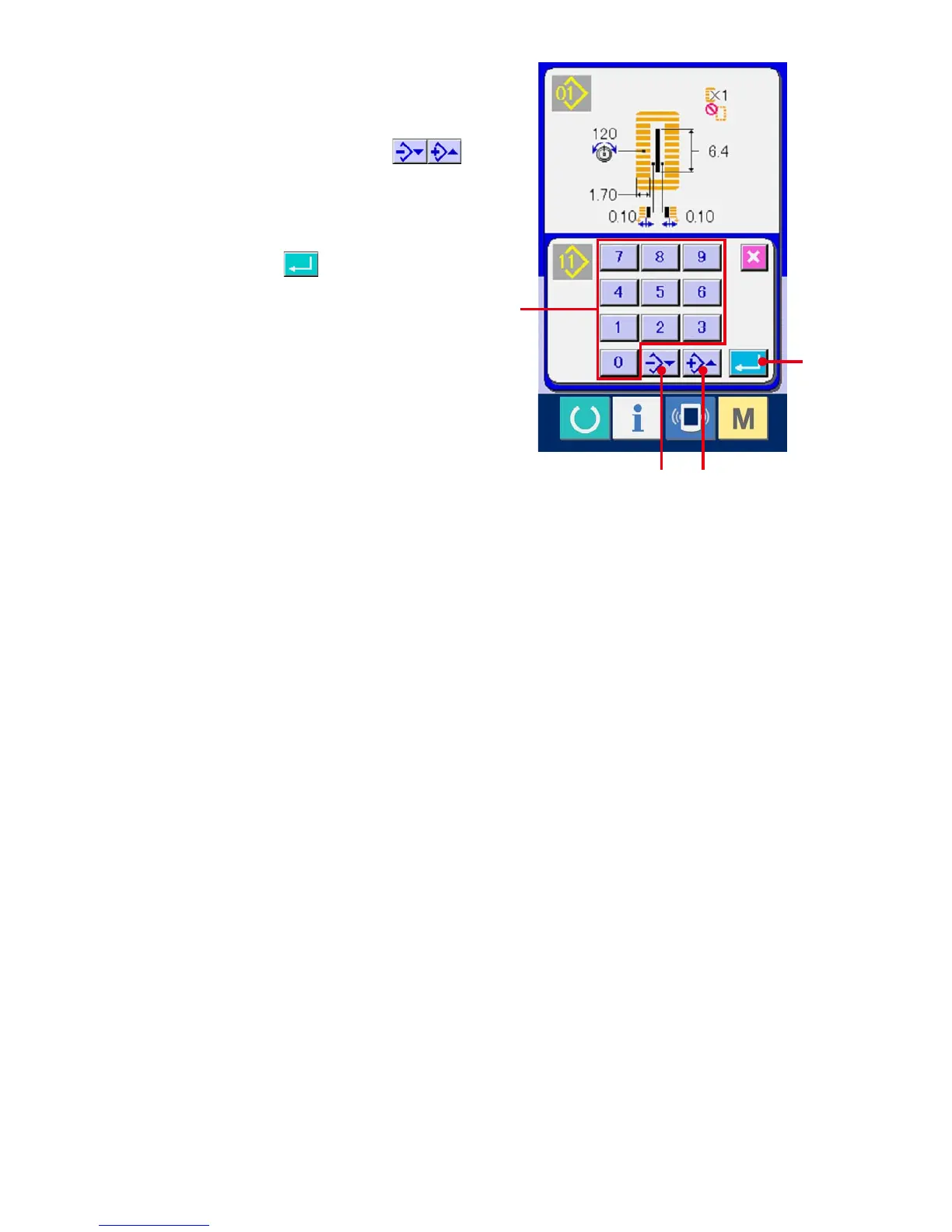
Input the pattern No. of copy destination.
Input the pattern No. of copy destination with ten
keys (D). It is possible to retrieve the pattern No.
which is not used with - and + buttons
(E • F).
5
Start copying.
Press ENTER button (G) and copying
starts.
Pattern No. which has been copied in the
selected state returns to the pattern copy (copy
source selection) screen after approximately two
seconds.
※1 Cycledataandcontinuousstitchingdatacan
be copied by the same method.
※2 Whendeletionisperformedincasethe
remaining pattern No. which has been
registered is one, pattern deletion error (Error
code 402) is displayed.
※3 Whentryingtoperformcopyingtothepattern
No. which has been already registered,
copy disapproval error (Error code 401) is
displayed.
D
E F
G



 To Next Page