– 25 –
9. CHANGING NEEDLE THREAD TENSION
1
Display the data input screen.
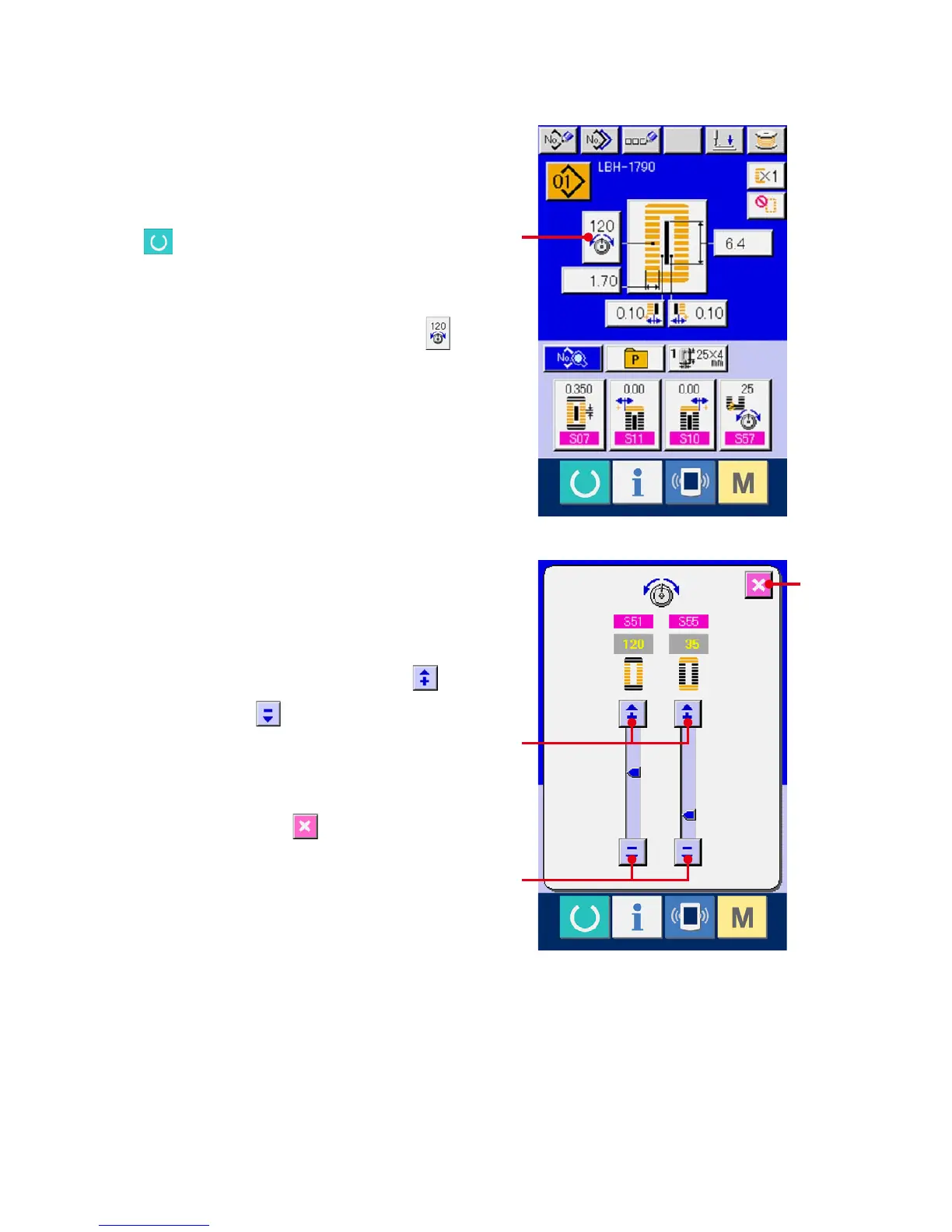
Only in case of the data input screen (blue),
needle thread tension can be changed. In case of
the sewing screen (green), press READY switch
and display the data input screen (blue).
2
Call the needle thread tension change screen.
Press NEEDLE THREAD TENSION button
(A) and the needle thread tension change screen
is displayed.
3
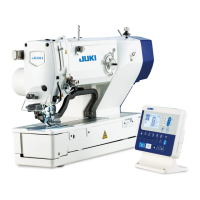
Change the needle thread tension.
Needle thread tension at the parallel section and
that at the bar-tacking section can be changed in
the needle thread tension change screen.
Change the tension value with UP button (B)
or DOWN button (C) corresponding to the
respective sections.
4
Finish the change of needle thread tension.
Press CANCEL button (D) and the needle
thread tension change screen is closed. Then the
changehasbeennished.
A
B
C
D



 To Next Page