101
5 Setup software
Setting the
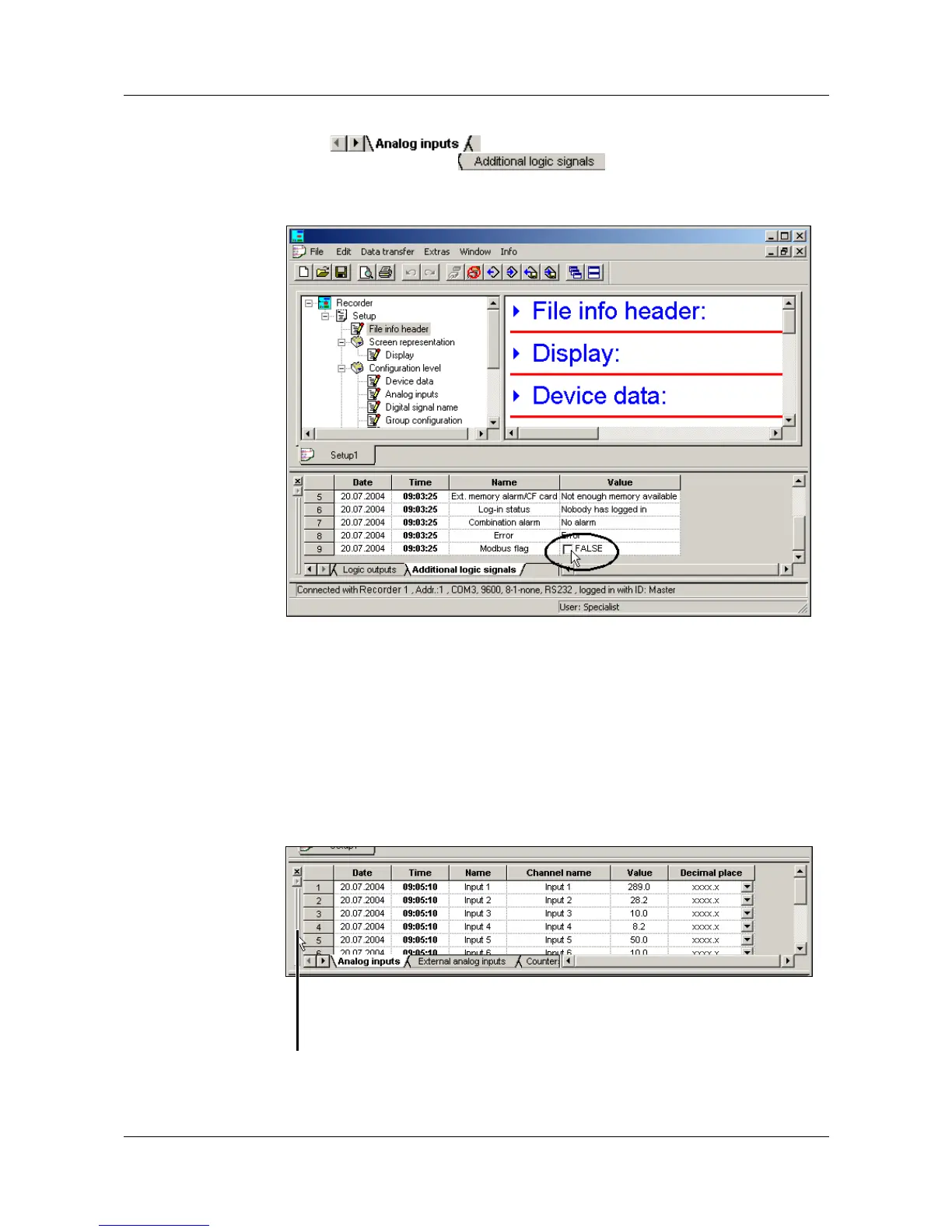
Modbus flag
h With the left mouse button, repeatedly click on the arrow pointing to the
right ( ), until the register “Additional logic signals”
appears on the screen ( ).
h Click on the register “Additional logic signals”. This automatically turns it
into an active register.
h Clicking on the box using the left mouse button (single click) will switch the
Modbus flag.
External
logic inputs
The external logic inputs can also be switched using the setup software. The
procedure corresponds to that when switching the Modbus flag.
Shifting the
Teleservice
window
The Teleservice window, too, can be shifted. The same possibilities apply as
for the shifting of the toolbar.
v “Shifting the toolbar” on page 96
Position the mouse pointer here, and,
holding the left mouse button down, shift the
Teleservice window to a different position.



 To Next Page