97
5 Setup software
5.4 Configuration
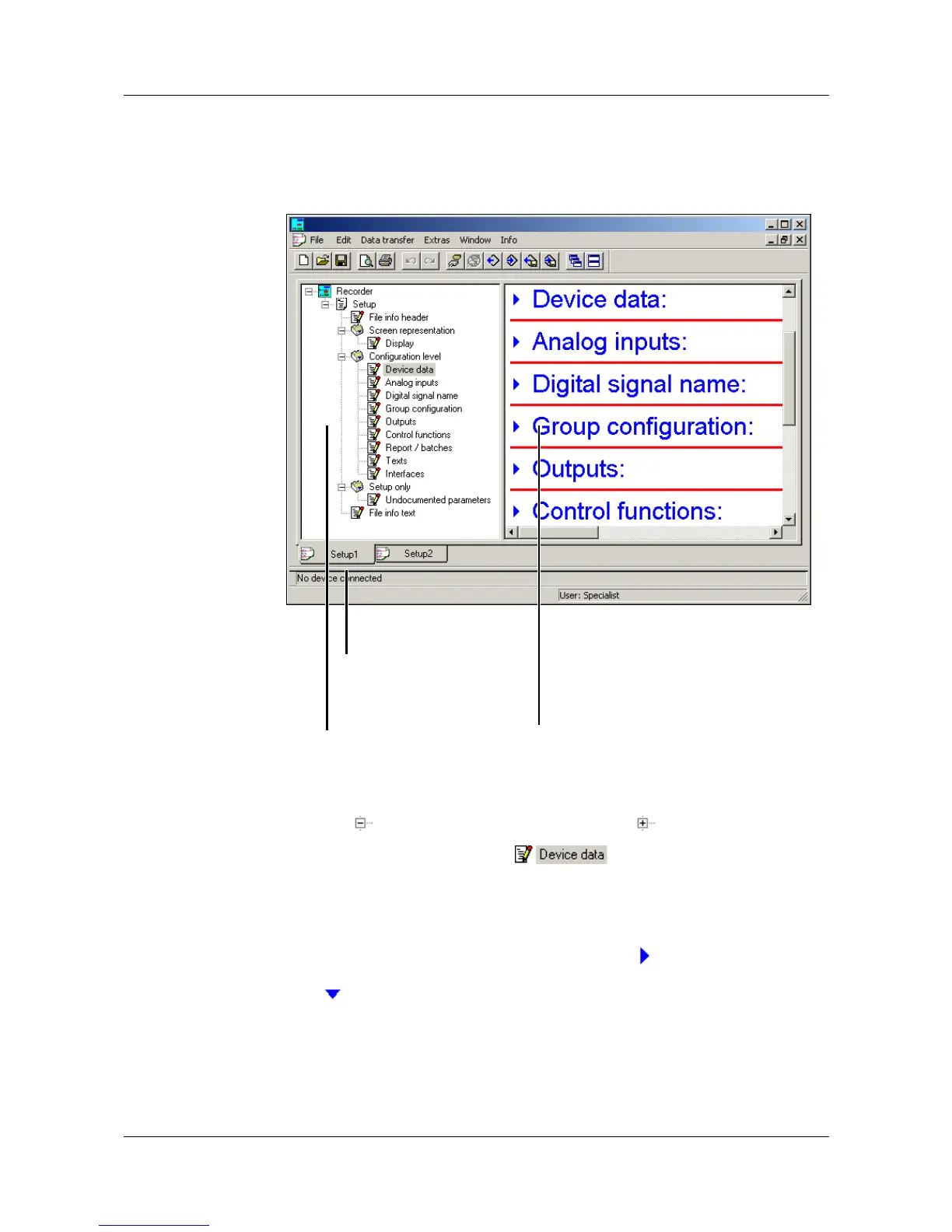
By using the function File ➔ New (or File ➔ Open) you can create a new
configuration file (setup), or open an already existing one. The working area
will be filled with the corresponding settings.
Navigation tree One single click with the left mouse button in the navigation tree will visibly
position the entry in the dialog window.
Clicking on will reduce the display, one click on will enlarge it again.
A double-click on an entry (e.g. ) will start the change dialog.
Alternatively, a change can also be started via the menu bar (Edit ➔
Configuration level ➔ Device data ).
Dialog window By double-clicking on an entry in the dialog window, you can start the change
dialog. One click on the “Arrow pointing to right” ( ) in front of the entry will
list the current setting in the dialog window, one click on the “Arrow pointing
down” ( ) will hide the current setting again.
Current setup If several setup settings are open at the same time, one simple click on the
name and ...
Navigation tree
for finding the settings
quickly
Dialog window
The settings are displayed here.
Current setup



 To Next Page