2 Instrument description
24
2.7 Operating modes
3 operating
modes
The instrument has three operating modes:
-normal operation
- timed operation
- event operation
The following settings can, among others, be made for each of the three
operating modes:
-stored value
-storage cycle
Stored value The stored value determines whether the average/minimum/maximum value of
the time interval between two storage cycles or the instantaneous value is
stored.
Storage cycle The storage cycle determines the interval between two stored values. The
diagram speed corresponds to the storage cycle, which means that with a
storage cycle of 5sec, for example, the stored value is entered in the diagram
every 5sec.
Normal
operation
Normal operation is active whenever event or timed operation is not active.
Timed
operation
For timed operation, a period of time can be defined (up to 24 hrs) within
which a specific stored value and a specific storage cycle are active.
Event operation Event operation is active as long as its control signal (v page 84) is active.
Event operation can be used, for example, to shorten the storage cycle when a
combination alarm is present.
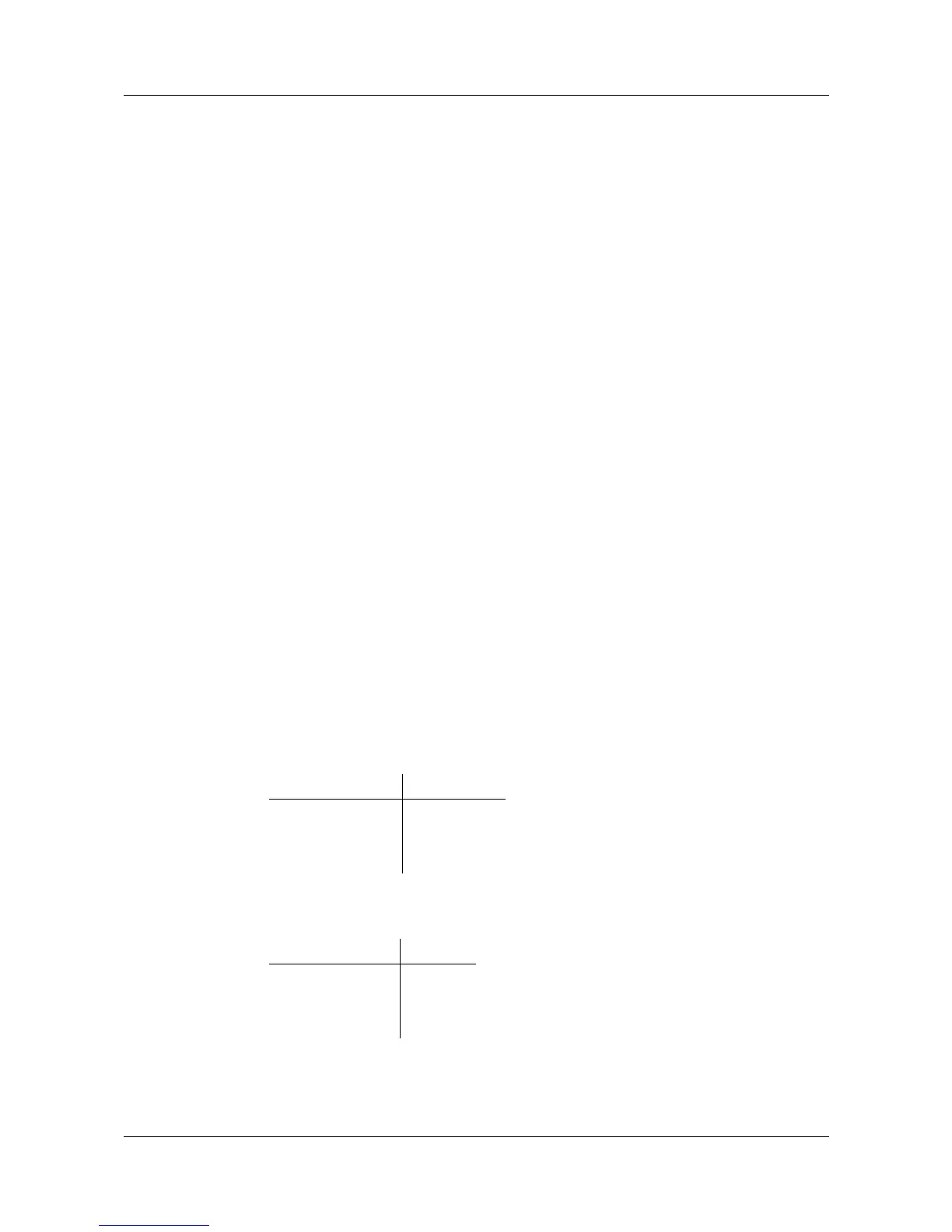
Priority The respective priorities of the operating modes are allocated as follows:
Active
operating mode
The active operating mode is shown in the horizontal and vertical diagrams by
the background color of the display for the diagram speed:
v Chapter 3.2.1 “Vertical diagram”
Chapter 3.2.2 “Horizontal diagram”
Operating mode Priority
Normal operation 3 (lowest)
Timed operation 2
Event operation 1 (highest)
Operating mode Color
Normal operation gray
Timed operation blue
Event operation orange



 To Next Page