5 Setup software
108
5.7.2 Device list
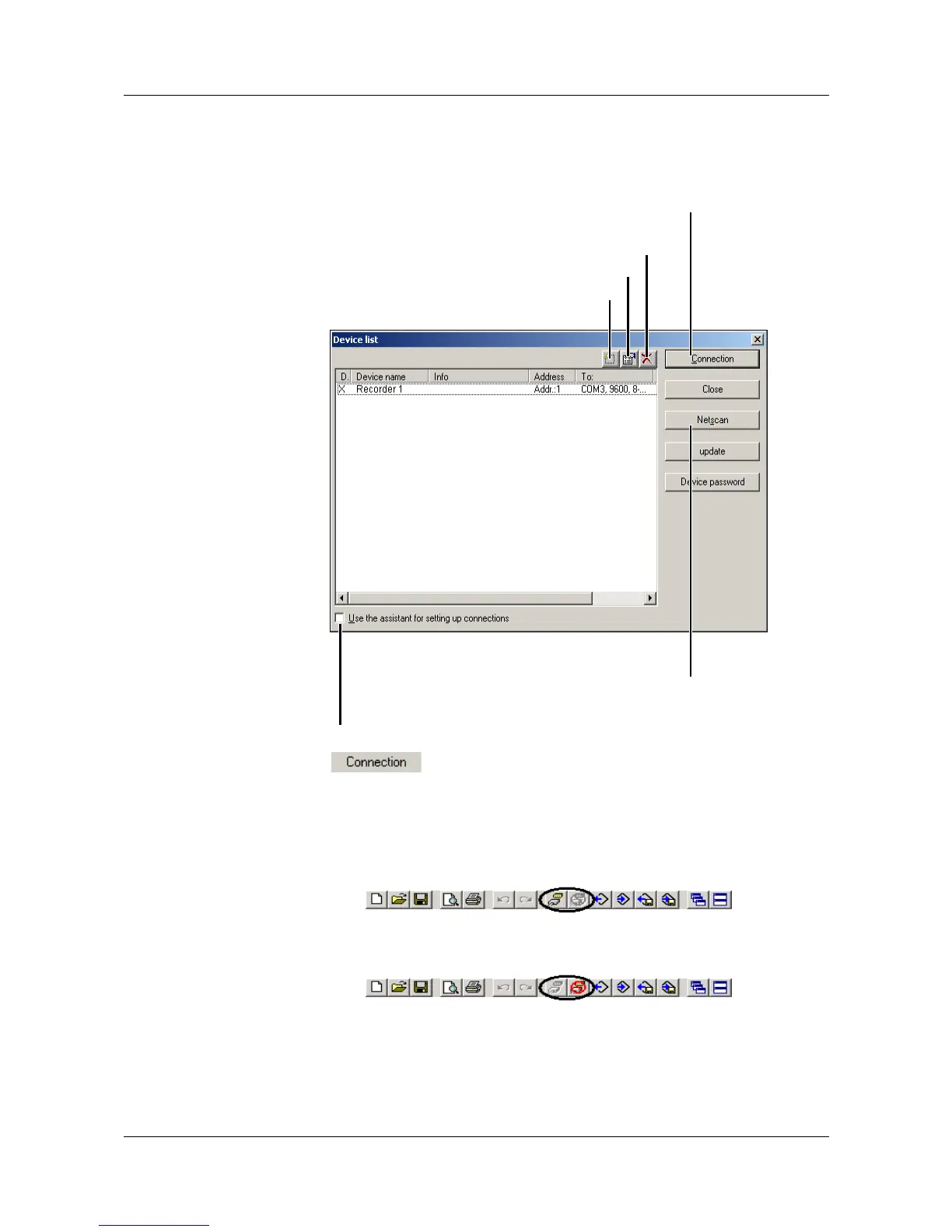
All devices that have been defined are shown in a device list. The interface
parameters are also administered her, and new, additional devices can also be
defined in the device list.
Use the button to make a connection to a device. By using the
Ctrl key on the PC keyboard and the left mouse button, you can select several
devices at one time (only for deleting devices from the device list).
A successful connection produces a change in the toolbar.
Not connected
Connected
Make connection
to the selected device
Remove device(s) from the list
Alter properties
Add a new device
Search interfaces automatically
for devices
Use the Assistant to carry out the function “Add new device” or
“Alter properties”.



 To Next Page