69
3 Operation and visualization
3.8 Text entry
Entry options The configurable texts can be entered either through the setup program or on
the instrument itself. This section describes the entry on the instrument.
Character
selection
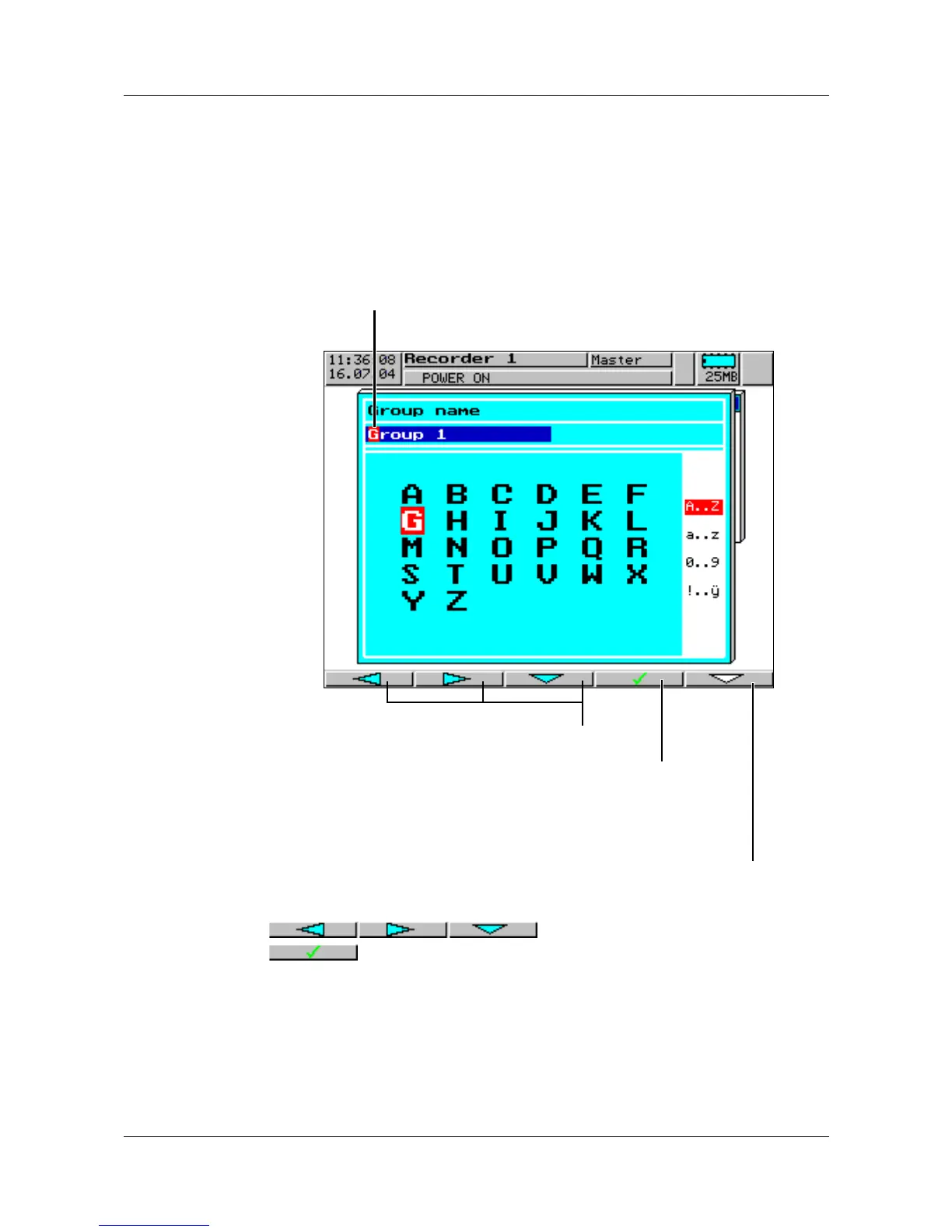
The screen below is shown when a text (e. g. Configuration ➔ Group
config. ➔ Group 1 ➔ Group name) has been selected at the configuration
level for editing using
E.
You are automatically in the editing mode.
Character entry Select the required character (the required digit) using the
buttons and confirm entry with
.
After the entire text has been entered, it can either be accepted or all
alterations canceled.
h Enter text with
E
or
h cancel text entry with
D
Select character
Accept character
Restrict visible characters:
A..Z - capital letters only
a..z - small letters only
0..9 - digits only
!..ÿ - all available characters
Current text



 To Next Page