113
5 Setup software
Create
screenshot
This function (also known as “print screen”) is another option which is
available for documenting settings or events.
Start the function and operate the “Create” button. A screenshot (print-out) will
be created for the device that is connected. You can save the screenshot as a
bitmap, or print it out directly.
Date and
time
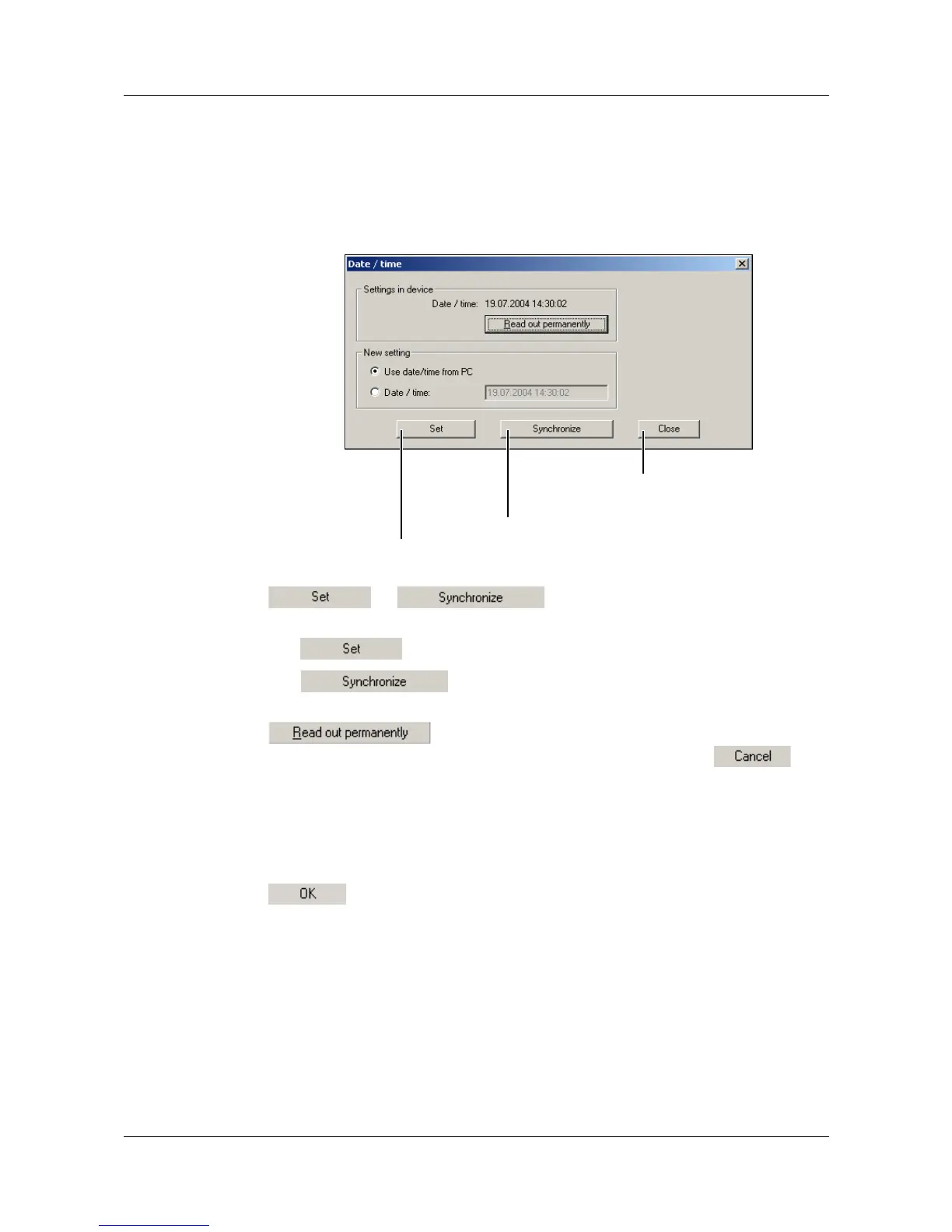
This function is used to match the date and time for a PC and a device.
The new setting of the date and time of a device is made with the
or button. Both functions use the entries
under “New setting” as the basis for making the setting.
The function sets the date and time of a device.
The function only sets the time. If there is a deviation of
more than 30 seconds, the function will not be performed.
ensures that the device clock is read out permanently
(cyclically). Permanent read-out must be terminated through . The
device clock cannot be set during permanent read-out.
Event counter This function can be used to read out the two internal and the two external
counters of the paperless recorder and set them to a specific value.
After starting up the function, a connection is made to a device and the current
count is displayed. You can now alter the individual counts. If you click
, the new counts will be adopted by the device.
Transmit date and time to device.
Closes the function
Synchronize device time
with PC time



 To Next Page