117
5 Setup software
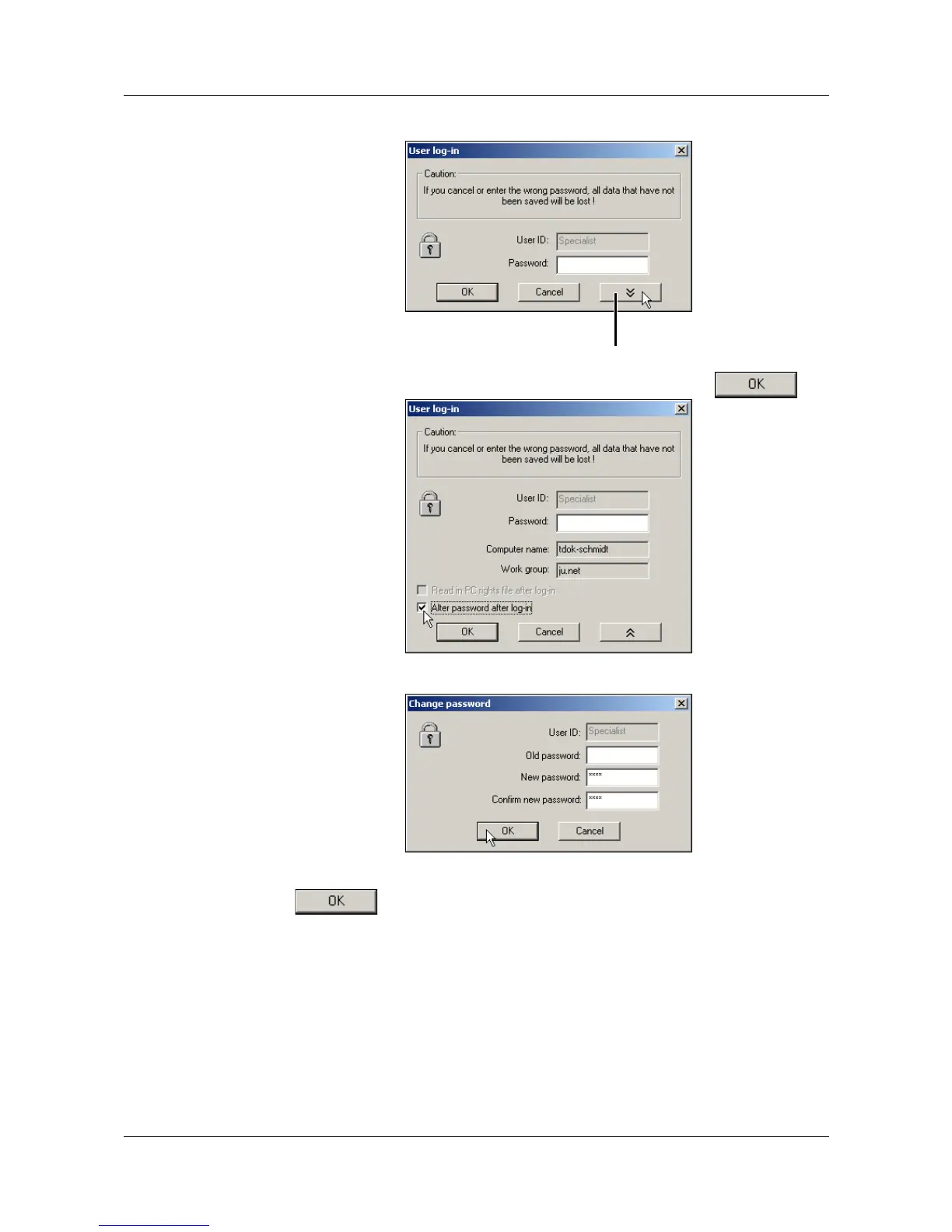
h Switch options into display.
h Activate the option “After log-in, alter password” and click .
h Enter passwords - the “Old password” field remains empty.
When the entry has been completed, the new password is activated by click-
ing . From now on, the user name and password will be requested
at the start of the program.
H
The start password is initially also not allocated to the “Mainte-
nance” user. Log-in at the program start with the “Maintenance”
user name and enter a password as described above.
Show options



 To Next Page