15
2 Instrument description
Version with
stainless steel
front
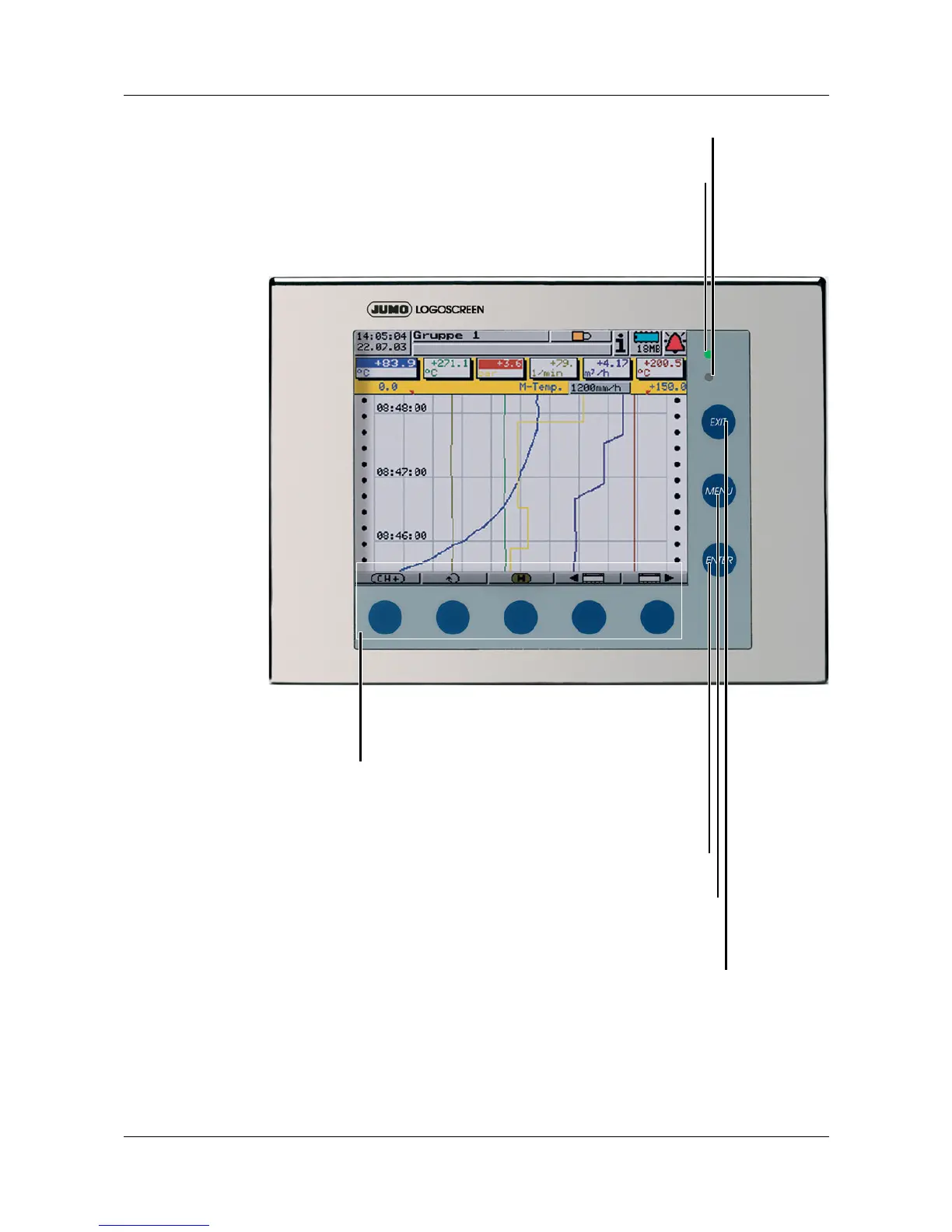
Enter
- select menu item
- enter selection
Menu
back to the start menu
Exit
- previous window
- cancel current action
Softkeys
screen-dependent function,
represented by text or symbols
Power LED (green)
is on continuously as soon as power is applied.
Flashes when screen saving is active.
Pressing any key will de-activate screen saving.
Status LED (red)
is on continuously while an alarm is present
H
On the stainless steel version, the CompactFlash slot and the setup
plug connection are located at the instrument rear
.



 To Next Page