3 Operation and visualization
48
General
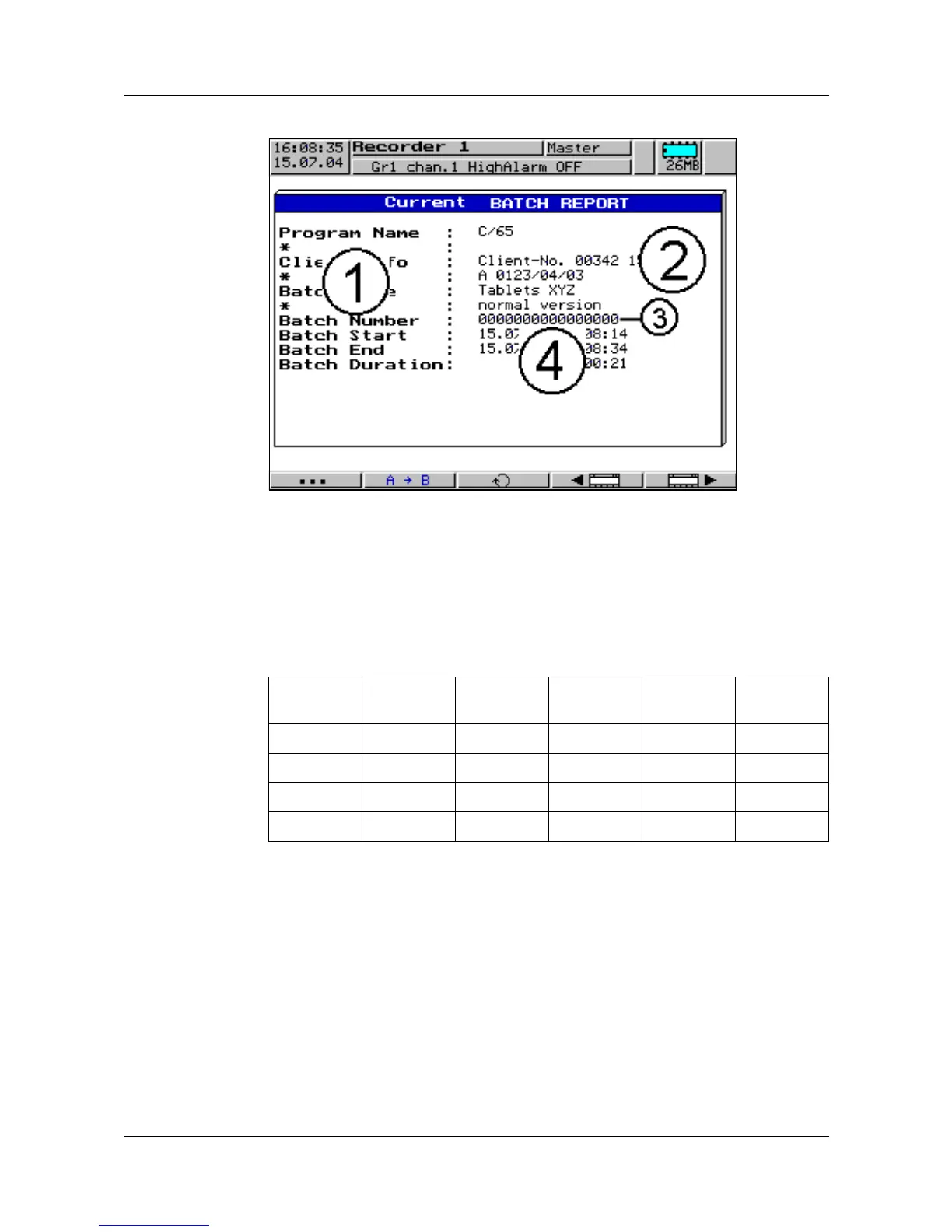
The screen arrangement is identical for both batch reports. It consists of 10
lines on the screen and 2 columns.
The left column “Text field (1)” contains text which describes the text in the
right column “Text fields (2), (3) and (4)”. Text field (2) is used for “general batch
texts”, text field (3) for the designation of the “batch number” and text field (4)
defines the “time report”.
The table below describes by which means the individual text fields can be
configured.
Text field
Setup
program
Text
editor
automatic Serial
interface
Ethernet
(1) yes yes yes yes
(2) yes yes yes yes
(3) yes yes
(4) yes
H
Each of the 10 lines is freely selectable and can be freely
positioned.
Line 1
Line 2
Line 3
Line 4
Line 5
Line 6
Line 7
Line 8
Line 9
Line 10



 To Next Page