26
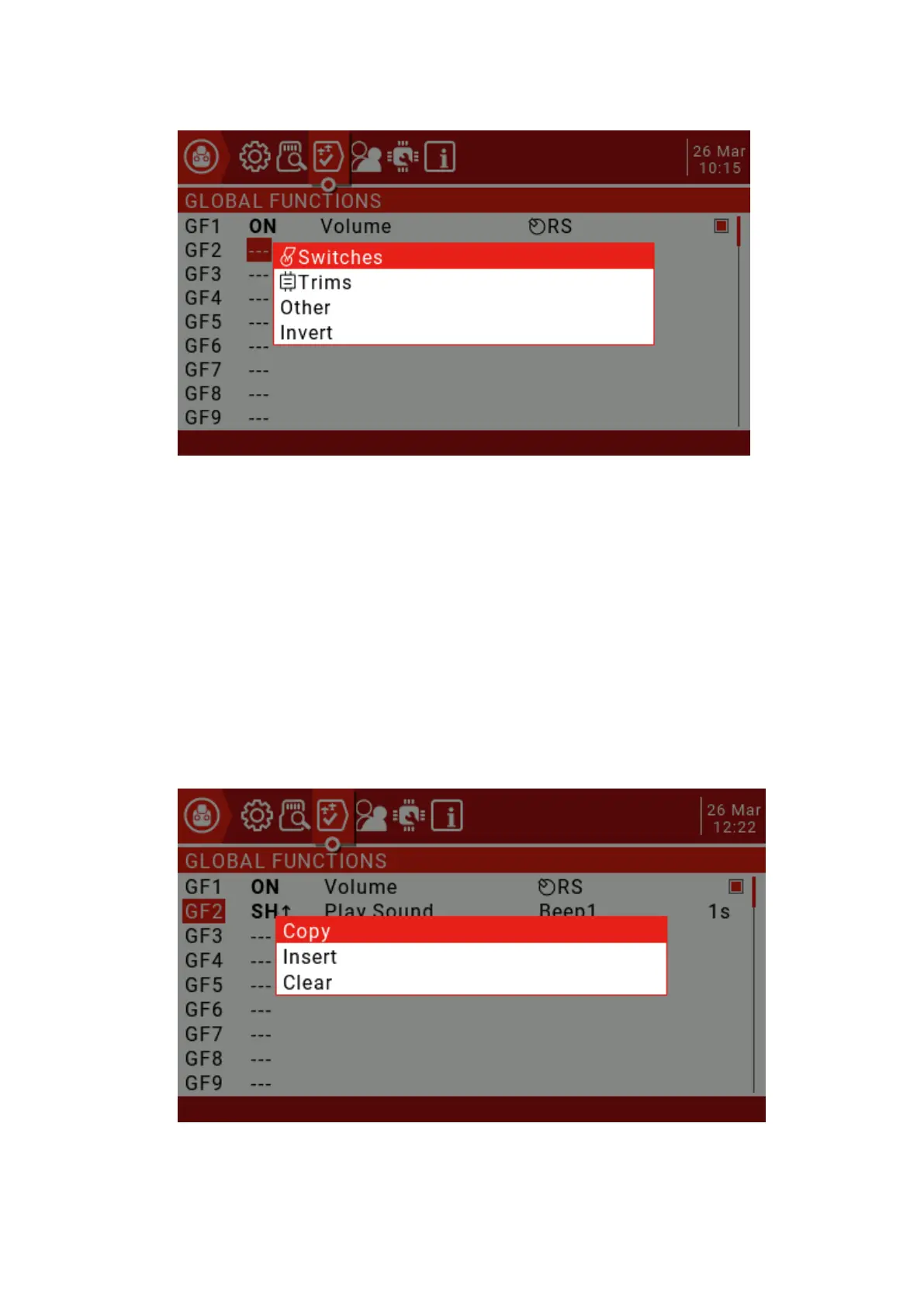
Use the scroll wheel to select up and down, then press the ENT key to confirm, then
select the source to be set and press the ENT key to confirm (the front with the "!" symbol
is reversed, such as SA and !SA, where !SA is the reverse SA)
Next select the function in the list of available functions (some features have a second
parameter setting available)
!1X: Play this function once (do not play when booting)
1X: Play this function once
1s-60s: Set the interval to repeat this function.
If a check box is displayed at the end, you can simply disable the feature by unchecking
the box.
Press and hold the ENT key on the global function you have defined, you can display an
edit menu to copy, insert, and clear the function.



 To Next Page