4
2. installation
Users can choose between two methods to install the JumperTX firmware.
1. Use the JumperTX firmware upgrade tool (Companion)
2. Upgrade the remote controller firmware using the SD card.
If you don't have a WindowsTM operating system, choose the second method,
"Upgrade Remote Controller Firmware with SD Card." This is a BOOTLOADER
application designed by the JumperTX developer team. It is efficient and
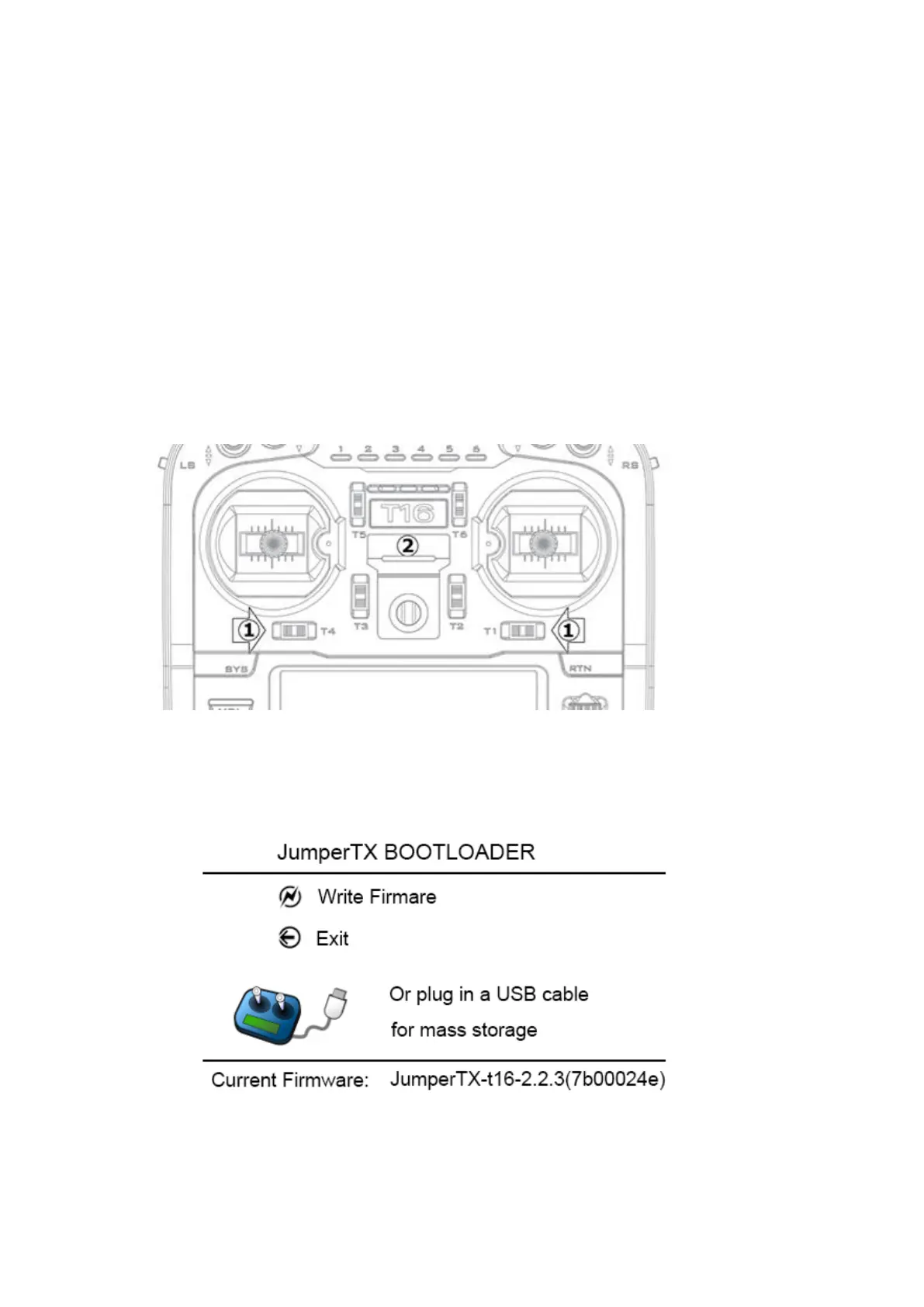
simple. The upgrade requires two steps. First, you need to copy the
downloaded firmware to the FIRMWARE directory of the SD card, then pinch
the horizontal fine-tuning button and turn it on again (as shown below).
Select the Write Firmware option after booting and select the appropriate firmware upgrade.
In BOOTLOADER mode, you can also use USB to connect to a computer. You can use your
computer to access the T16 disk data. After plugging in the USB, the display is as follows.



 To Next Page