63
Select "---" and press and hold the ENT key to pop up the menu showing the source by
category. Scroll up/down to the desired category and press ENT, which takes you back to the
special features page with the cursor on the first item in the selected category. Then you can
scroll up/down from there and press ENT to select the source.
!1x: Play the sound once, not at startup.
1x: Play a sound once.
1s-60s: Repeats the sound at specified intervals.
Lua Script: This field is used for function type scripts that run on demand using this special
feature. The script should be placed in the /SCRIPTS / FUNCTIONS / folder of the SD card.
Background Music Pause: Pause the background music. Play music when the source is
enabled, pause when disabled. Resume playback when re-enabled.
Vario: Vario only sounds when the specified switch is enabled.
Haptic: The vibration function needs to be enabled in RADIO SETUP.
Intensity: 0-3
!1x: Vibration once, does not vibrate when turned on.
1x: Vibration once.
1s-60s: Repeat the vibration at the specified time.
SD Logs: Sets the frequency (in seconds) at which the data records are sampled and
stored on the SD card.
"---" does not create a log.
0.2-25.5s: Log records are saved at specified intervals.
Backlight: This parameter displays a slider that sets the level of the screen backlight. Used
to conserve battery power or to compensate for different lighting conditions.
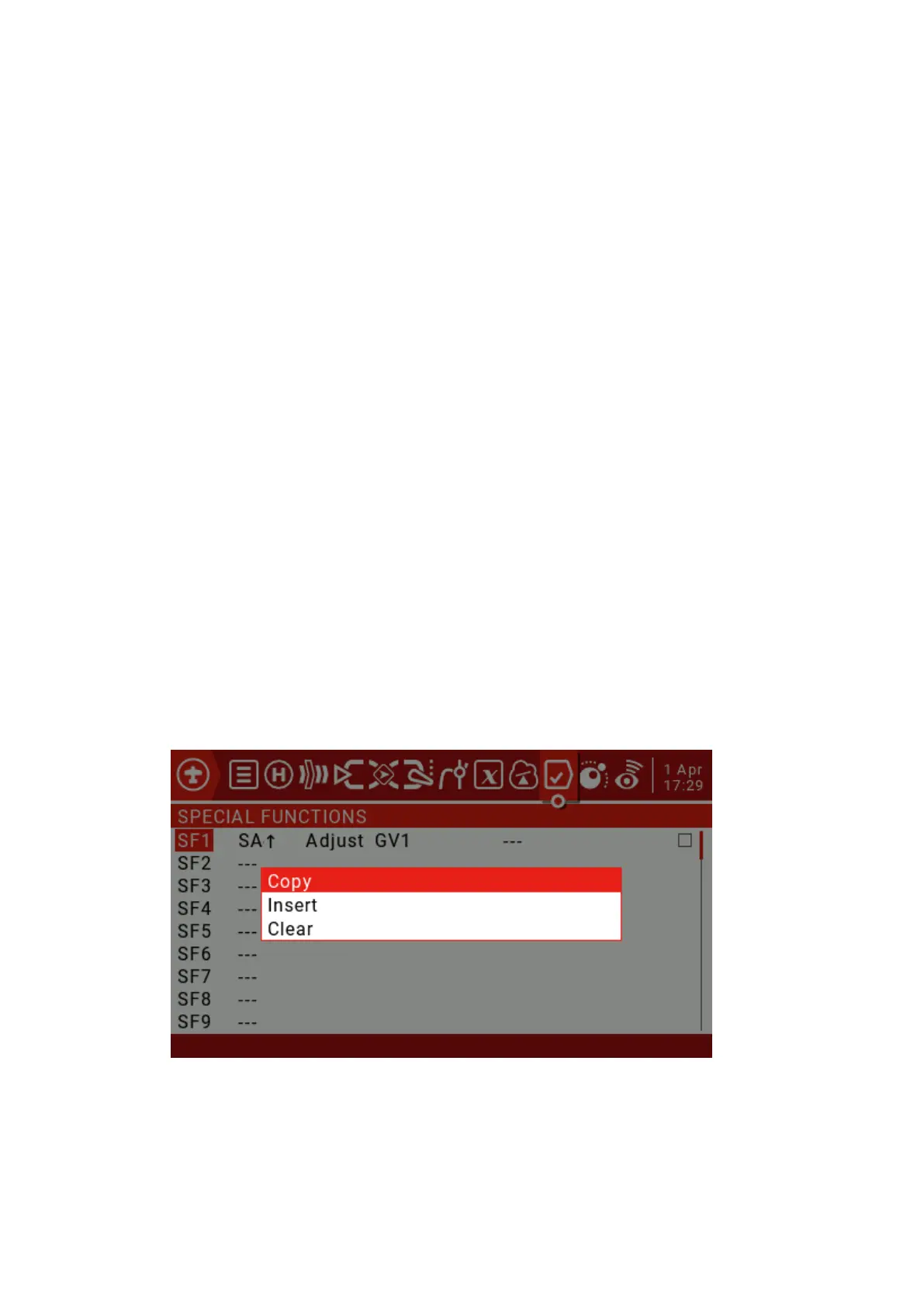
Press and hold the ENT key on a defined special function to bring up a menu to copy, insert
or clear the function.
4.5. Custom Scripts
Custom scripts allow you to modify the behavior of the remote to add specialized
features to your custom tasks. The scripting language used is Lua, a lightweight, embeddable
scripting language designed to be used from games to games.



 To Next Page