Setting and Displaying Date/
Time
Set the date/time of the built-in clock as follows. The recording
date/time is stored on the disc.
Setting the date/time
Set the date/time of the built-in clock as follows.
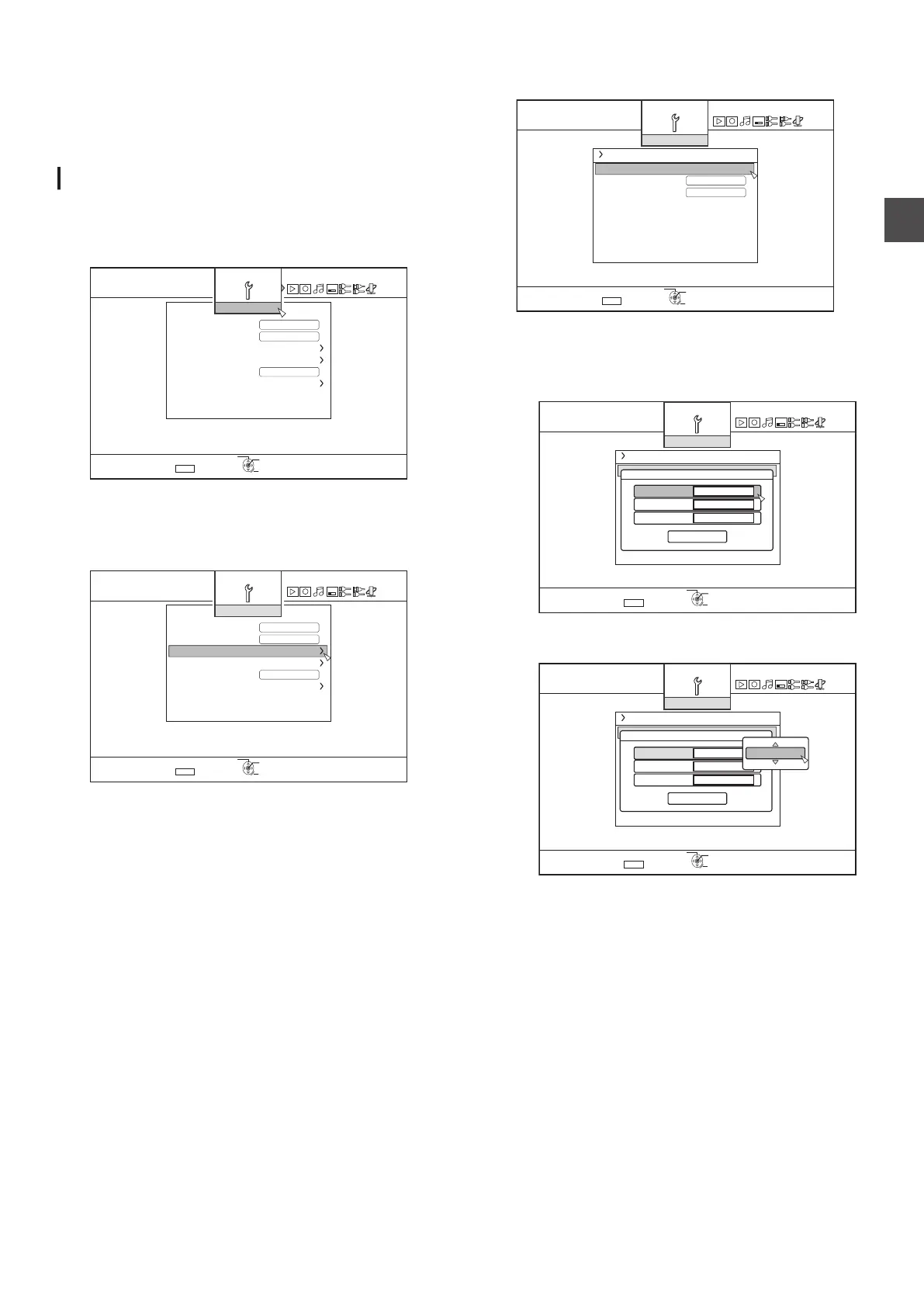
1 Press the [SET UP] button on the remote control unit
0
The Settings menu screen appears.
.
5'.'%6
':+6
&'(#7.65'66+0)
$7<<'4176276
37+%-56#4672
2#0'.&+52.#;$4+)*60'55
%.1%-5'6&+52.#;
4'/16'%10641.
4'/16'%10641.%1&'
1((
1((
#761219'41((
5'672
4'6740
5'672
1-
2
Select “SETUP”, and press the
[OK] button
3
Select “CLOCK SET/DISPLAY
”, and press the
[OK] button
0
“CLOCK SET/DISPLAY
” menu screen appears.
.
5'.'%6
':+6
&'(#7.65'66+0)
$7<<'4176276
37+%-56#4672
2#0'.&+52.#;$4+)*60'55
%.1%-5'6&+52.#;
4'/16'%10641.
4'/16'%10641.%1&'
1((
1((
#761219'41((
5'672
4'6740
5'672
1-
4
Select “CLOCK SET
”, and press the [OK] button
0
The Clock Set menu screen appears.
.
5'.'%6
':+6
*
/106*&#;;'#4'&+52.#;
%.1%-5'6
%.1%-5'6&+52.#;
5'672
6+/'&+52.#;%*1+%'
4'6740
5'672
1-
5
Set the time and date
0
Repeat the steps below to specify the time and date.
A
Press the [ J
] or [ K ] button, select the Clock Set
item, and press the [OK] button.
.
5'.'%6
':+6
%.1%-5'6
%.1%-5'6&+52.#;
5'672
4'6740
5'672
1-
'06'4
#/6+/'
,#0/106*&#;
;'#4
%.1%-5'6
B
Press
the [ J ] or [ K ] button, change the setting value,
and press the [OK] button.
.
5'.'%6
':+6
%.1%-5'6&+52.#;
5'672
%.1%-5'6
4'6740
5'672
1-
'06'4
#/6+/'
,#0/106*&#;
;'#4
%.1%-5'6
Setting and Displaying Date/Time
23
Preparation



 To Next Page