4K HDBaseT™ 8x8 Matrix Switcher
MX-HDBASE8X8-4K 32
KanexPro.com
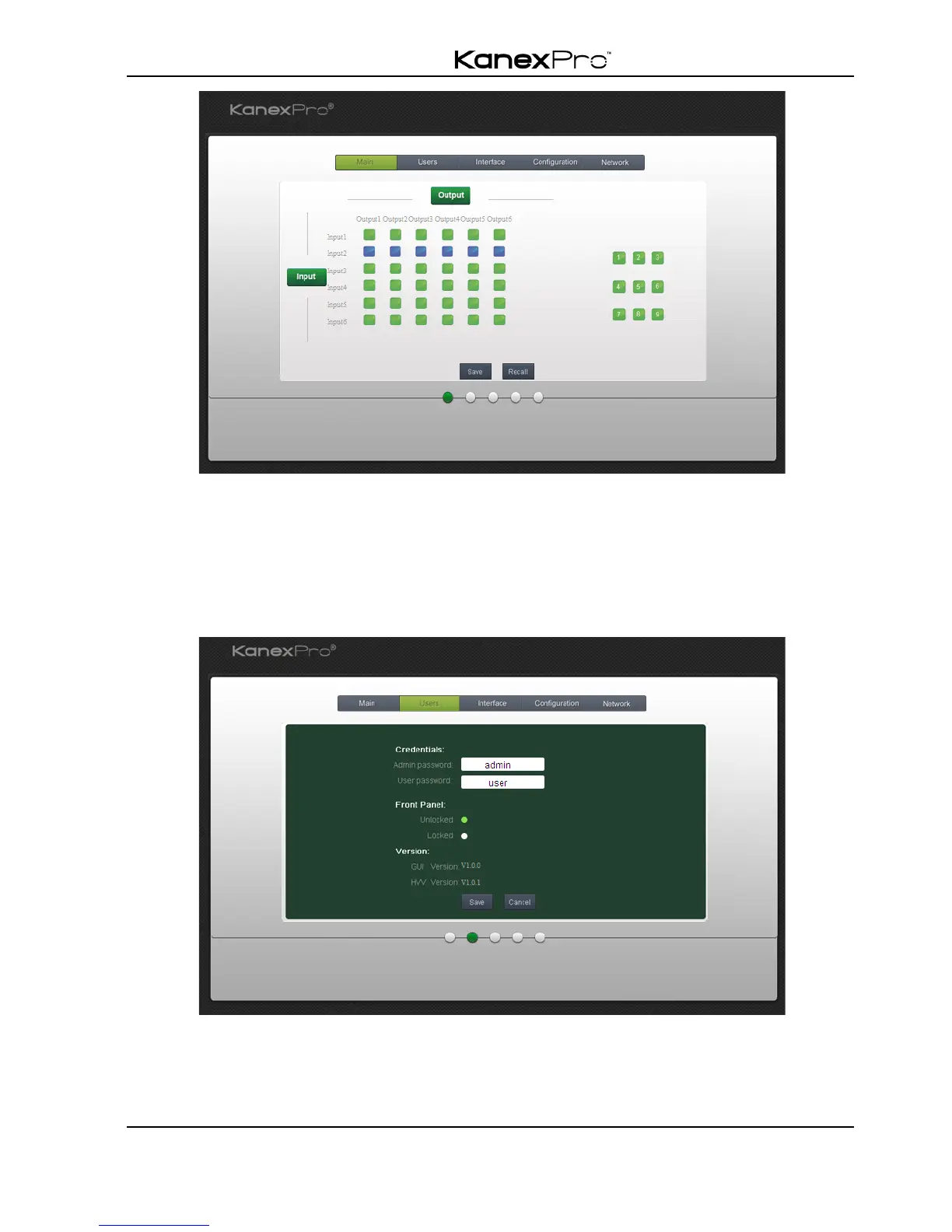
The button matrix displays every possible connection between every input and output;
users can carry on the connections by clicking corresponding button.
Buttons 1~9 at the right-bottom corner provides quick saving and recall for overall
connection status.
Users: Display or modify credential settings, front panel lock, and GUI version.
If there is any modification, press Save to restore the settings, or press Cancel to
withdraw.
Interface: Set title bar label, LCD readout, and button labels, press Save to save the



 To Next Page