IP TELEPHONE SET
4
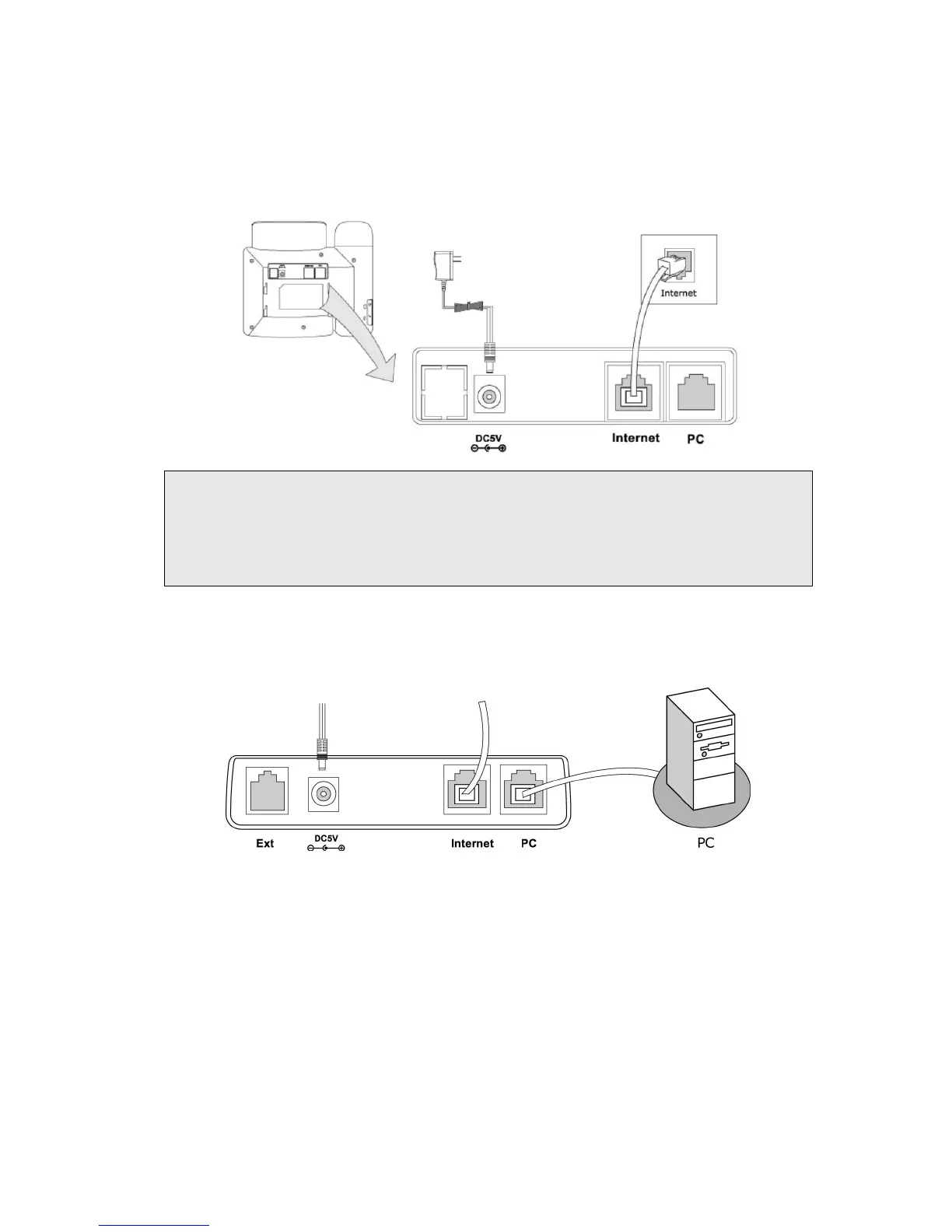
3) Connect Network and Power
There are two ways for network and power source connections. You can either connect
the phone to the AC Power directly using the power adapter or to a PoE compliant switch
or hub. Your system administrator will advise you on which one to use.
Note:
1. If inline power is provided, do not install AC adapter. Make sure the Ethernet cable
and switch/hub is PoE compliant.
2. The Internet Port can be also connected to Hub/Switch/IP PBX or other internet
devices.
The phone can also share the network connection with other network devices such as PC.
Connect the phone’s PC port and computer’s Network Port together using an Ethernet
cable, shown as below:
CONFIGURATION AND REGISTRATION
If you are administrator, you need to do some simple configuration to make the phone
work. If not, please contact your internet administrator or service provider for more
details.



 To Next Page