IP TELEPHONE SET
29
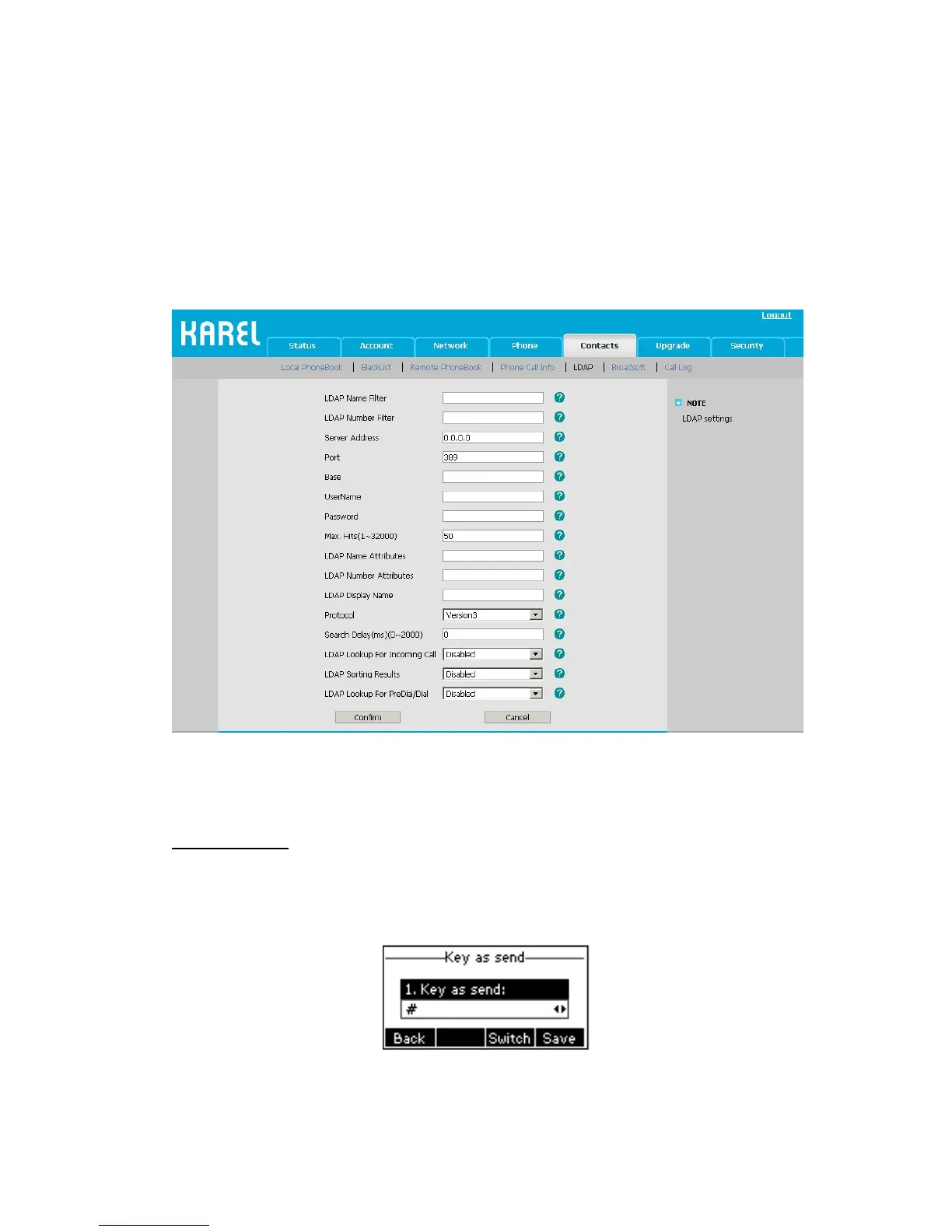
3. The function of Dial-up directory: under the dial interface, each time you press a key
there are inquiring for a number. It will show on the LCD and let the user to choose. The
LDAP Lookup For PreDial/Dial option can be configured to enable or disable this function
via web interface.
To set the LDAP via the Web interface:
1) Choose Contacts->LDAP.
2) Configure the corresponding options
3) Click Confirm to save the change.
Other Settings
Key as Send
Users can set a specific button (“#” or “*”) to active as the send button.
To set the send key via the IP phone interface:
1) Press Menu->Features->Key as Send->Enter to enter the configuration page.
2) Press the Switch hot key to choose a button that you want to use as the send key: “#”,
“*”, or disable this option.
3) Press the Save hot key to save the changes.



 To Next Page