IP TELEPHONE SET
67
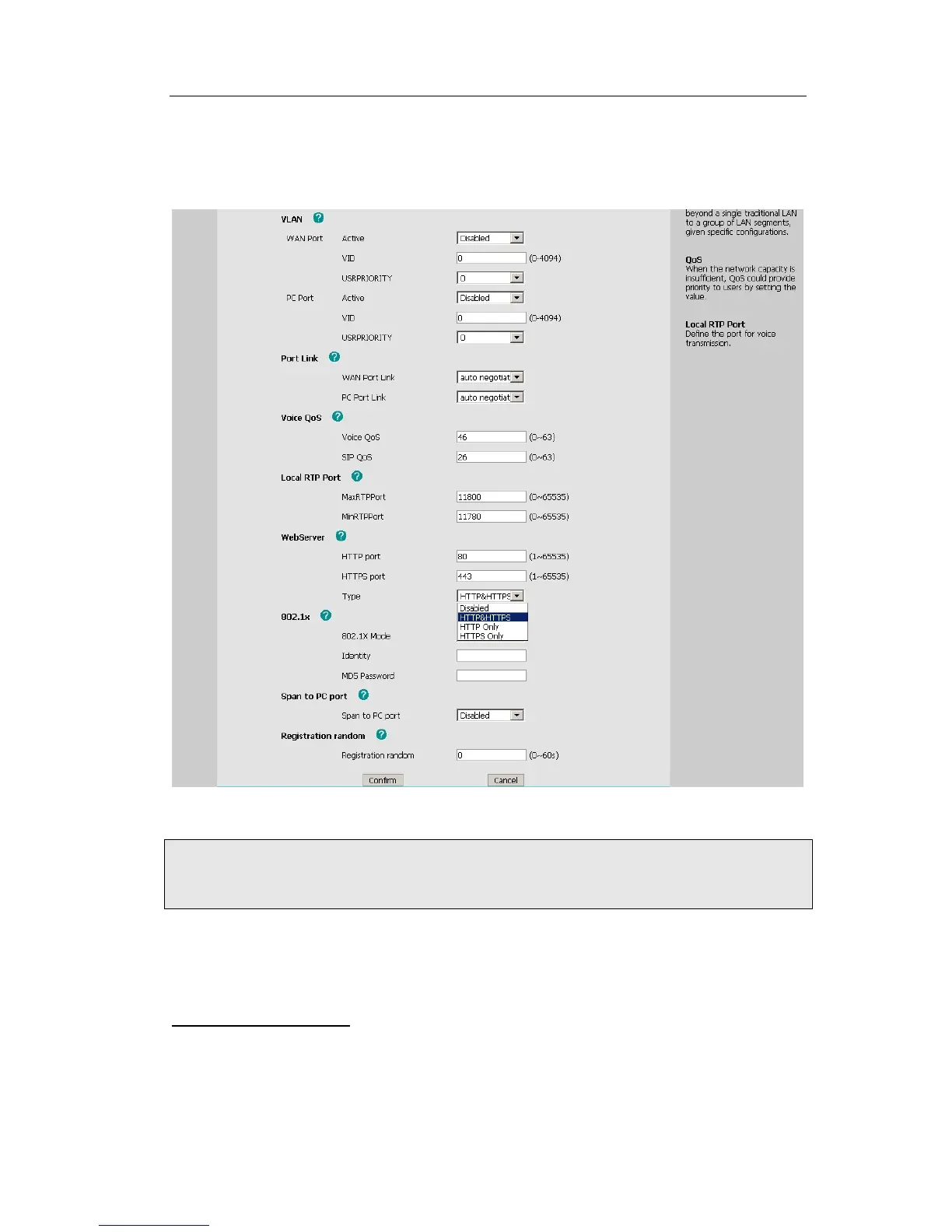
To configure HTTPS settings via Web interface:
Go to Network->Advanced, choose WebServer option, in the pull-down menu of Type
field, choose the transmission mode, and then click the Confirm button to save the
changes.
Note:
1. For more details of the HTTPS, you can consult with your system administrator.
2. IP phone also support Internet Protocol Version 6.
MAINTENANCE TASKS
Administrator Mode
The phone allows two modes to configure the phone:
z User Mode
z Administrator Mode



 To Next Page